
HP Series 5 Pro 24
4.5Editor score
Pop-up 5MP conferencing camera
AI noise-reduction microphones
Four-way ergonomic adjustment
Integrated four-speaker audio
A monitor with a built-in webcam can simplify a home office by combining a display, camera, microphone, and speakers in one package. The strongest options balance image quality with privacy controls, useful connectivity, comfortable adjustment, and a panel suited to both focused work and everyday communication.
This guide compares ten monitors with built-in webcams using their stated specifications and available customer ratings. The evaluation covers camera resolution, display size and resolution, refresh rate, video-conferencing features, port selection, ergonomics, audio, and practical extras such as pop-up cameras or Windows Hello support.
Each review identifies the feature that makes a particular model appealing, while also noting limitations that may matter to a buyer. The lineup ranges from compact Full HD business displays to high-resolution productivity panels and an UltraWide model; current prices and availability can change.
4.5Editor score
4.3Editor score

3.8Editor score
As an Amazon Associate we earn from qualifying purchases.
The table below compares all ten monitors by camera, panel, conferencing, and connectivity features, making it easier to identify the model that best matches your desk, computer, and calling needs.




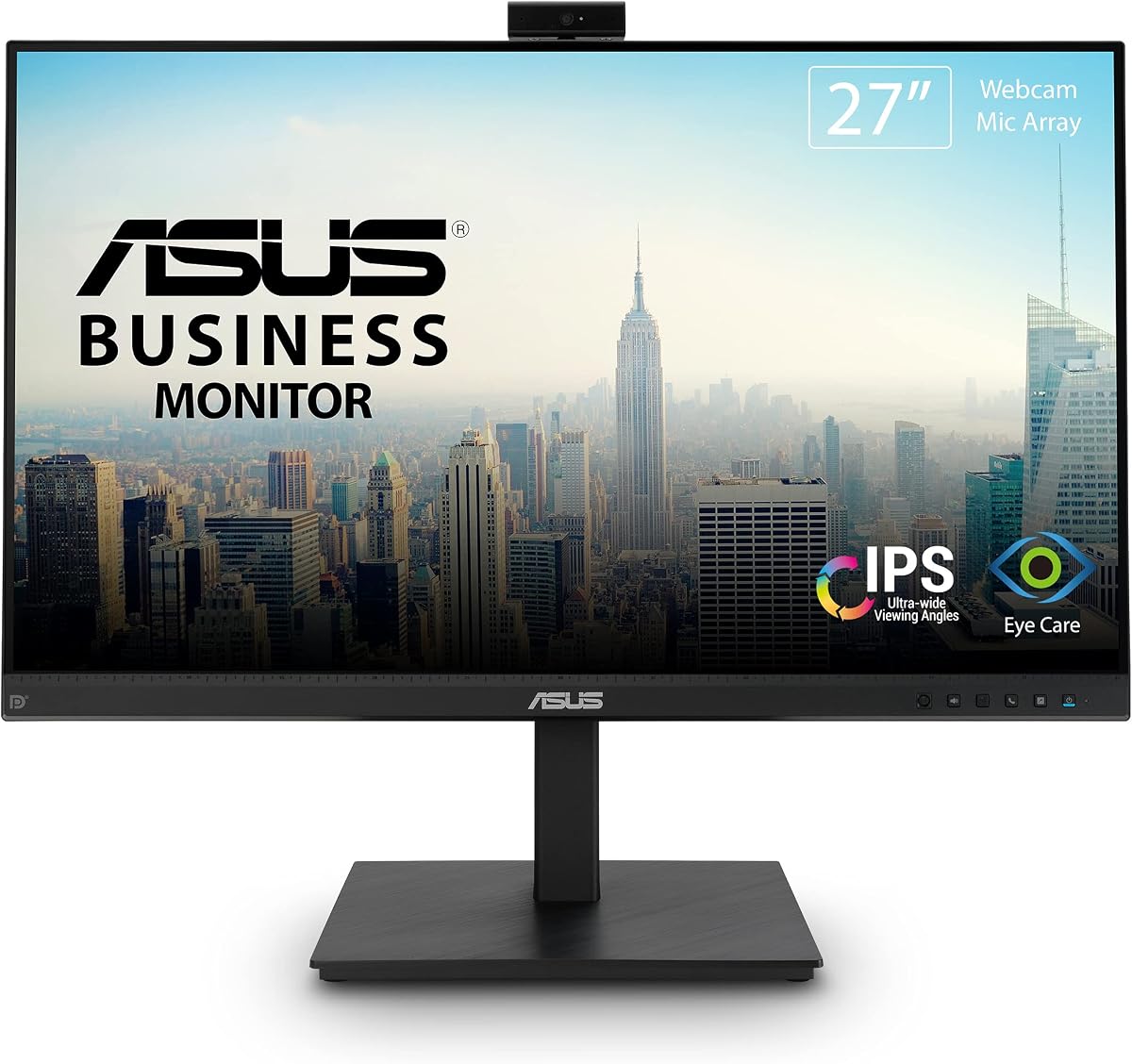
The ASUS BE279QSK combines a 27-inch Full HD IPS display with an adjustable Full HD webcam, microphone array, and stereo speakers. It carries a 4.3 customer rating and stands out as the most balanced option in this group because it provides generous screen area, broad connectivity, and a business-oriented feature set without specializing in only one use case.
We may earn a commission when you buy through this link, at no additional cost to you.
Its frameless IPS panel offers wide viewing angles, while the included webcam can be adjusted for different users and meeting positions. The stand supports 150 millimeters of height adjustment, 180-degree swivel, 90-degree pivot, and tilt ranging from minus 5 to plus 35 degrees. These controls make it easier to align the display and camera with a seated user than a fixed-position monitor would allow.
Connectivity is another strength. DisplayPort, HDMI, D-sub, USB upstream for the webcam, audio input, and a headphone jack give users several ways to connect a computer and related equipment. ASUS also includes flicker-free and low blue-light technology, plus a three-year warranty with advanced replacement and repair coverage. The limitation is the Full HD resolution, which offers less workspace detail than the 2K and QHD alternatives.
This is the strongest recommendation for a professional who wants a large, conventional office monitor that can handle calls, documents, browsing, and multi-application work. It is particularly suitable for buyers who prioritize adjustability and extensive ports over maximum pixel density. For a compact desk, however, the 24-inch ASUS BE24EQK may be easier to accommodate.
Overall, the BE279QSK is our Editor's Choice because its integrated communication hardware is well matched to a large IPS panel and its stand offers unusually broad positioning control. It gives buyers a dependable one-cable-per-device style of setup without sacrificing the ports expected in a productive office.
The adjustable Full HD webcam, microphone array, and stereo speakers allow the BE279QSK to serve as a complete conferencing station. That makes it useful for recurring virtual meetings without requiring a separate camera or speaker pair on the desk.
Height, swivel, pivot, and tilt adjustments let users position the large panel precisely. This flexibility is especially helpful when sharing a desk with a laptop user who may sit lower or use a separate keyboard.
We may earn a commission when you buy through this link, at no additional cost to you.
The ASUS BE24EQK is a 24-inch Full HD conferencing monitor built around an adjustable 2MP webcam, microphone array, and stereo speakers. Its 4.0 rating reflects a practical package that prioritizes clear communication, a frameless IPS display, and a footprint better suited to many home offices than the larger ASUS BE279QSK.
We may earn a commission when you buy through this link, at no additional cost to you.
One of its most valuable communication features is beamforming with echo cancellation. The stated audio technology filters ambient noise, including keyboard sounds, to improve speech clarity during online meetings. The integrated speakers add further convenience for system audio or conversations, while the adjustable camera allows users to aim the lens rather than relying on a fixed position.
The display uses a 16:9 Full HD IPS panel with viewing angles of 178 degrees horizontally and vertically. Typical brightness is listed at 300 cd/m², which should provide useful visibility in a well-lit room. DisplayPort and HDMI cover modern computer connections, and VGA adds flexibility for older equipment. ASUS also provides flicker-free and low blue-light eye-care features.
This monitor makes sense for students, remote employees, and small-business users who want a straightforward all-in-one display for learning and calls. It may not be ideal for heavy creative work because Full HD at 24 inches does not provide the pixel density of 2K alternatives, nor would it suit a user seeking gaming-oriented refresh rates. Its 4.0 rating is solid but trails several competitors.
The BE24EQK is a sensible choice when desk depth matters more than maximum screen area. With conferencing hardware, noise-control features, modern inputs, and a familiar 24-inch footprint, it covers the essentials cleanly. It is also a lower-cost route to an ASUS display with an integrated camera, making it worth comparing carefully against the company's larger model.
Beamforming and echo cancellation focus the microphone array on speech while reducing distracting background sound. These features are particularly useful when family members, keyboard noise, or room echoes could affect a call.
The 24-inch 16:9 format requires less desk space than a 27-inch or 34-inch display. It remains easy to position beside a laptop while providing a dedicated screen for documents, chat windows, and presentations.
We may earn a commission when you buy through this link, at no additional cost to you.
The Thinlerain 23.8-inch 2K monitor combines a 2560-by-1440 IPS panel with a pop-up 3MP webcam, built-in microphone, and dual speakers. Its 5.0 rating is the highest listed in this roundup, and the combination of high resolution, 100Hz refresh rate, and a physically retractable camera gives it unusual versatility for a compact monitor.
We may earn a commission when you buy through this link, at no additional cost to you.
The pop-up camera retracts completely for physical privacy, a meaningful advantage in shared offices or homes where a permanently exposed lens may be undesirable. Pressing the camera deploys it, while the included USB-C cable must be connected to activate the webcam, microphone, and speakers. Other display functions can operate independently, which helps preserve a clean installation.
Visually, the 2K IPS panel offers 100% sRGB coverage, 178-degree viewing angles, and 350-nit brightness. A 100Hz refresh rate makes scrolling and general motion appear smoother than a standard 60Hz panel. The stand supports height, tilt, swivel, and 90-degree pivot adjustment, allowing the display to rotate into portrait mode for documents, code, or long web pages.
HDMI and DisplayPort provide the primary display connections, while USB-C to USB-C and USB-C to USB-A cables support the conferencing hardware. One consideration is that the camera and microphones depend on the USB-C connection, making setup slightly less transparent than a model that handles every function through a single familiar video cable. The included accessories reduce this inconvenience.
This monitor is an attractive choice for a productivity-focused buyer who wants more resolution than a standard Full HD model without moving to a larger screen. Its vertical mode, privacy camera, and strong stated rating distinguish it from conventional office monitors. It is also a reasonable occasional gaming option because of the 100Hz refresh rate, though its feature set is clearly designed around work and communication.
The retractable camera disappears into the upper bezel when it is not needed. That physical concealment is easy to understand and can provide greater reassurance than relying solely on a software shutter.
The 2560-by-1440 panel offers noticeably more workspace than Full HD while preserving a familiar 23.8-inch size. Portrait rotation makes that extra vertical detail useful for reading, writing, and reviewing long pages.
We may earn a commission when you buy through this link, at no additional cost to you.
The Philips 34E1C5600HE is a 34-inch UltraWide QHD monitor with a 21:9 aspect ratio, curved 1500R VA panel, built-in 5MP webcam, noise-canceling microphone, and stereo speakers. It is the premium selection in this guide because its expansive workspace, Windows Hello capability, and USB-C docking functions go beyond the basic needs of a webcam monitor.
We may earn a commission when you buy through this link, at no additional cost to you.
The 3440-by-1440 resolution gives users a broad canvas for arranging documents, communication apps, timelines, and reference material side by side. The 1500R curve adds immersion and is designed to help reduce the strain associated with long work sessions. Ultra Wide-Color technology is also listed, with 123.24% sRGB and 99.25% NTSC color-gamut area coverage.
Its webcam includes sensors for Windows Hello facial recognition, allowing compatible Windows devices to recognize the user for sign-in. The stated capability can log in in less than two seconds. A noise-canceling microphone and stereo speakers complete the conferencing package, while USB-C docking can transfer data, video, and up to 65W of power through one cable to a compatible laptop.
The 100Hz refresh rate makes the monitor more versatile for entertainment and light gaming than many office-oriented competitors. The trade-offs are significant. Its wide body demands desk space, and curved screens can complicate placement beside multiple other displays. More importantly, its 3.8 customer rating is the lowest in the lineup, so buyers should consider recent customer feedback carefully.
This Philips model is ideal for a power user who wants one screen to replace several conventional panels and who values fast authentication and laptop docking. It is less suitable for a small desk, a multi-monitor arrangement with limited room, or a buyer who prioritizes a perfect customer-rating record over premium feature breadth.
The 21:9 format is particularly valuable for users who routinely compare two applications, edit long timelines, or keep communication tools visible while working. Its wider canvas reduces the need to move frequently between a standard display and a separate productivity screen.
Windows Hello support turns the 5MP camera into a convenient authentication device. USB-C power delivery and data transfer can also simplify a laptop-based desk by reducing the number of separate connections.
We may earn a commission when you buy through this link, at no additional cost to you.
The CUNPU 24-inch monitor combines a Full HD IPS display with a pop-up 5MP webcam, dual-channel stereo microphone, and speaker. Its 4.1 rating and 120Hz refresh rate make it a strong value-oriented option for buyers who want modern camera specifications and smooth motion in a conventional 24-inch format.
We may earn a commission when you buy through this link, at no additional cost to you.
The retractable camera offers physical privacy and should appeal in shared workspaces. A USB-B 2.0 upstream connection allows the webcam to integrate with a PC or laptop, while the stereo microphone supports clear voice pickup. The pop-up mechanism avoids leaving a camera lens permanently visible and reduces desk clutter by combining the conferencing hardware with the display.
The panel runs at 120Hz through HDMI or 75Hz through VGA and has a stated 10ms response time. It covers 96% of the sRGB gamut, displays 16.7 million colors, and supports 8-bit color depth. DC dimming, an anti-glare matte surface, 300 cd/m² brightness, and a 1300:1 contrast ratio support comfortable everyday productivity.
Ergonomics are unusually thorough for this class. The stand allows 5.31 inches of height adjustment, plus 35-degree swivel, 90-degree pivot, and minus 5 to plus 15-degree tilt. A quick-release base, 100-by-100-millimeter VESA compatibility, and a Kensington lock slot add further flexibility and physical security. The main limitation is Full HD resolution.
This is a compelling choice for hybrid workers who want a high-refresh display, integrated communication tools, and extensive adjustment without moving to a larger format. It also works well for general office tasks and casual multimedia use. Buyers creating or editing detailed images may prefer the 2K CUNPU model, whose higher resolution reduces the need for scaling.
A five-megapixel retractable camera, stereo microphone, and speaker provide a capable all-in-one communication setup. The 24-inch footprint remains convenient for desks that cannot comfortably accommodate a 27-inch or UltraWide panel.
DC dimming and an anti-glare surface help limit flicker and reflections. Combined with extensive stand adjustment, these features make the monitor easier to use for prolonged document work and regular video meetings.
We may earn a commission when you buy through this link, at no additional cost to you.
The HP Series 5 Pro 23.8-inch FHD USB-C Conferencing Monitor pairs a 5MP pop-up tiltable webcam with AI noise-reduction microphones and integrated speakers. Its 4.5 rating is the second highest among the listed products, and its privacy-focused camera, business-oriented controls, and included portable data hub make it our Best Budget recommendation.
We may earn a commission when you buy through this link, at no additional cost to you.
The webcam lowers after a meeting and remains concealed while it is not in use. Its tiltable design allows a more deliberate camera angle, while the microphones use AI noise reduction to limit distracting sounds. Auto Lock and Awake features are listed as additional safeguards for shared environments. Four 3W downward-firing speakers provide built-in audio for calls and everyday use.
Comfort receives equal attention. The stand supports 45 degrees of swivel in either direction, 90-degree pivot, minus 5 to plus 23-degree tilt, and 150 millimeters of height adjustment. The three-sided borderless micro-edge design keeps the visual footprint tidy, while built-in eye-care features reduce blue-light output while preserving natural-looking color.
Its USB-C approach suits modern laptops and supports a professional conferencing arrangement. The included Dockztorm portable data hub is listed with data synchronization up to 5Gbps. One limitation is that the supplied information does not state the refresh rate, so buyers interested in fast motion should verify that detail. The Full HD panel also offers less desktop detail than 2K alternatives.
This is a strong recommendation for hybrid workers, students, and small teams that want dependable conferencing hardware in a compact footprint. It may be the best fit for buyers who value camera privacy, call clarity, and simple positioning over maximum resolution. Its strong rating and feature balance give it broad appeal without requiring a large or specialized display.
The 5MP camera pops down after use, leaving no exposed lens in the bezel. That makes the monitor visually clean and practical for shared offices, hotel rooms, and other settings where physical privacy matters.
AI noise-reduction microphones and four integrated speakers reduce the need for separate meeting audio. This creates a more coherent one-device setup for regular remote collaboration.
We may earn a commission when you buy through this link, at no additional cost to you.
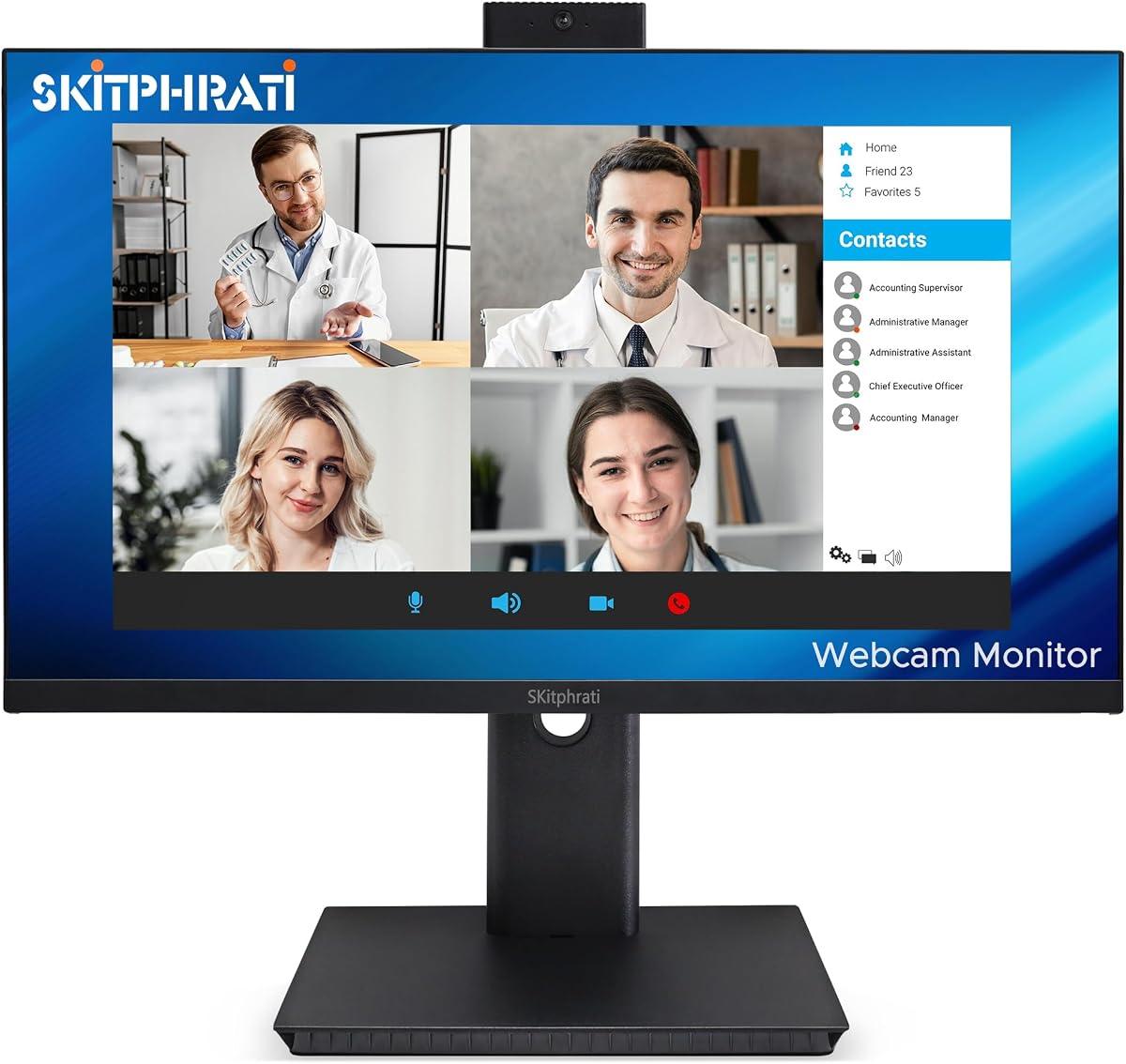
The SKitphrati 27-inch Business Webcam Monitor combines a Full HD IPS display, 120Hz refresh rate, adjustable 3MP camera, microphone array, and stereo speakers. Its 4.0 rating places it among the stronger-reviewed options, while the large screen and broad input selection make it practical for offices that still use a mix of modern and legacy computers.
We may earn a commission when you buy through this link, at no additional cost to you.
The adjustable webcam allows users to aim the camera toward their preferred position, which can be useful on a shared or multi-user desk. A microphone array and stereo speakers support calls without requiring separate desktop audio hardware. The frameless construction gives the display a clean appearance and helps maximize usable screen area.
At 1920 by 1080 and 120Hz, the panel offers smooth motion for everyday productivity, scrolling, video playback, and casual games. HDMI, DisplayPort, VGA, and USB 2.0 give it broad compatibility. That mix is useful for offices that may need to connect an older desktop alongside a laptop or newer workstation.
Eye-care technology is included, although the supplied description provides less detail about its exact implementation than some competing listings. The 27-inch Full HD combination also produces fewer pixels than a 27-inch 2K model, so users who routinely work with dense documents or creative software may find more scaling. These factors temper the monitor's otherwise practical feature set.
The SKitphrati is best suited to business users who want a large conferencing display and need broad port compatibility. It is a sensible alternative to the ASUS BE279QSK when refresh rate and integrated stereo audio are priorities, though buyers should compare the available stand adjustment and warranty details before choosing.
A 120Hz refresh rate improves the fluidity of scrolling, cursor movement, and general interface interaction. It also gives the display more flexibility for casual gaming than a conventional 60Hz office panel.
HDMI and DisplayPort serve current systems, while VGA preserves support for older office equipment. USB 2.0 upstream provides a path for the integrated conferencing hardware.
We may earn a commission when you buy through this link, at no additional cost to you.
The CUNPU 27-inch QHD monitor offers a 2560-by-1440 IPS display with a 120Hz refresh rate, pop-up 5MP webcam, dual-channel stereo microphone, and speaker. Its 4.1 rating and mix of resolution, smoothness, and conferencing hardware make it one of the most technically complete conventional monitors in the lineup.
We may earn a commission when you buy through this link, at no additional cost to you.
The display covers 99% of the sRGB gamut and provides 16.7 million colors at 8-bit depth. Both HDMI 2.0 and DisplayPort 1.4 support the high-refresh presentation, and AMD FreeSync plus G-Sync compatibility are listed for tear-free motion. These characteristics make it more versatile for entertainment and casual gaming than a standard business panel.
A retractable five-megapixel camera provides physical privacy, while the dual-channel stereo microphone supports voice pickup. USB-B 2.0 upstream connectivity links the webcam to a PC or laptop. The monitor also includes DC dimming, an anti-glare matte finish, 300 cd/m² brightness, and a 1500:1 contrast ratio for daily productivity.
Adjustment includes 5.31 inches of height movement, 35-degree swivel, 90-degree pivot, and minus 5 to plus 15-degree tilt. A quick-release base, 100-by-100-millimeter VESA mounting support, and a Kensington lock slot improve flexibility. Its 27-inch body requires more space, and unlike some premium alternatives, the listed connectivity does not include USB-C docking.
This monitor is a strong fit for a creator, analyst, or hybrid worker who wants a sharp large workspace and a high-refresh panel without abandoning the integrated camera. It also works well for Windows gaming because of its adaptive-sync support. For a smaller desk, the 24-inch CUNPU provides a similar communication concept with less physical footprint.
The 2K resolution provides room for detailed documents and multiple applications, while 120Hz keeps interactions fluid. That combination is especially useful for users who divide the day between office work, media, and casual games.
The camera physically retracts when it is not needed, while the highly adjustable stand helps optimize the viewing angle. VESA support and a Kensington slot add mounting and security flexibility.
We may earn a commission when you buy through this link, at no additional cost to you.
The ViewSonic VG2441V is a 24-inch Full HD conferencing monitor with a 120Hz refresh rate, built-in 5MP infrared webcam, microphone, and speakers. Its 4.1 rating reflects a balanced display and communication package, with the infrared camera and Windows Hello support providing a particularly convenient authentication option.
We may earn a commission when you buy through this link, at no additional cost to you.
Windows Hello allows compatible users to sign in through facial recognition, reducing the need to enter passwords during daily use. Infrared imaging can also support secure face detection in dark or low-light conditions. The camera remains built into the display rather than retracting, so privacy-conscious buyers should verify the available shutter behavior and operating-system controls before use.
USB-C, HDMI, and DisplayPort cover laptops and desktop systems, providing flexibility for a professional workspace. The 120Hz refresh rate makes scrolling, video, and casual games smoother than a standard 60Hz monitor. Integrated speakers and microphone equipment also make the screen suitable for meetings, presentations, training, and collaboration without separate conferencing accessories.
Eye Care features are intended to support longer work sessions involving documents, research, communication, and other productivity tasks. The monitor is also listed as compatible with laptop, PC, and Mac systems. However, the Full HD panel provides less detail than 2K alternatives, and the supplied information does not detail stand adjustment or whether a physical lens cover is included.
The VG2441V is most compelling for Windows users who prioritize quick facial login and a smooth 120Hz display in a compact size. It is less compelling for buyers who require a retracting camera, maximum text detail, or a broad range of ergonomic adjustments. Even so, its combination of conference hardware and modern connectivity remains focused and useful.
The 5MP infrared camera supports compatible Windows Hello facial recognition. This can streamline sign-in while keeping the webcam, microphone, and speakers integrated into a single workspace.
The 120Hz panel handles everyday interface movement with more fluidity than a standard office monitor. Its 24-inch size also makes it easier to accommodate beside a laptop.
We may earn a commission when you buy through this link, at no additional cost to you.
The Acer 24-inch 1080P IPS Conferencing Monitor includes a webcam, microphone arrays, speakers, and a 5.0 customer rating. It provides a straightforward Full HD productivity display with 75Hz refresh rate, wide viewing angles, anti-glare treatment, and height, swivel, and tilt adjustment.
We may earn a commission when you buy through this link, at no additional cost to you.
Its integrated speakers, microphones, and camera make it suitable for office workers and home users who need dependable conferencing hardware without assembling separate devices. The 23.8-inch 1920-by-1080 IPS panel is designed for office documents, communication, movies, and casual gaming. Viewing angles of 178 degrees help maintain consistent clarity when viewed from different positions.
HDMI, VGA, and DisplayPort provide a solid selection for modern and legacy equipment. AMD FreeSync support synchronizes the refresh rate with a compatible computer's frame rate to reduce tearing during playback. Anti-glare coating and 250-nit brightness support normal indoor visibility, although the stated brightness is lower than that of several competing models.
The stand's height, swivel, and tilt adjustment enables more comfortable positioning, which is useful for long workdays. One important omission in the supplied specifications is the webcam's pixel resolution. That makes it harder to compare image quality with monitors offering clearly stated 3MP, 5MP, or Full HD cameras. The 75Hz refresh rate is also modest.
Despite that missing detail, the Acer model is a strong basic recommendation for office and home users who want an established brand, a complete communication package, and a high customer rating. It is well suited to general productivity and multi-monitor setups. Buyers who make fine distinctions between camera image quality should seek confirmation of the sensor specification before purchasing.
Built-in speakers, microphone arrays, and a webcam reduce the number of accessories needed for routine meetings. The result is a simpler desk for office and remote-learning tasks.
Full HD IPS output provides familiar sharpness and wide viewing angles. HDMI and DisplayPort suit current computers, while VGA offers compatibility with older office systems.
We may earn a commission when you buy through this link, at no additional cost to you.
The right webcam monitor should fit your desk, suit your computer, and provide clear communication without demanding extra accessories. Display quality, camera behavior, audio, connectivity, and ergonomics deserve equal attention.
A higher camera resolution can provide a more detailed image, but it is only one part of call quality. Lighting, focus behavior, microphone placement, and the conferencing application's processing also influence the result. Many models in this guide use 3MP or 5MP sensors, while the ASUS BE279QSK offers an adjustable Full HD webcam. The Acer does not state its camera resolution, so buyers wanting a precise comparison should request that detail.
A pop-up camera can retract completely when not in use, providing physical privacy and a cleaner bezel. The Thinlerain, both CUNPU models, and the HP Series 5 Pro use this approach. A fixed camera may be more convenient for instant access, but it stays visible and may require a shutter or software control.
Full HD is common in this category and remains easy to scale across different operating systems. It is sufficient for standard office applications, video calls, and general browsing. However, a 2K or QHD panel offers more text, image, and application detail, making it preferable for spreadsheets, writing, creative work, and side-by-side multitasking.
Screen size should be matched to desk depth and viewing distance. A 24-inch display is a practical compact choice, while 27 inches offers a larger work area without adopting an UltraWide footprint. The Philips 34-inch model maximizes horizontal workspace but requires a considerably wider desk and careful planning when positioning other equipment.
A 120Hz panel provides smoother cursor movement, scrolling, video playback, and general interface interaction than a standard 60Hz display. Some models also list AMD FreeSync or G-Sync compatibility, which can reduce tearing when the computer's frame rate and the monitor's refresh rate are synchronized. These benefits extend beyond gaming.
The CUNPU and SKitphrati models offer 120Hz, the Thinlerain offers 100Hz, the Philips offers 100Hz, and the Acer is listed at 75Hz. Refresh-rate specifications are not provided for every product. If smooth motion is important, confirm the supported rate and compatible input configuration before ordering.
Integrated microphones can make calls much simpler because they are positioned near the screen and directed toward the user. Some models add noise-control technology. The ASUS BE24EQK uses beamforming and echo cancellation, the HP Series 5 Pro features AI noise reduction, and the Philips includes a noise-canceling microphone.
Built-in speakers are useful for system sound, presentations, and calls, although they rarely replace a dedicated speaker system for music or entertainment. Consider whether the monitor includes a headphone or audio output for private listening. Some listings mention only integrated speakers, so buyers who require a 3.5mm connection should verify the final port specification.
USB-C can simplify a laptop setup when it supports video, data transfer, and power delivery. The Philips 34E1C5600HE supports up to 65W of power delivery, while the HP and ViewSonic models also emphasize USB-C connectivity. Other products use DisplayPort and HDMI for video and USB-B or another upstream connection for the camera.
Legacy VGA appears on the ASUS BE24EQK, SKitphrati, and Acer, which can be helpful in offices with older equipment. Before buying, list the ports available on your computer and the cables you already own. A monitor with the right features is less useful if its webcam requires an unfamiliar connection or separate data cable.
Height adjustment, tilt, swivel, and pivot are valuable because they let the screen and camera face the user correctly. The ASUS BE279QSK, ASUS BE24EQK, Thinlerain, CUNPU models, SKitphrati, and Acer provide varying combinations of these controls. The HP Series 5 Pro supports four-way adjustment, including 150 millimeters of height movement.
Measure the available desk width and depth before choosing, especially for the 34-inch Philips or any 27-inch model. Consider whether a single wide screen will be centered or whether it must coexist with a laptop. VESA support can provide additional mounting flexibility, while portrait mode is useful for long documents and code.
Long workdays make eye comfort worth considering. ASUS models feature TV Rheinland-certified flicker-free and low blue-light technologies. The CUNPU monitors use DC dimming and anti-glare surfaces, the HP includes built-in eye-care functionality, and the ViewSonic provides Eye Care features. Acer includes an anti-glare surface.
A matte finish can reduce distracting reflections, while brightness and contrast influence general visibility. These features do not replace sensible habits such as taking breaks, maintaining reasonable screen distance, and matching brightness to room conditions. Evaluate comfort together with panel quality and positioning rather than treating eye care as a substitute for ergonomic setup.
Windows Hello support can simplify sign-in through facial recognition. The Philips and ViewSonic both list compatible Windows Hello functionality, and their built-in infrared cameras are intended to support secure face detection. Other webcam monitors may work with standard conferencing applications without providing biometric login.
Check the operating system, conferencing software, and USB requirements before purchase. A monitor may provide excellent hardware while still requiring drivers, application permissions, or a separate upstream connection. Confirm that the camera works with your preferred platform and that the system recognizes its microphone and speakers as expected.
Begin by identifying the correct video input and connecting the display to your computer with the specified cable. If the webcam, microphone, or speakers require USB upstream connectivity, attach the included or compatible data cable as well. Power on the monitor, select the proper input, and allow the operating system to install any necessary camera or audio drivers.
Use the stand adjustments to set the panel, camera, and speakers at a comfortable angle. Keep the lens clean with a soft, dry microfiber cloth and avoid harsh cleaners or spraying liquid directly onto the screen. For a retractable camera, lower it fully after meetings rather than leaving it exposed, and use the operating system's camera-access controls whenever privacy is important.
For best results, face a light source rather than a bright window, keep the camera near eye level, and speak toward the microphone array. Test image and sound in the conferencing application before important meetings. Update the application and operating system regularly, and check firmware or driver notices if the camera, microphone, or display behaves unexpectedly.
For everyday calls, built-in webcams are usually convenient because they remove the need for a separate camera and reduce desk clutter. Models with 3MP or 5MP cameras and directional microphone arrays should provide a more detailed image than basic laptop cameras. Actual quality still depends on lighting, focus, network speed, and conferencing software.
A pop-up webcam physically retracts into the monitor when it is not needed, making the privacy benefit easy to see and understand. A fixed webcam remains exposed and may require a manual shutter, electronic privacy switch, or operating-system control. Pop-up models are often preferable in shared offices and private home spaces.
It can replace them for routine communication and general system audio. The included microphone is positioned near the screen, while integrated speakers reduce the need for additional desktop equipment. Users who require higher-quality audio for music, streaming, or large-room calls may still benefit from dedicated accessories.
A 2K panel provides more pixels and can display more text and application detail without requiring as much scaling. It is especially useful for spreadsheets, writing, and side-by-side work. If your main need is video calling, a Full HD display with a higher-quality camera may still provide a better overall experience.
Most will display normally with HDMI or DisplayPort, but the camera and microphone may require a separate USB upstream cable or USB-C connection. Check the included cables and the product's supported platforms. Windows Hello features, in particular, require compatible hardware and software and may not function on every operating system.
No. Video conferencing does not generally require 120Hz, and Full HD or QHD resolution is more relevant to readable on-screen content. A higher refresh rate can make scrolling, cursor movement, and general interface interaction feel smoother, however, which benefits the broader workday.
Place the camera near eye level and point it toward your face, using the stand's height, tilt, swivel, or pivot adjustments as needed. Keep the lens clean and use front or side room lighting rather than a bright background. Test the framing in your conferencing application before joining an important meeting.
Most can serve as secondary displays, and their video inputs provide broad compatibility. A 24-inch model is easier to pair with a laptop or another compact screen, while the Philips 34-inch model needs significant desk width. Check operating-system scaling, refresh-rate support, and the webcam's upstream connection before arranging multiple displays.
The ASUS BE279QSK is the most balanced overall recommendation because its large IPS display, adjustable Full HD webcam, extensive ports, and flexible stand cover the core needs of office work and video communication. The HP Series 5 Pro 24 stands out as the best budget-oriented choice, while the Philips 34E1C5600HE offers the most premium productivity package with an UltraWide canvas, Windows Hello, and USB-C docking.
Your priority should determine the remaining choice. Select the Thinlerain or CUNPU 27-inch model for higher-resolution productivity, the CUNPU 24-inch or SKitphrati for smoother 120Hz performance, and the ASUS BE24EQK for a conventional compact conferencing setup. Privacy is another important filter: pop-up cameras are particularly attractive in shared spaces, while fixed cameras may suit users who prioritize immediate access and biometric sign-in.
Finally, review the exact port arrangement, camera connection, operating-system support, stand adjustment, and warranty details for the model you choose. Current prices and availability can change, so check the latest listing and customer feedback before making a purchase. A webcam monitor works best when its display, camera, microphone, and physical setup all suit the way you work.