
ACEMAGIC V1
4.4Editor score
Compact aluminum enclosure
Dual 4K display support
Quiet cooling design
Our N150 Mini PC guide compares ten compact computers for performance, connectivity, display support, cooling, expansion, and everyday productivity at home.
N150 mini PCs are compact desktop computers built around Intel's Twin Lake processor, combining useful everyday performance with a remarkably small footprint. They suit office tasks, web browsing, video calls, media playback, digital signage, light creative work, and specialized network equipment. A strong choice depends on more than processor speed alone.
The products in this guide were compared using the supplied specifications, including processor configuration, memory, storage, networking, display support, cooling, ports, expandability, and intended use. This covers conventional desk systems, fanless models, triple-display machines, and a specialized multi-network appliance. It also includes one higher-performance AMD alternative for shoppers who need more power.
Each review explains the most important benefits and trade-offs of its featured system. The top picks highlight the strongest general-purpose option, a compact configuration with a focus on everyday value, and a premium fanless model for quiet operation. Market availability and configurations can change, so verify the current listing and specification details before buying.
4.4Editor score
4.4Editor score

4.7Editor score
This side-by-side comparison highlights processor class, memory, storage, display capability, networking, cooling, and the most suitable use for each compact computer.


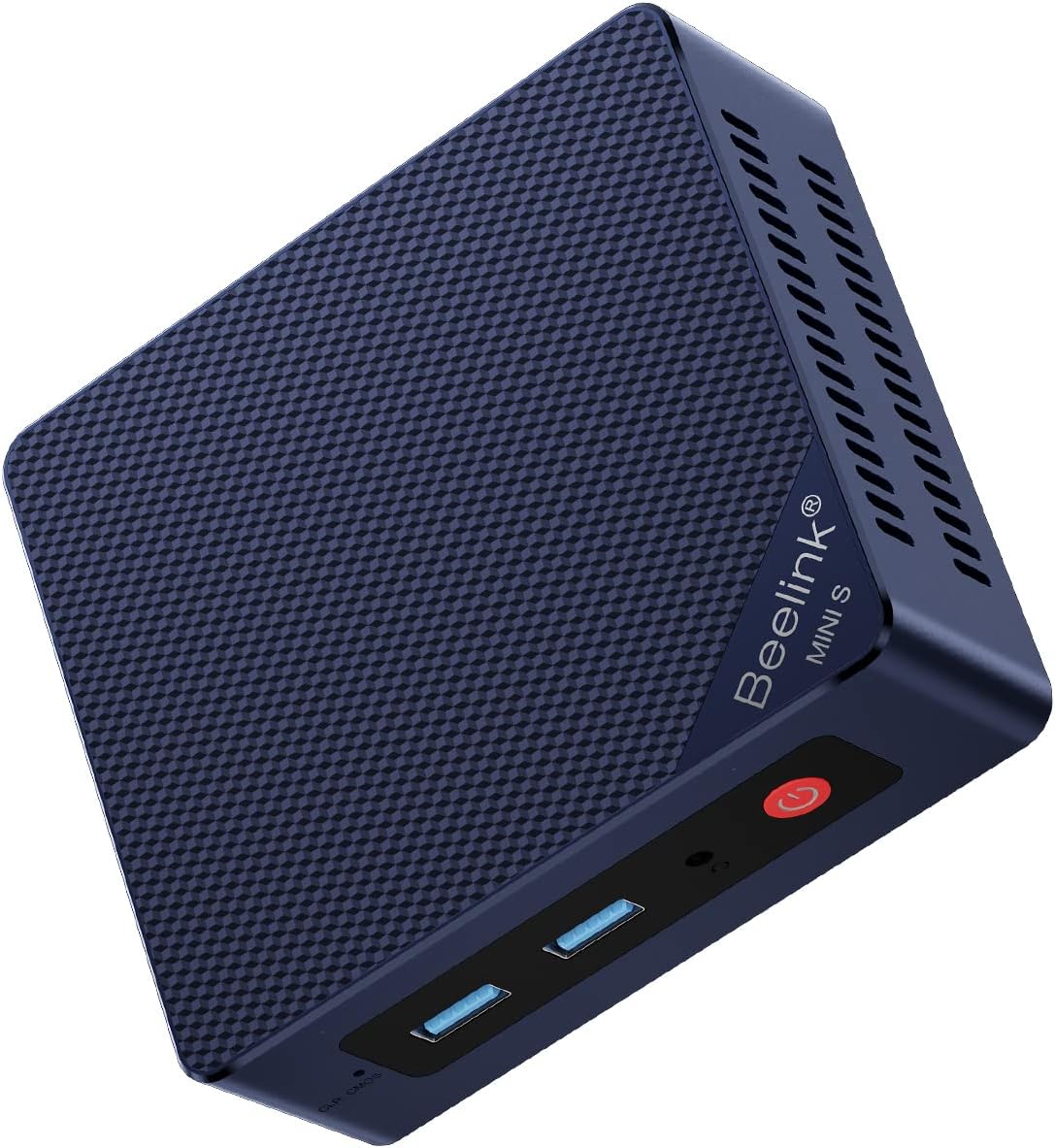
The Beelink MINI S13 is the strongest all-around N150 mini PC in this guide, combining a 4.4 rating with unusually flexible networking. Its Intel Twin Lake N150 has four cores and four threads with boost speeds listed up to 3.4GHz, making it appropriate for office productivity, web browsing, communication applications, streaming, and simultaneous light multitasking.
We may earn a commission when you buy through this link, at no additional cost to you.
The most distinguishing feature is the pair of 2.5GbE Ethernet ports. That is valuable for a desk computer, home server, network appliance, or user who wants a wired connection with more headroom than a single Gigabit port. Three USB 3.2 Gen2 ports, one USB 2.0 port, HDMI 4K at 60Hz, an audio jack, and a DC input make the machine well equipped for ordinary peripherals.
Its dimensions of 115 by 102 by 41mm make it small without being difficult to accommodate, and the supplied wall-mount bracket allows it to be hidden behind a monitor. Active cooling uses a fan, heatsink, and hard-drive cooler, which is useful for sustained workloads. The trade-off is that this is not the quietest or most display-oriented mini PC in the group, and its listed memory and storage configuration should be checked against current availability.
This is the recommendation for most buyers who want one capable N150 system for ordinary office work, media use, and advanced networking. Choose it over simpler single-LAN models when dual wired connections or generous USB connectivity matter. It is particularly convincing as a compact general-purpose computer with server-adjacent flexibility.
The dual 2.5GbE interfaces distinguish this MINI S13 from conventional office mini PCs. They can support separate network paths, a more advanced home network, or specialized routing and management tasks, although the operating system and intended network role should be configured carefully.
The compact enclosure and included VESA-style mounting hardware make it easy to move the computer behind a display. That keeps the desk uncluttered while retaining access to the front and rear ports.
We may earn a commission when you buy through this link, at no additional cost to you.
This Beelink MINI S13 configuration has a 4.3 rating and provides a straightforward N150 package for home and office use. The Intel processor reaches up to 3.6GHz, while 16GB of DDR4 memory and a 500GB M.2 SATA3 SSD provide enough capacity for common documents, browsers, communication applications, and media libraries.
We may earn a commission when you buy through this link, at no additional cost to you.
Its important advantage is storage flexibility. The supplied drive occupies an M.2 2280 SATA3 position, while a second M.2 PCIe 3.0 x1 slot supports NVMe storage. That means a buyer can add a faster PCIe drive without replacing the included SATA3 model, a useful arrangement for separating an operating system drive from data or applications.
The system supports 4K video playback at 60Hz through HDMI and uses Intel Graphics with 24 execution units operating at 1000MHz. WiFi 6, Bluetooth 5.2, and 2.5GbE Ethernet cover the main modern connectivity needs. The main limitation is display flexibility because only one HDMI output is listed, which makes a single-screen office or home theater setup the natural use case.
This configuration is a sensible match for a shopper who wants the familiar Beelink MINI S13 platform, 16GB of memory, and two M.2 positions without needing three displays. It is also a good candidate for a light home server or productivity system where fast wired networking and storage expansion matter more than maximum screen count.
The combination of a SATA3 M.2 drive and a PCIe 3.0 x1 slot gives users room to expand without immediately replacing the original drive. It is a practical configuration for files, application libraries, and lightweight server tasks.
WiFi 6, Bluetooth 5.2, and 2.5GbE Ethernet allow the system to work with wireless peripherals or a fast wired network. That makes it easy to use the same machine in different rooms and work arrangements.
We may earn a commission when you buy through this link, at no additional cost to you.
The 2025 configuration of the Beelink MINI S13 stands out for dual-display support, broad storage expansion, and a more elaborate cooling system. It uses the four-core, four-thread Intel Twin Lake N150 with up to 3.6GHz boost speed, 6MB of L3 cache, and a listed power envelope as high as 25W.
We may earn a commission when you buy through this link, at no additional cost to you.
Two HDMI outputs can run separate 4K displays at 60Hz, making the system useful for a spreadsheet beside a browser, a presentation display beside reference material, or a media setup with more than one screen. Four USB 3.2 Gen2 ports provide 10Gbps connections, while WiFi 6 and Bluetooth 5.2 cover wireless accessories and network access.
Storage is another strength. The supplied 16GB DDR4 and 500GB PCIe 3.0 SSD can be supplemented through dual M.2 2280 positions that support NVMe or SATA3 drives, with a listed total capacity of up to 4TB. A copper heat sink, larger silent fan, and dedicated SSD cooling shield are designed to improve sustained thermal performance. The trade-off is that the listed Ethernet interface is 1GbE rather than the 2.5GbE found on several sibling models.
This is the version to favor when two 4K screens are a priority and a single fast Ethernet link is sufficient. It also suits home theater, office, and productivity installations that need more ports and storage flexibility. No rating is supplied for this listing, so buyers should examine current customer feedback as well as the technical specifications.
Dual 4K output can reduce window switching by keeping communication, research, and active work visible together. The N150 is best suited to document-heavy applications and media rather than demanding workstation workloads.
The described fan, copper heat sink, and SSD cooling shield indicate a deliberate effort to manage heat as storage and network activity increase. It is a sensible configuration for a machine expected to remain powered throughout the day.
We may earn a commission when you buy through this link, at no additional cost to you.
The ACEMAGIC V1 has a 4.4 rating and is among the smallest N150 systems in the guide, measuring 3.9 by 3.9 by 1.3 inches. Its Intel Twin Lake N150 has four cores and four threads with speeds up to 3.6GHz, making it well matched to browsing, office applications, video calls, and light media work.
We may earn a commission when you buy through this link, at no additional cost to you.
The listing emphasizes a 16GB high-frequency DDR4 configuration, 512GB SSD in the product title, and support for storage expansion. Its aluminum enclosure is paired with an axial fan, and the manufacturer describes operation below 22dB. That combination makes the V1 appealing in a quiet office, bedroom, or living room where a conspicuous tower or noisy cooling system would be inconvenient.
Display and network support are more versatile than many similarly compact systems. HDMI 2.0 and USB-C can drive two 4K displays at 60Hz, while WiFi 6, Bluetooth 5.2, and Gigabit Ethernet cover common connectivity needs. The included 75 by 75mm mounting support allows installation behind a monitor. One detail deserves verification: the title identifies a 512GB SSD, while the descriptive text mentions 256GB in one place.
The ACEMAGIC V1 is best for buyers who prioritize a tiny, quiet enclosure and flexible dual-screen use. Its compactness does not translate into a full set of high-speed wired networking, so it is less compelling for advanced network roles. Confirm the final storage capacity and port layout in the current listing before ordering.
The square enclosure occupies less space than a conventional mini tower and can be mounted behind a display. It is particularly attractive for compact workspaces where every centimeter of the desk matters.
The aluminum shell and low-noise axial cooling design target offices, media areas, and home environments. Actual noise can vary with workload and ambient temperature, but the stated design is clearly intended to minimize distraction.
We may earn a commission when you buy through this link, at no additional cost to you.
The Beelink MINI S13 featured in fifth place carries a 4.5 rating, the highest listed rating among the N150 systems in this comparison. Its Intel N150 reaches up to 3.6GHz with four cores and four threads, providing a capable foundation for ordinary office work, web browsing, media playback, and communication applications.
We may earn a commission when you buy through this link, at no additional cost to you.
The most valuable feature is again the pair of 2.5GbE Ethernet ports. Three USB 3.2 Gen2 ports offer 10Gbps transfer rates, while a separate USB 2.0 port, 3.5mm combination audio jack, locking slot, and HDMI output create a practical desktop interface. Intel Graphics with 24 execution units at 1000MHz supports 4K video playback and web use.
The supplied 16GB DDR4 and 500GB M.2 drive cover typical productivity needs, and the storage arrangement can accept larger M.2 SATA3 or PCIe 2280 drives up to 2TB. A quiet large fan and energy-saving design support regular use. As with many office-oriented mini PCs, the restriction is display expansion: only one HDMI connector is listed.
Choose this version when fast dual Ethernet and strong customer feedback are more important than multiple screens. It is a convincing office computer, compact server candidate, or network-connected media node. Users planning three displays should look to the BMAX B4 Turbo or MeLE Cyber X1 instead.
Two 2.5GbE interfaces can improve file transfer performance and make the mini PC useful for more advanced networking tasks. They also offer an easy way to separate devices onto different networks when supported by the operating system and applications.
Sixteen gigabytes of memory is a sensible amount for browser-heavy office use, document editing, and communication tools. The 500GB SSD offers a useful starting point without demanding a separate external drive for routine files.
We may earn a commission when you buy through this link, at no additional cost to you.
The BMAX B4 Turbo is built for users who want to attach several screens to a compact computer. Its Intel Twin Lake N150 has four cores, four threads, 6MB of cache, and speeds up to 3.6GHz. With 16GB of DDR4-3200 memory and a 512GB SSD, it is suitable for office productivity, study, communication, and media playback.
We may earn a commission when you buy through this link, at no additional cost to you.
Two HDMI ports and one USB-C port support triple-monitor 4K UHD video playback, making the B4 Turbo a natural fit for financial dashboards, control panels, creative previews, and other screen-intensive workflows. The other connections include two USB 3.0 ports, two USB 2.0 ports, Gigabit Ethernet, a 3.5mm audio jack, and a DC input.
Storage can be expanded by adding a 2.5-inch SSD or hard drive in the described expansion slot, although the drive itself is not included. A smart fan, dedicated memory cooling, and SSD cooling are intended to manage heat, while the included mounting bracket helps free desk space. The main networking compromise is WiFi 5 and Bluetooth 5.0 rather than the newer WiFi 6 and Bluetooth 5.2 found on many competitors.
The B4 Turbo is the best choice in this guide for a three-screen N150 installation that does not need advanced Ethernet or newer wireless standards. It also offers one of the more useful upgrade paths because it can retain an M.2 drive while adding a larger 2.5-inch storage device. Verify the available operating system and expansion configuration with the seller.
The three-output arrangement allows separate reference, communication, and active-work areas. It is particularly valuable for traders, engineers, analysts, and students who benefit from simultaneous information streams.
The M.2 storage combined with a 2.5-inch expansion option makes it possible to build a system with both compact fast storage and a larger capacity drive. The expansion drive must be supplied separately.
We may earn a commission when you buy through this link, at no additional cost to you.
The Glovary Firewall Box is the most specialized product in this guide, built around six Intel i226V 2.5GbE Ethernet controllers rather than a conventional office computer layout. Its Intel Twin Lake N150 has four cores, four threads, 6MB of cache, speeds up to 3.6GHz, and a listed 6W TDP. It supports operating systems including OPNsense, Linux, and OpenWrt.
We may earn a commission when you buy through this link, at no additional cost to you.
Six high-speed network interfaces make the device suitable for advanced routing, monitoring, segmented networks, and home-lab experiments. AES-NI support is useful for workloads involving encryption. Memory comes as 8GB DDR5, while a 128GB NVMe SSD and an additional M.2 2280 NVMe slot provide two compact storage positions. A SATA 3.0 connection can also support a 2.5-inch drive using the included cable.
Despite its network focus, the computer can drive three 4K displays at 60Hz through two HDMI outputs and USB-C. The aluminum chassis uses a fanless design, and a small fan cable is included for optional active cooling. Other interfaces include one USB 3.2 port, four USB 2.0 ports, and a TF card slot that supports data storage and system boot.
This is the right recommendation for a technically experienced buyer building a dedicated firewall, router, or multi-interface network appliance. It is not the most convenient choice for a simple office desktop, and 8GB of memory is modest for more ambitious virtualization. Software compatibility and the intended network topology should be checked before installation.
Six 2.5GbE ports remove the need for separate interface cards or adapters in many segmented-network projects. The Intel i226V controllers are a major reason this model differs from conventional N150 desktops.
The fanless aluminum body favors quiet installations, while two NVMe positions and optional SATA connectivity offer several storage routes. The included VESA bracket supports flexible mounting around the network setup.
We may earn a commission when you buy through this link, at no additional cost to you.
The GMKtec G11 Plus is not an N150 mini PC; it is included as a performance alternative for shoppers whose workload exceeds the capabilities of Intel's entry-level N-series processors. It uses a Ryzen 5 3500U processor with four Zen+ cores, a 2.1GHz base frequency, 3.7GHz boost frequency, and a listed 15W TDP.
We may earn a commission when you buy through this link, at no additional cost to you.
The main advantage is Radeon Vega 8 integrated graphics running up to 1.2GHz. The supplied comparison data claims substantially stronger 3D performance than the N150's UHD graphics, making this system more appropriate for visual applications, digital signage, and light graphics work. Sixteen gigabytes of dual-channel DDR4 also provides a wider memory pathway than a single-channel N150 configuration.
It supports three independent 4K displays through dual HDMI 2.0 and a USB-C port with DisplayPort Alt Mode. Networking includes dual 2.5GbE Ethernet, WiFi 6E, and Bluetooth 5.2, while several USB ports support fast storage and peripherals. A BIOS Performance Mode can raise the system's power envelope to 35W for heavier workloads.
Buyers should choose the G11 Plus when processing or graphics performance matters more than the lower power draw of an N150. It is less suitable for a battery-sensitive or thermally constrained installation, and it cannot be described as one of the guide's actual N150 choices. No customer rating is supplied for this listing, so current reviews deserve careful attention.
The Ryzen 5 3500U provides more general-purpose performance than the N150, according to the supplied comparison. That extra headroom benefits demanding browser sessions, graphics applications, and sustained multitasking.
Triple display output, dual high-speed Ethernet, WiFi 6E, and multiple fast USB connections make the G11 Plus useful for specialized mini PC deployments. Its trade-off is a power requirement above that of a typical N150.
We may earn a commission when you buy through this link, at no additional cost to you.
This Beelink MINI S13 has a 4.2 rating and delivers a conventional home-computer configuration around the Intel N150. The four-core, four-thread processor reaches up to 3.6GHz, while 16GB of DDR4 and a 500GB M.2 SATA3 SSD are appropriate for browsing, office documents, video calls, streaming, and routine entertainment.
We may earn a commission when you buy through this link, at no additional cost to you.
Windows 11 Home is preinstalled, reducing the setup required for a general home user. A separate M.2 PCIe 3.0 x1 NVMe slot allows storage expansion, and Intel UHD graphics with 24 execution units at 1000MHz support 4K video playback. WiFi 6, Bluetooth 5.2, and dual 2.5GbE Ethernet provide a solid selection of connectivity options.
Its principal strength is the combination of familiar software support and fast wired networking. It can serve as an ordinary family computer, a dedicated media endpoint, or a light network host. The trade-off is that only one HDMI connector is listed, so the machine is less appropriate for a large multi-monitor workstation.
This listing is a good choice for a straightforward N150 desktop where preinstalled Windows, 16GB of memory, and dual 2.5GbE networking matter. It is less distinctive than some other MINI S13 variants, so the selection decision comes down mainly to current storage configuration, warranty terms, and seller support. Lifetime technical support and a three-year warranty are also listed.
Windows 11 Home preinstallation makes this a convenient option for general users. The 16GB memory configuration also provides enough headroom for several common applications and browser tabs.
Two 2.5GbE ports are uncommon in this product class and make the system attractive for network-focused home uses. WiFi 6 and Bluetooth 5.2 ensure it can also operate without a cable.
We may earn a commission when you buy through this link, at no additional cost to you.
The MeLE Cyber X1 has a 4.7 rating, the highest listed rating in the guide, and presents a refined take on the N150 mini PC. Its Intel Twin Lake N150 offers four cores, four threads, a 6MB L3 cache, speeds up to 3.6GHz, and an 8W listed TDP. Sixteen gigabytes of DDR4 and a 512GB NVMe SSD form a capable everyday platform.
We may earn a commission when you buy through this link, at no additional cost to you.
Its defining feature is true fanless operation. A copper heat sink, thermally conductive plastic housing, and patterned exterior increase the available heat-dissipation area. That makes the Cyber X1 appealing for bedrooms, libraries, recording spaces, offices, home theaters, and industrial areas where fan noise would be distracting.
Two HDMI 2.0 ports and one USB-C output can drive three independent 4K displays. Storage is expandable through an empty M.2 2280 NVMe slot and a microSD card position, with support for more than 4TB according to the supplied data. Windows 11 Pro is included, and Linux compatibility is stated, making the system suitable for a range of professional and technical projects.
The principal compromises are Gigabit Ethernet, dual-band WiFi 5, and Bluetooth 5.1. Those specifications trail the newest connectivity offered by several rivals, but they do not diminish the appeal of a quiet, triple-display, Windows Pro-capable system. This is the premium recommendation for buyers who place silence, construction, and display flexibility at the top of their priorities.
The fanless thermal design removes mechanical noise entirely, which is useful in media rooms and quiet offices. The copper heat sink and enlarged exterior surface are the main features supporting that approach.
The combination of dual HDMI and USB-C display output supports an expansive workspace. The N150 is most appropriate when the displays show documents, browser tools, communication applications, and media rather than intensive 3D workloads.
Windows 11 Pro and broad Linux compatibility make the Cyber X1 useful for both conventional office work and specialized administration. Auto-power-on support in the unlocked BIOS also assists unattended deployments.
We may earn a commission when you buy through this link, at no additional cost to you.
A useful N150 mini PC balances processor capability, memory, storage, display support, networking, cooling, and physical design. Begin with the workloads and peripherals you expect to use, then verify that the listed configuration matches the current listing.
For ordinary N150 use, prioritize sufficient memory and storage over chasing small processor clock differences.
Choose 16GB for general use, and verify whether the memory itself is upgradeable.
Check both the installed capacity and the available expansion path.
Match the output count and resolution to the exact number of monitors planned.
Select the networking configuration that matches your router, peripherals, and intended infrastructure role.
Choose fanless for silence and active cooling for sustained heavy workloads.
Check operating-system inclusion and management features before finalizing a purchase.
Prioritize a size and mounting solution that suit the intended location.
Begin by checking the supplied power adapter, storage configuration, operating system, and mounting hardware. Place the mini PC on a stable, hard surface with clearance around its vents or heat-dissipation surfaces. Connect the display, keyboard, mouse, network, and peripherals before powering it on, and avoid placing the system inside a closed cabinet unless ventilation is assured.
For the best everyday experience, keep system software and applications updated, maintain free storage space, and use a reputable backup strategy for important files. A second M.2 drive, external NVMe enclosure, 2.5-inch drive, or microSD card may provide additional capacity, but confirm the correct interface, format, and supported maximum capacity before adding hardware.
Clean the system with power disconnected and use a soft, dry cloth rather than liquid cleaners. For active-fan models, keep intake and exhaust openings clear and listen for unusual noise or rising temperatures. Fanless systems still need adequate surrounding airflow. If the unit will run continuously, periodically restart it when appropriate and ensure automatic startup, remote wake, or network-boot features are configured only where needed.
An N150 mini PC is well suited to office productivity, web browsing, video calls, media playback, digital signage, light creative applications, and basic home-server tasks. Its compact size and low power requirements make it useful in places where a full desktop tower is inconvenient. It is less appropriate for intensive gaming, advanced rendering, heavy engineering software, or large virtualized environments.
Sixteen gigabytes is a comfortable amount for most N150 workloads, including multiple browser tabs, document editing, spreadsheets, and communication applications. Eight gigabytes can work for a dedicated display endpoint or lightweight network device, but it leaves less room for multitasking. Buyers should also verify whether the included memory is upgradeable.
Yes, but support depends on the specific model and its display outputs. The BMAX B4 Turbo and MeLE Cyber X1 support three independent 4K displays, while the 2025 Beelink MINI S13 and ACEMAGIC V1 support two. Other MINI S13 variants list only one HDMI port, so verify the connectors and maximum resolution before buying multiple screens.
Both use the compact M.2 form factor, but they use different interfaces. NVMe connects through PCIe and generally provides faster transfer performance, while SATA3 is slower but may be easier to source in certain configurations. Several mini PCs include both an installed M.2 drive and a second slot, allowing SATA and NVMe storage to coexist.
A fanless model can be better in bedrooms, offices, libraries, recording spaces, and home theaters because it produces no fan noise. It is especially attractive for continuous general-purpose tasks. Fans can still be useful when sustained heavy loads demand more aggressive cooling, so the best choice depends on the environment and workload.
Yes. Two 2.5GbE ports can provide higher transfer headroom, make separate wired network segments easier, and support specialized routing or management configurations. The Glovary system goes further with six Intel i226V interfaces, making it a dedicated network appliance. For ordinary browsing and office use, one connection may be sufficient.
Many models support Linux, and the supplied information specifically notes Linux compatibility for the MeLE Cyber X1 and mentions Linux support for the Glovary firewall unit. The BMAX also lists Ubuntu support. Confirm drivers, boot method, and intended software before replacing a preinstalled operating system, especially on a model used as a network appliance.
Mounting behind a display is an effective way to conserve desk space, and several systems include a bracket for this purpose. Make sure the mount is compatible, vents remain unobstructed, and cables can still reach their ports. Leave enough clearance around the enclosure so heat can dissipate properly.
The Beelink MINI S13 is the strongest all-around recommendation because it combines the N150 platform with 16GB of memory, useful storage, 4K output, and two 2.5GbE Ethernet interfaces. The ACEMAGIC V1 stands out for its exceptionally small aluminum body, quiet operation, and dual-display support, while the MeLE Cyber X1 leads the premium group with fanless cooling, Windows 11 Pro, and three independent 4K displays.
Prioritize the features tied directly to your work: single or dual networking for a Beelink system, three displays for the BMAX or MeLE, silence for the Cyber X1 or ACEMAGIC, and six dedicated network interfaces for the Glovary firewall appliance. The GMKtec G11 Plus is worth considering when stronger AMD processing and graphics justify stepping outside the N150 category. Memory, storage expansion, operating system, and mounting support should be checked before ordering.
Product listings can change, so confirm the current processor, memory, storage interface, display outputs, operating system, included accessories, and warranty terms on the product page. The supplied listings and ratings provide a useful starting point, but the latest configuration is the one that should determine whether a mini PC fits your desk, display, network, and workload.