Antelope Audio Zen Quadro
4.7Editor score
Dedicated FPGA DSP hardware
Four discrete microphone preamps
Expandable 14-input architecture
Our guide to Audio Interfaces with Built in Dsp compares ten options for low-latency processing, flexible routing, studio monitoring, and creator workflows.
Audio interfaces with built in DSP can process vocals, instruments, and monitoring mixes inside the hardware itself, reducing reliance on computer processing and making effects easier to recall. The best model depends on your recording setup, software, routing needs, and whether portability or extensive I/O matters more.
We compared ten interfaces across converter specifications, preamp quality, onboard effects, monitoring options, connectivity, and creator-focused features. The list covers compact models for home studios and mobile recording as well as premium systems with extensive routing, expansion, and low-latency processing capabilities.
Each review explains how the interface fits into a practical workflow, from podcasting and music production to live performance and hybrid recording. Product ratings and availability can change, so readers should confirm current specifications, software requirements, and retailer details before making a purchase.
4.7Editor score

4.8Editor score
4.5Editor score
This side-by-side comparison highlights the different strengths of each interface, including onboard processing, preamp count, supported platforms, and expansion options.


The Focusrite Scarlett Solo 4th Gen is a compact USB-C interface built around a straightforward home-recording workflow. It carries a 4.6 rating and stands out for its 120 dB dynamic range, studio-derived converter design, and a simple connection between a computer and a microphone or electric instrument. It is particularly attractive for a songwriter who wants a focused desktop setup rather than a large control surface.
We may earn a commission when you buy through this link, at no additional cost to you.
Its most notable feature is the improved Air mode, which adds presence and harmonic drive to vocals and guitars. That makes it useful when a direct recording feels too plain and the performer wants a more finished character while tracking. The included Pro Tools Intro+, Ableton Live Lite, Cubase LE, and Hitmaker Expansion give new users several ways to begin arranging, editing, mixing, and mastering without immediately adding separate software purchases.
The main limitation is scope. As a Solo model, it is designed for a much smaller recording footprint than the multi-channel interfaces elsewhere in this guide. Buyers who need simultaneous microphone capture, elaborate loopback routing, multiple headphone mixes, or standalone processing should look toward a two-channel or larger interface. For a single performer working mainly in a home studio, though, its focused design is an advantage rather than a compromise.
This is a strong recommendation for songwriters, bedroom producers, and musicians who want polished conversion and a simple software package in a compact unit. It is less suitable for ensembles, podcast rooms requiring several live microphones, or users who need extensive onboard DSP routing. For the stated solo workflow, the Scarlett Solo delivers a clear and approachable path from idea to finished track.
The interface keeps the recording path uncomplicated while providing the tools needed to capture vocals and instruments. Its Air mode is particularly useful for adding a more pronounced, polished quality to otherwise straightforward takes.
Bundled recording, production, and mastering tools make the Solo useful beyond basic signal capture. This is valuable for creators who want to develop a track without assembling an entire software catalog first.
We may earn a commission when you buy through this link, at no additional cost to you.
The Elgato Wave XLR MK.2 is a USB audio interface and DSP mixer designed with streamers, podcasters, and online creators in mind. Its 4.3 rating reflects a specialized feature set rather than a traditional studio focus. The interface combines generous microphone gain, onboard voice processing, headphone amplification, touch controls, and LED monitoring in a compact and approachable format.
We may earn a commission when you buy through this link, at no additional cost to you.
Built-in voice enhancer, compressor, EQ, and other effects can help users arrive at a more consistent broadcast sound. The Wave FX Processor unifies hardware DSP effects and VST plug-ins in one signal chain, while Wave Link provides control over routing, monitoring, and effects. The touch interface and customizable LEDs make the state of levels, mute status, and other settings easier to read during a live session.
The trade-off is that the unit is not as expansive as the multi-input models in this list. Its stated 24-bit, 48 kHz resolution may be sufficient for streaming and podcast production, although it does not offer the higher conversion specifications advertised by several competitors. The feature set also centers on a creator workflow rather than the deep routing, expansion, and emulated hardware signal chains found in professional studio interfaces.
It is best suited to a creator who values immediate voice processing, physical controls, and straightforward streaming integration. It can also serve as a simple music interface, but users building a more elaborate studio with many inputs, outputs, or standalone effects recall will likely benefit from a broader model. Overall, it offers an efficient path to polished online audio.
The integrated voice tools can simplify the task of preparing speech for a stream or podcast. A unified DSP and plug-in signal chain gives creators access to familiar processing in one place.
Touch controls and customizable LEDs reduce the need to navigate software during a live broadcast. Status and level information can be checked directly on the unit.
We may earn a commission when you buy through this link, at no additional cost to you.
The Universal Audio Apollo Twin X QUAD Gen 2 is a premium Thunderbolt 3 interface aimed at serious recording and mixing environments. Its 4.0 rating does not fully reflect the breadth of the supplied feature set, which includes next-generation Apollo conversion, Unison preamp emulations, an extensive UAD DSP and Native plug-in library, Auto-Gain, and Apollo Monitor Correction powered by Sonarworks.
We may earn a commission when you buy through this link, at no additional cost to you.
Unison allows a performer to record through real-time emulations associated with Neve, API, Avalon, Manley, Fender, and other hardware. This is valuable for users who want to shape the input stage as part of the performance instead of applying every color afterward. The included UAD library expands the creative options for mixing, and Auto-Gain helps set consistent levels across multiple inputs when accuracy and speed are both important.
The primary drawback is the sophistication of the platform. Apollo Monitor Correction, Unison, and the UAD ecosystem reward a carefully configured system and a compatible computer, while the interface itself represents a much larger commitment than a compact creator model. The Twin X QUAD configuration also provides more capability than a user with only one microphone and one instrument may need. Still, those limitations matter less if the goal is a scalable professional production environment.
This recommendation is best for engineers, producers, and serious home-studio owners who want premium emulation, flexible multi-input recording, and dependable studio monitoring in one box. It may be excessive for a beginner learning simple recording tasks, but for a project-based studio it can serve as a central production hub.
Unison places emulated preamp behavior in the recording path, allowing performers to hear and use familiar hardware character while tracking. That makes the interface appealing to producers who value a hands-on analog workflow.
Apollo Monitor Correction can help translate a mix more accurately across different playback environments. It is especially relevant for headphone work and project studios that do not have a perfectly treated listening space.
We may earn a commission when you buy through this link, at no additional cost to you.
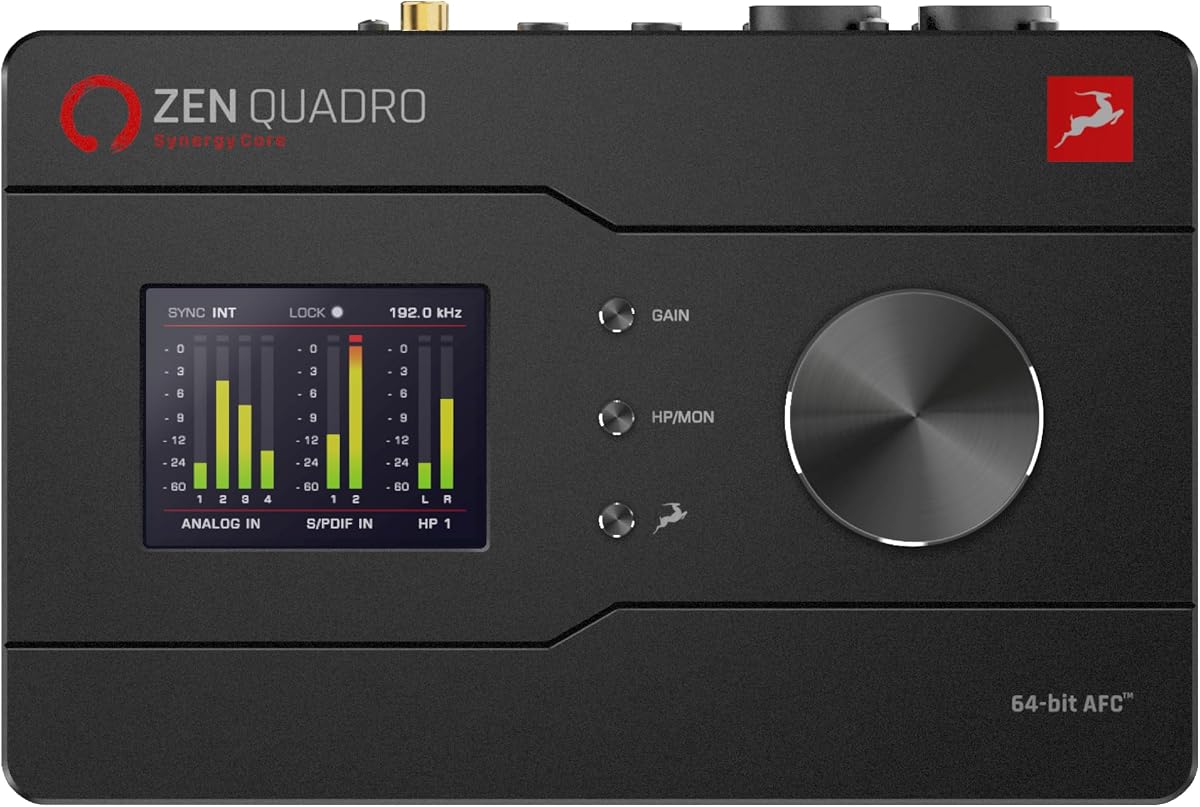
The Antelope Audio Zen Quadro combines four discrete preamps, dedicated FPGA processing, extensive I/O, and a compact portable format. Its 4.7 rating makes it one of the strongest-rated products in this guide. Four Discrete 6-transistor microphone preamps provide up to 75 dB of gain, while two Hi-Z inputs make it convenient to connect guitars and basses directly.
We may earn a commission when you buy through this link, at no additional cost to you.
Its defining advantage is real-time Synergy Core FX. Thirty-seven included effects can be used during tracking, and more than 90 are available, with compressors, EQs, preamps, amplifiers, and cabinet models running on dedicated DSP and FPGA hardware. That design aims to provide near-zero-latency monitoring without loading the host computer, giving live performers and tracking engineers a consistent result.
Connectivity extends beyond a single computer. Dual USB-C connections can support a computer plus a phone or tablet or two computers, and the unit can route audio between them while providing loopback for streaming. The 14-input, 10-output architecture can be expanded through ADAT, while S/PDIF, dedicated monitor and line outputs, two independent headphone outputs, and standalone presets broaden its role in studio, stage, and mobile configurations.
The Zen Quadro is best recommended to musicians and producers who want dedicated low-latency effects without relying on host CPU performance. It suits small ensembles, hybrid producers, and mobile engineers who will benefit from the flexible I/O. It is less appropriate for someone wanting a single simple box with no software ecosystem, but for dedicated DSP power and routing flexibility, it stands out in this comparison.
FPGA-based processing keeps key effects active without placing the same computational burden on the recording computer. This is useful during live tracking, where stable timing and monitoring are more important than screen-based control.
The base unit supports vocals, instruments, and small sessions, while ADAT expansion adds capacity. Dual USB-C and standalone preset storage make it practical for a mobile or hybrid studio.
We may earn a commission when you buy through this link, at no additional cost to you.
The Universal Audio Apollo Twin X DUO Gen 2 is a premium Thunderbolt 3 interface that places the UAD ecosystem at the center of the recording process. Its 4.5 rating reflects a well-developed professional platform built around Unison preamp emulations, a library of more than 200 UAD DSP and Native plug-ins, Apollo Monitor Correction, Auto-Gain, and bass management.
We may earn a commission when you buy through this link, at no additional cost to you.
Unison emulations of Neve, API, Avalon, Manley, Fender, and other preamps allow a musician to audition and record through modeled hardware behavior. The broad plug-in selection covers mixing and sound-shaping needs without requiring every processor to be modeled separately. Auto-Gain can establish levels across multiple inputs quickly, reducing the chance of an inconsistent take during a busy session.
Compared with the Quad version, the Duo offers a somewhat less expansive recording configuration, so it may not suit larger sessions that need several inputs simultaneously. The UAD platform also assumes the user has a suitably capable computer and a desire to learn its detailed ecosystem. Those are meaningful commitments, but they are the same features that give the interface its professional value.
This model is recommended for producers and engineers who want a high-end emulated signal chain in a two-channel-centered interface. It is well suited to vocal, instrument, and small project tracking where the quality of the input stage and the included plug-ins matter more than large channel counts.
Unison lets performers explore preamp emulations as part of the performance rather than treating all coloration as a later mixing decision. The result is a more engaging and responsive recording process.
Auto-Gain provides a faster way to set levels across multiple inputs. It is especially helpful when moving between sources or trying to keep attention on the performance instead of repeated gain adjustments.
We may earn a commission when you buy through this link, at no additional cost to you.
The Solid State Logic 2 MKII Plus 2×4 is a compact USB-C interface that balances high-resolution conversion with a useful set of analog connections. It has a 4.7 rating and supports 32-bit, 192 kHz AD/DA conversion, zero-latency monitoring, 48V phantom power, high-pass filters, stereo loopback, and MIDI I/O through 5-pin DIN connectors.
We may earn a commission when you buy through this link, at no additional cost to you.
Two XLR preamps and two quarter-inch line or Hi-Z inputs cover the most common home-studio tasks. Four quarter-inch line outputs, two discrete headphone outputs, and MIDI connectivity make the interface more versatile than the simplest single-person models. Legacy 4K analog enhancement provides another option for users who want to add a specific tonal quality to recordings.
Although it fits the broader category of interfaces with built-in DSP, its strengths are primarily conversion, low-latency monitoring, and flexible connectivity rather than a large onboard effects library. That distinction matters for buyers who want reliable routing and monitoring first, then prefer to add processing in their host software. The small footprint also means it will not serve as a large ensemble hub.
It is a strong choice for a two-person home studio, producer, podcaster, or musician who values high-resolution conversion and dual headphone monitoring. It is particularly appealing when one person records while another listens through separate headphones, and it remains easy to recommend for users who want a polished desktop recording foundation.
Support for 32-bit, 192 kHz conversion gives the interface a high specification for a compact unit. It provides a capable front end for projects where the quality of the recorded file matters.
Two independent headphone outputs make it easier for a guest performer and engineer to hear different mixes. The two XLR and two instrument inputs also support common duet and co-production arrangements.
We may earn a commission when you buy through this link, at no additional cost to you.
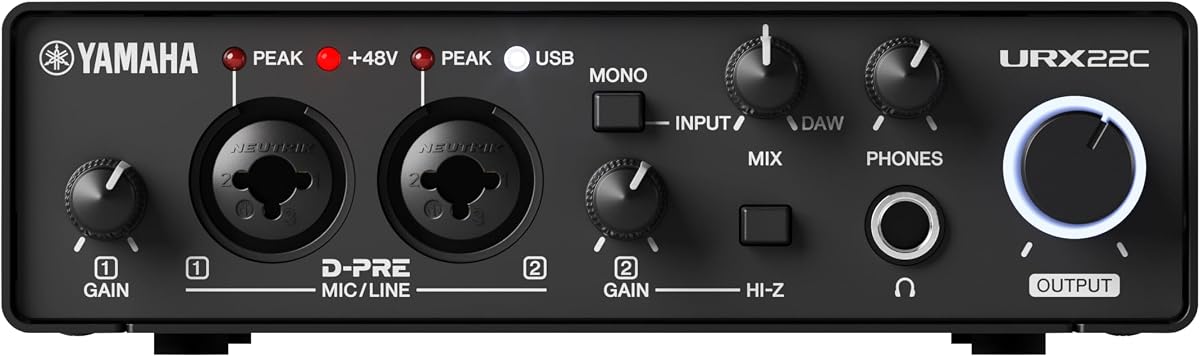
The Yamaha URX22C combines two analog inputs, two main outputs, MIDI I/O, and hardware-based monitoring effects in a bus-powered design. Its 4.5 rating reflects a balanced approach to affordability, portability, and serious specifications. The interface supports 32-bit integer, 192 kHz USB 3.0 audio and uses Class-A D-PRE microphone preamps with 48V phantom power.
We may earn a commission when you buy through this link, at no additional cost to you.
The defining feature is latency-free DSP-powered monitoring with REV-X reverb, Channel Strip, and Guitar Amp Classics processing. Plugin versions are also included, giving the user both hardware monitoring and software options. The full-metal housing and cross-platform support for Windows, macOS, and iOS make it a practical choice for a home studio that may also involve mobile recording.
The constraint is the two-input, two-output architecture. It is well suited to a singer-songwriter, producer, or remote collaborator working with one main source, but it offers less room for multi-microphone sessions than the larger interfaces in this list. The absence of more elaborate standalone routing and multiple headphone outputs may also limit larger collaborative setups.
For a creator seeking onboard processing and high-resolution conversion without moving to a premium professional system, the URX22C offers an attractive balance. It is a particularly good fit for home-studio recording, small voice-over sessions, and simple instrumental projects where portable construction and a cross-platform software bundle are priorities.
REV-X reverb, Channel Strip processing, and Guitar Amp Classics can shape a signal while it is being monitored. Using these tools in hardware helps performers hear a more complete result without depending on computer processing.
Windows, macOS, and iOS compatibility broadens the usefulness of the interface beyond a fixed desktop. Its bus-powered metal construction also suits mobile and compact studio arrangements.
We may earn a commission when you buy through this link, at no additional cost to you.
The MOTU UltraLite-mk5 is built for creators who need far more input and output capacity than a typical two-channel interface can offer. Its 4.3 rating accompanies an 18-input, 22-output design with two combo XLR/TRS inputs, six analog inputs, ten analog outputs, a headphone output, S/PDIF, and eight-channel optical I/O for as many as 40 simultaneous audio channels.
We may earn a commission when you buy through this link, at no additional cost to you.
Its DSP-driven monitor mixer can route live inputs to any analog output pair and create a separate mix for each pair, producing six distinct mix buses. Computer channels can be included in these mixes, which is useful for combining live instruments, backing tracks, talkback, or other sources. Onboard reverb, four-channel parametric EQ, and dynamics processing add further control without requiring every effect to run in the host.
The high-resolution OLED display provides detailed signal activity and metering across the analog I/O. The CueMix 5 app expands control from a Mac, PC, or iOS device, while the class-compliant USB 2.0 connection supports broad operating-system and software compatibility. The included Performer Lite package adds instruments, effects, and looping content for immediate music creation.
This interface is best for project studios, live-recording rigs, and producers who need multiple analog destinations or independent mixes. Its size and routing depth make it less convenient for a minimal desk, but for users who value flexible signal flow, it can function as the center of a larger recording setup.
Independent mix buses make it possible to give different performers, speakers, or recording destinations their own blend. This is a major advantage for live rooms, rehearsal spaces, and multi-output studios.
The OLED meter display and CueMix 5 app provide detailed visibility into a large signal flow. Users can monitor activity and alter mixes without relying entirely on a crowded host-software window.
We may earn a commission when you buy through this link, at no additional cost to you.
The Yamaha URX22 is a four-input, two-output USB-C interface with a 4.3-inch touchscreen, five control knobs, and a built-in DSP processor. It supports 32-bit, 192 kHz operation and uses a Multi-Stream Audio Driver with MAIN and SUB USB ports. The interface also provides premium microphone preamps with a stated 78 dB gain range and 48V phantom power.
We may earn a commission when you buy through this link, at no additional cost to you.
The touchscreen and physical controls create a more hands-on control surface than a basic desktop model. They provide direct access to settings while the built-in DSP handles professional sound shaping and latency-free monitoring. Dual USB-C connectivity is particularly useful for modern workflows that may involve a computer plus a secondary device, although the exact routing configuration should be checked for the intended setup.
The principal uncertainty is that the supplied data does not include a customer rating, so it is not possible to compare its feedback with the rated products in this guide. Buyers should look for current independent user comments and verify the latest software and operating-system compatibility. The four-input, two-output design also provides more capture capacity than a basic two-channel unit but remains smaller than the MOTU and Antelope Zen Quadro.
The URX22 is a compelling option for a home studio that wants a large, approachable hardware interface and dedicated processing without entering the most expensive professional tier. It is best suited to creators who value direct control, high-resolution conversion, and a physical display, provided they confirm current user feedback and connection requirements.
The sizable touchscreen and five knobs make common settings easier to reach. This supports a more physical workflow in which performers can adjust gain, monitoring, and processing directly on the hardware.
The integrated DSP processor supports latency-free monitoring and onboard sound shaping. This can improve consistency during tracking and reduce reliance on computer resources.
We may earn a commission when you buy through this link, at no additional cost to you.
The Antelope Audio Zenith 2 is a USB-C interface built primarily for streaming, podcasting, guitar recording, and compact music production. It has the highest stated rating in this guide at 4.8 and combines two discrete preamps, 123 dB conversion at 32-bit and 192 kHz, onboard Synergy Core DSP, loopback, a virtual guitar chain, and two independent headphone outputs.
We may earn a commission when you buy through this link, at no additional cost to you.
The creator-focused processing is extensive. A Smart Vocal Chain can shape speech, while the virtual guitar system includes a noise gate, compressor, distortion, and amplifier or cabinet simulations. The Studio Wizard gives detailed control over compression, EQ, de-essing, and Air. Onboard DSP also allows users to record and monitor through effects in real time without relying on computer CPU performance.
Its zero-lag promise and dual headphone mixes are especially useful for interviews, collaborative streaming, and sessions in which two people need separate monitoring. The class-compliant, bus-powered USB-C design works across PC, Mac, iOS, and Android, and optional PC or Mac software allows remote control of mixes, levels, presets, and effects. The included Bitwig Studio Essentials, Lifeline Lite Bundle, and Antelope Cosmos membership add a substantial software foundation.
The Zenith 2 is a strong recommendation for creators who want one compact device to handle speech, music, guitar, and live system audio. It is less expansive in analog I/O than the MOTU, Antelope Zen Quadro, or Apollo models, so it is not the first choice for large ensembles. For its stated streaming and podcasting purpose, however, it combines hardware processing, independent monitoring, and broad software support in a notably complete package.
The Smart Vocal Chain and virtual guitar signal path provide practical starting points for speech, music, and streamed performances. Because these tools run on onboard DSP, they can be used without placing the same processing burden on the host computer.
Two fully independent headphone outputs are unusual in this product category and particularly valuable for interviews or collaboration. Each participant can hear a different blend without sharing a single monitor feed.
The bus-powered, class-compliant USB-C design allows the interface to move between desktop, mobile, and streaming environments. Its color display, peak meters, sliders, themes, and language options also make operation well suited to content creators.
We may earn a commission when you buy through this link, at no additional cost to you.
The right interface depends on how much processing, routing, and connectivity you need. Consider signal flow, monitoring demands, input count, platform support, and the type of work you expect to perform.
Hardware DSP can run compressors, equalizers, reverbs, preamp emulations, vocal chains, and guitar effects with very low latency. The important distinction is whether the effects are limited to a few monitoring presets or whether the unit provides detailed routing, recall, and customization. Dedicated FPGA or DSP hardware can keep processing stable even when the host computer is under load, while host-based effects offer broader customization but depend more heavily on system performance.
A two-input interface is usually enough for a solo musician or a podcast with one main microphone, but it limits rehearsals, ensembles, and guest recording. Four inputs provide more room for stereo instruments and small groups, while larger systems support multiple musicians, live sources, and extensive analog routing. Outputs deserve equal attention because headphone count, line outputs, digital connections, and independent monitor mixes determine how easily the interface can serve both recording and live work.
Preamp gain determines whether a microphone can reach a useful recording level without excessive noise. A stated gain range helps indicate compatibility with demanding dynamic microphones, while 48V phantom power is necessary for condenser microphones. The number and quality of preamps also matter when tracking several sources at once. Interfaces with dedicated instrument paths can offer better control for guitars, basses, and line-level hardware than a shared input.
Low-latency monitoring lets performers hear themselves without an obvious delay, which can affect phrasing, timing, and comfort. Zero-latency claims should be understood in context because software mixing or host effects can still introduce latency. Independent headphone outputs are valuable when two performers need separate mixes, while a single headphone jack is generally adequate for a one-person studio. Line outputs and balanced connections also influence compatibility with powered monitors and external equipment.
Converter specifications describe the interface's ability to capture a wide range of signal levels accurately. Models supporting 32-bit and 192 kHz provide high-resolution capture, while a stated dynamic range indicates how much separation can exist between quiet and loud material. These figures are useful for comparison, but they do not tell the entire sonic story. Jitter performance, clocking, analog circuitry, preamp behavior, and the monitoring path also shape the final result.
Routing determines whether an interface can handle podcast loopback, live instrument mixes, multiple speaker pairs, independent performer feeds, or a computer plus a mobile device. Digital connections such as ADAT, S/PDIF, and optical I/O can add channels, but they also require compatible equipment and careful clock management. Standalone preset storage and remote-control software are especially useful for performers who need repeatable settings away from the computer.
Compatibility begins with the physical connection and extends to drivers, control software, and bundled applications. Thunderbolt 3 systems can provide high bandwidth and a responsive professional workflow, but require suitable host hardware. USB-C and class-compliant designs offer broader portability and can work without a dedicated driver, while cross-platform support matters for users moving between desktop and mobile systems. Confirm that the included software is compatible with the intended operating system and production software.
A desktop interface benefits from a stable enclosure, accessible controls, and connectors suited to frequent cable changes. Portable models need bus power, a compact footprint, and robust construction, while larger studio units should provide stable mounting and room for cable management. The visual design of meters, displays, and knobs can also affect workflow. A clear screen may be useful for complex routing, while simple physical controls can be preferable during live use.
Begin by connecting the interface to the computer before launching the DAW, then install any required drivers, control applications, and bundled software. Set input and output devices carefully, confirm the sample rate and buffer size, and make sure the interface is the default audio device. Connect microphones to XLR inputs, enable phantom power only for microphones that require it, and route instruments into the appropriate line or Hi-Z input.
Build the monitoring path before recording. Determine which physical outputs feed powered monitors, configure any onboard reverb, EQ, compression, or guitar effects, and set conservative monitoring levels. If the interface supports separate headphone mixes, assign each performer the sources they need without exposing unwanted feedback channels. Save useful DSP settings as presets once the tone and levels are confirmed, especially for live or mobile use.
For everyday care, unplug cables by gripping their connectors rather than pulling on the attached cable. Keep the enclosure away from moisture, excessive heat, and heavy impact, and use the correct power supply when the interface requires one. Periodically update control software and firmware when available, preserve important presets separately, and inspect connections if noise, intermittent routing, or unstable levels appear.
Built-in DSP means that the interface processes audio with its own dedicated hardware rather than relying entirely on the computer. Effects such as compression, EQ, reverb, preamp emulations, vocal chains, and guitar simulations can therefore run with low latency and remain available during tracking. The exact capabilities vary by model, so buyers should review which effects are included and whether they can be controlled directly from the hardware.
Neither approach is automatically better. Hardware DSP can provide stable low-latency monitoring, reduce computer CPU use, and offer dedicated controls for live performance. Host plug-ins usually provide deeper editing, wider preset management, and easier access to a large software catalog. Many projects benefit from using both, with hardware effects for dependable monitoring and software effects for detailed editing and mixing.
Onboard DSP can shape a recording by adding EQ, compression, saturation, reverb, harmonic coloration, or other processing. These tools are most useful when they serve a clear purpose, such as controlling vocal dynamics, making a guitar part sit forward, or providing a more comfortable monitoring sound. Excessive processing during tracking can make later mixing more difficult, so conservative settings are usually best.
A two-channel interface is sufficient for a solo podcast with one microphone and optional music or system audio routed through loopback. A remote interview may require separate headphone mixes, while a roundtable conversation needs enough microphone inputs for every participant. A four-input or larger model offers more flexibility, but channel count should be matched to the actual recording format rather than chosen only by headline I/O numbers.
Sample rate describes how many times per second the audio is captured, while bit depth determines the number of possible amplitude values in each sample. Higher figures can preserve more detail and allow greater headroom, but they also increase data demands. Most creators should choose a sample rate their computer and software handle comfortably, then use a bit depth that provides clean recording levels without unnecessary file size.
USB-C interfaces are generally easier to move between modern computers because they can use bus power and often rely on class-compliant drivers. Thunderbolt interfaces are usually designed for stationary professional studios and require compatible host hardware plus a reliable Thunderbolt connection. Portability also depends on size, power requirements, control software, and whether the interface can operate as a standalone mixer.
A common starting point is 48 kHz at 24-bit, which works well for video, live performance, and many modern music workflows. Recording at 96 kHz can be useful for detailed editing, archiving, or specific high-resolution projects, while 192 kHz requires more storage and processing. The most important considerations are stable timing, adequate storage, and consistency between recording and playback.
The required gain depends on the microphone, its output sensitivity, the source, and the preamp's noise floor. Large-diaphragm condenser microphones may need relatively little gain, while dynamic microphones used for distant vocals or quiet sources may require much more. A wide gain range can improve compatibility, but clean operation also depends on correct gain staging and an interface with a low noise floor.
The Antelope Audio Zenith 2 stands out for its broad creator toolkit, independent headphone mixes, and strong stated rating, while the Antelope Zen Quadro offers more serious dedicated DSP and expandable studio I/O. The Yamaha URX22C provides a more compact and accessible route to hardware-based monitoring effects. These top picks cover three distinct priorities: online content creation, flexible production, and focused home recording.
The best choice ultimately depends on the workflow. A single performer may need little more than a reliable two-channel converter, while a podcast host may prioritize loopback and separate mixes. A small band needs enough inputs and monitor destinations, and a producer working with hardware emulations may care more about the bundled software ecosystem than physical effect buttons. Start with channel count, monitoring requirements, and platform support, then evaluate DSP depth.
Ratings, software bundles, and product configurations can change as manufacturers update their platforms, and retailer promotions can shift the final cost of a package. Before purchasing, verify the current specifications, operating-system requirements, included accessories, and available support. Comparing the latest product page with the workflow outlined in this guide will help narrow the field without overlooking a feature that matters in daily use.