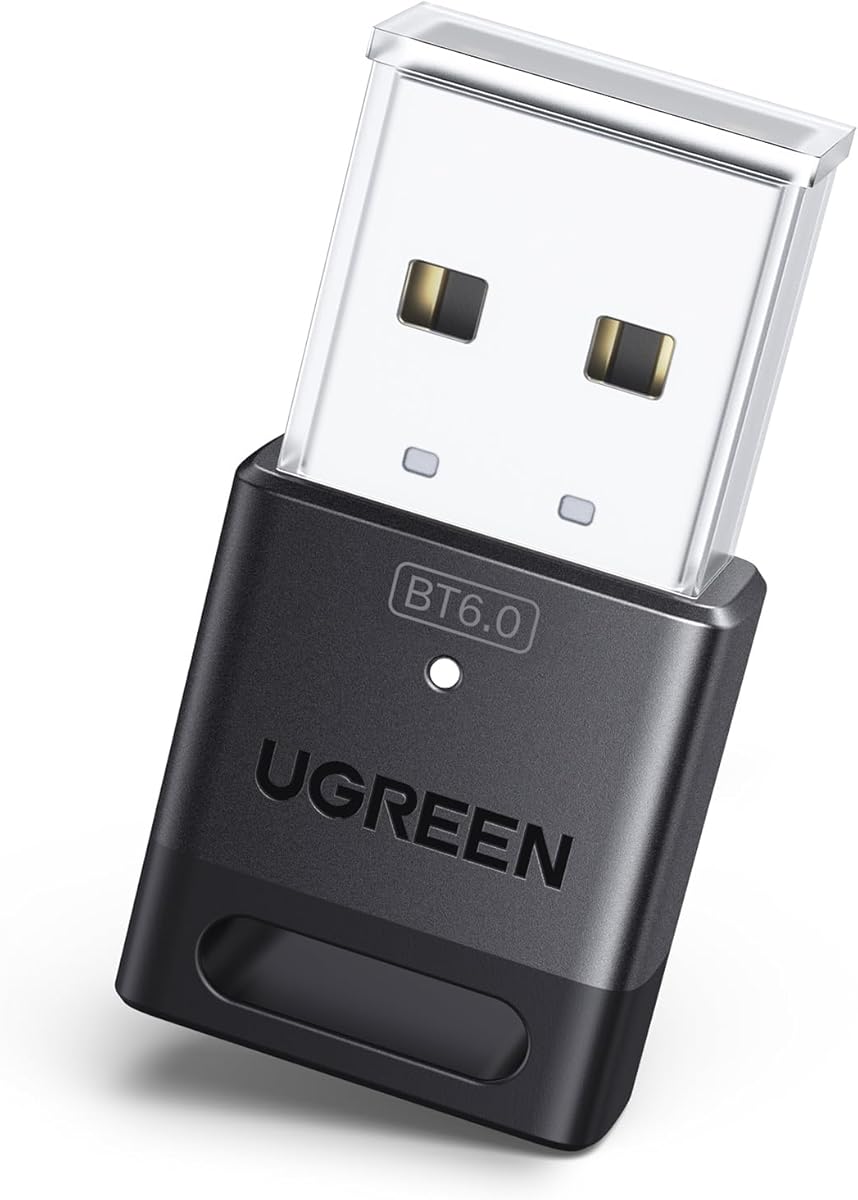
UGREEN USB Bluetooth 6.0 Adapter
4.2Editor score
Bluetooth 6.0 with EDR
Five-device simultaneous support
Driver-free Windows installation
Our Bluetooth Transmitter for PC guide compares ten adapters for audio, gaming, peripherals, compatibility, range, latency, and setup needs in 2026.
A Bluetooth transmitter for a PC can add wireless audio, connect peripherals, or solve a built-in Bluetooth problem, but the adapters in this category serve very different purposes. Some are general-purpose USB dongles, while others send PC audio exclusively to Bluetooth headphones and speakers.
We compared the ten products using their supported operating systems, Bluetooth versions, connection methods, audio features, device capacity, range claims, and setup requirements. The list includes Windows receiver adapters, USB-C audio transmitters, and a versatile two-piece transmitter and receiver kit.
Each review explains the product's strongest use case, practical limitations, and ideal buyer. Ratings and technical details reflect the supplied product information, while availability and pricing can change, so shoppers should confirm current product pages before purchasing.
4.2Editor score

4.4Editor score
4.5Editor score
The table below compares all ten adapters by their core function, Bluetooth generation, Windows support, and standout capability, making it easier to separate full-purpose PC dongles from audio-only transmitters.




The TP-Link UB500 Plus is a general-purpose USB Bluetooth receiver for a desktop or laptop that lacks a working wireless adapter. It carries a 4.4 rating and supports Bluetooth 5.3 with Enhanced Data Rate, making it a practical choice for connecting keyboards, mice, headsets, speakers, phones, and other compatible accessories. Its standout feature is the adjustable, multi-directional antenna.
We may earn a commission when you buy through this link, at no additional cost to you.
That antenna can be rotated and positioned according to where the dongle is located, which gives users more control than a fixed-design receiver. The product also supports older Bluetooth versions, reducing compatibility concerns with existing peripherals. Plug-and-play operation is listed for Windows 8.1, 10, and 11, while Windows 7 requires a driver downloaded from the manufacturer's website.
The central limitation is its role. This is a receiver that adds Bluetooth capability to the PC; it does not transmit PC audio to Bluetooth headphones in the way dedicated audio adapters do. The backward-compatible specification also describes a USB Bluetooth system rather than a guarantee of identical performance with every legacy device. Physical placement and nearby interference can still affect reception.
This is the strongest general recommendation for a PC owner who wants one dongle to handle several peripheral categories. Choose the UB500 Plus when adjustable reception, broad compatibility, and a straightforward Windows setup matter more than sending a PC's analog or USB audio to wireless headphones.
The rotating antenna can be aimed toward a nearby keyboard, mouse, headset, or speaker. This flexibility is particularly useful in desktop towers positioned behind furniture or away from the devices with which they communicate.
Unlike dedicated audio transmitters, this adapter can serve a wider selection of compatible peripherals. Its Bluetooth 5.3 and EDR foundation is intended to balance speed, power efficiency, and stable connections across different device classes.
We may earn a commission when you buy through this link, at no additional cost to you.
The UGREEN USB Bluetooth 5.3 Adapter is a compact receiver intended to add wireless connectivity to Windows PCs and laptops. Its 4.4 rating reflects a well-liked general-purpose adapter, and the product supports Bluetooth 5.3 BR/EDR, low-energy operation, and up to five different device types at the same time. It is particularly useful for reducing cable clutter around a workstation.
We may earn a commission when you buy through this link, at no additional cost to you.
The adapter can handle a mouse, keyboard, phone, and compatible audio devices concurrently. If two devices of the same audio type, such as two pairs of headphones, are connected, only one can play music at a time. Its small body can remain inserted without obstructing adjacent USB ports, making it convenient for laptops with limited connector space.
Installation is driver-free on Windows 8.1, 10, and 11. It does not support macOS, Linux, Windows 7, TVs, car systems, or game consoles. The manufacturer also explicitly states that it is a receiver and cannot function as a transmitter, so it will not solve a need to send PC audio wirelessly to Bluetooth headphones.
Choose this UGREEN adapter for a compact, affordable-looking desktop upgrade and simultaneous peripheral connections. It is a good match for Windows users who want Bluetooth input and output accessories without installing a full driver package.
Supporting up to five different device types allows a keyboard, mouse, phone, and compatible audio accessories to remain connected. The restriction on simultaneous playback applies to multiple devices of the same audio category.
The compact dongle is designed to stay in a USB port without blocking nearby connections. That makes it a practical option for a frequently used laptop that already carries several accessories.
We may earn a commission when you buy through this link, at no additional cost to you.
The UGREEN USB-C Bluetooth Adapter for PS5 and PC is a dedicated audio transmitter built around the Qualcomm QCC3086 and Bluetooth 6.0. It has a 4.1 rating and focuses on sending PC or console sound to compatible Bluetooth headphones or speakers. It cannot pair with mice, keyboards, or general data devices.
We may earn a commission when you buy through this link, at no additional cost to you.
Its strongest feature is flexible LE Audio operation. Users can select a low-latency mode for gaming and video synchronization or a high-quality mode for music. Codec support includes aptX Adaptive, aptX HD, aptX, and SBC, allowing the adapter to work with a broader selection of compatible audio equipment. Classic Bluetooth mode also supports dual-device connection.
These capabilities bring meaningful restrictions. LE Audio and LC3 require compatible headphones or speakers, and aptX HD does not support the stated dual-device function. The product also does not support microphones, mice, keyboards, TVs, cars, or general console connections, so buyers should treat it as a specialized audio device rather than a general Bluetooth upgrade.
This adapter is well suited to a PC owner with modern wireless headphones who wants more codec choices and mode flexibility than a basic transmitter provides. It is especially compelling for listeners using LE Audio-capable equipment and for gamers who value a dedicated low-latency option.
The side control can move between low-latency and high-quality LE modes. The first prioritizes synchronization, while the second focuses on fuller sound and clearer detail for music.
Compatibility with aptX Adaptive, aptX HD, aptX, and SBC broadens the range of usable headphones. Classic mode supports two devices, while LE mode supports one-to-many broadcasting for compatible listeners.
We may earn a commission when you buy through this link, at no additional cost to you.
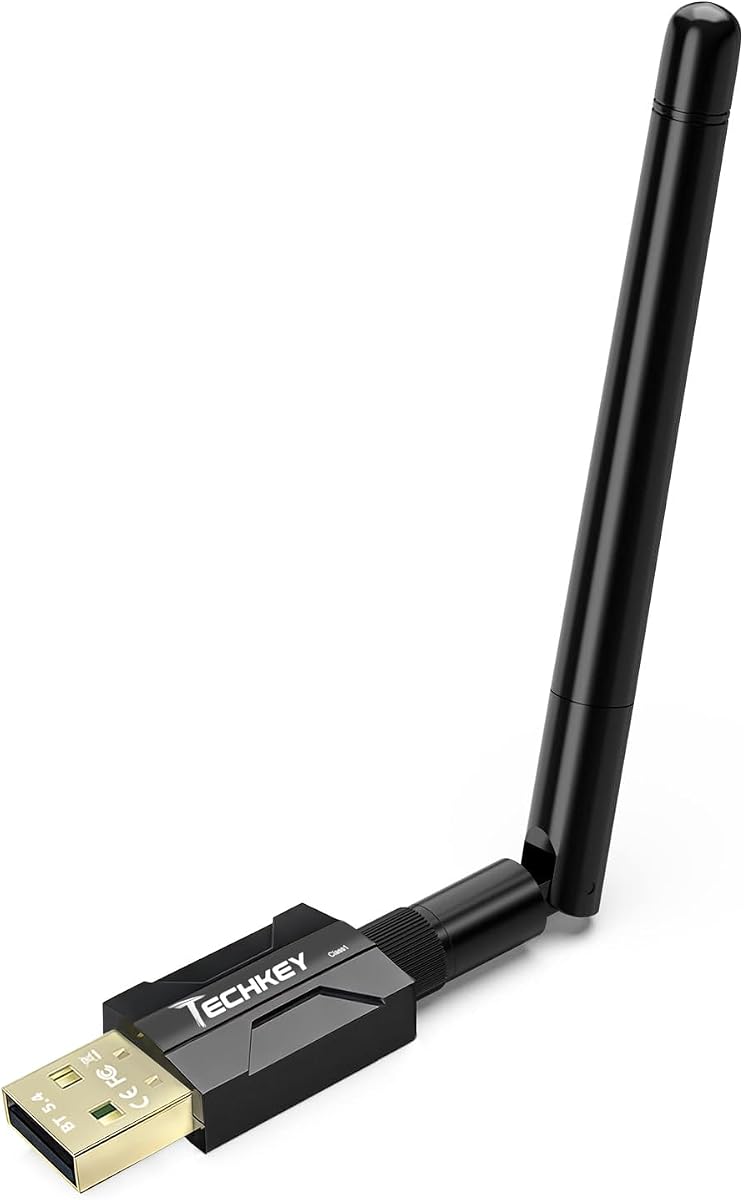
The BT11 USB Bluetooth 5.4 Adapter is a Windows receiver for adding Bluetooth to a PC, laptop, or desktop, including a computer whose built-in Bluetooth is damaged. It has a 4.3 rating, uses a Realtek Bluetooth 5.4 chipset, and supports both BR/EDR and Bluetooth Low Energy. It can connect as many as seven different device types simultaneously.
We may earn a commission when you buy through this link, at no additional cost to you.
Its most notable feature is the long-range design. The manufacturer specifies up to 492 feet in open air using Class 1 technology and dual antennas, with indoor ranges stated at 164 to 328 feet. Actual performance will depend on walls, metal, Wi-Fi interference, wireless TV adapters, and the antenna performance of the connected device.
The adapter is not compatible with macOS, Linux, Mac systems, TVs, iPads, car stereos, or older Windows releases. It also cannot add Bluetooth to wired speakers, printers, home theater systems, or game consoles. Windows users with built-in Bluetooth should disable the existing adapter in Device Manager before inserting the BT11.
Choose the BT11 for a spacious setup where range and high simultaneous device capacity are priorities. It is less suitable for cross-platform use, but its Windows 8.1 through 11 plug-and-play support and broad legacy compatibility make it capable within its stated environment.
Dual antennas and Class 1 radio technology form the basis of the long-range claim. Placement matters, so the dongle should be kept away from obstructions and strong sources of 2.4 GHz interference.
The adapter can support up to seven different categories of connected devices. That makes it useful for a workstation combining wireless input accessories, audio, and file-transfer functions.
We may earn a commission when you buy through this link, at no additional cost to you.
The Long Range USB Bluetooth 5.4 Adapter is a mini receiver for Windows desktops and laptops, and its listed rating is 5.0. It supports Bluetooth 5.4, EDR, and Bluetooth Low Energy, with backward compatibility across older Bluetooth versions. Up to five compatible devices can be connected at the same time.
We may earn a commission when you buy through this link, at no additional cost to you.
The adapter uses Class 1 radio technology and an extended antenna, with a stated open-area range of 500 feet. EDR and BLE configurations are listed at up to 3 Mbps, supporting faster transfers and more efficient wireless operation. The mini format and no-driver installation make it convenient for everyday desktop use.
Its receiver-only function is the most important limitation. It can connect a PC to Bluetooth speakers, keyboards, headsets, mice, and printers, but it does not transmit PC audio from a wired output to Bluetooth headphones. It is also restricted to Windows 11, 10, and 8.1, with no support for macOS, Linux, car systems, Xbox, PS4, or TVs.
Choose this dongle for a Windows desktop that needs compact, long-range Bluetooth and a straightforward way to connect several peripherals. It is a strong alternative to similarly named adapters, particularly for buyers who value the listed range, speed, and simple setup.
A desktop can connect a compatible keyboard, mouse, headset, speaker, or printer without occupying several adapter slots. The extended antenna also helps when the PC is positioned farther from the peripherals.
EDR and BLE support provide different connection characteristics for compatible accessories. The stated transfer configuration of up to 3 Mbps makes the adapter suitable for everyday data tasks as well as wireless audio output.
We may earn a commission when you buy through this link, at no additional cost to you.
The UGREEN BT501 is a USB-C audio transmitter designed to send sound from a PC, PS5, Switch, or compatible device to Bluetooth headphones or speakers. It has a 4.4 rating and supports aptX, aptX Adaptive, aptX HD, SBC, and low-latency modes. The transmitter also supports Windows and macOS but not Linux.
We may earn a commission when you buy through this link, at no additional cost to you.
For gaming, the main attraction is aptX Adaptive with a low-latency encoder, which the manufacturer states keeps delay below 100 milliseconds. A multifunction button can activate Bluetooth calling mode through HFP, although the default audio mode is recommended for better sound quality. Indicator lights communicate operating status.
There are several product-specific caveats. The adapter is incompatible with the PS5 Portal, PS4, and AirPods Pro 2, and it does not support dual-device pairing. Enabling calling mode can reduce audio fidelity, so users needing the cleanest game or music output should disable it and use an external microphone for communication.
This is a strong option for a PC gamer or PS5 owner with USB-C who already owns compatible wireless headphones. It is less appropriate for users who require AirPods Pro 2 support, console-wide compatibility, or simultaneous paired devices.
The low-latency aptX Adaptive implementation is intended to keep game sound and on-screen action closely aligned. Headphones must support the same standard to benefit from its full capabilities.
Double-clicking the multifunction button enables Bluetooth calling through HFP. Because that mode can reduce audio quality, it is best reserved for moments when headset microphone input is actually needed.
We may earn a commission when you buy through this link, at no additional cost to you.
The UGREEN USB Bluetooth 6.0 Dongle is a general-purpose receiver for adding wireless accessories to a Windows PC. Its 4.2 rating and Bluetooth 6.0 EDR specification make it a modern option for users with compatible mice, keyboards, phones, headphones, and other devices. It is backward compatible with Bluetooth 5.4 and 5.3.
We may earn a commission when you buy through this link, at no additional cost to you.
The dongle can maintain connections to up to five different device types without interference. As with the brand's similar 5.3 adapter, only one device within the same audio category can play music at a given time. EDR and BLE technologies are included to support faster transfers, audio and video streaming, and more efficient energy use.
Setup is driver-free on Windows 8.1, 10, and 11. Linux, macOS, and Windows 7 are not supported, and the dongle cannot be used directly with PlayStation consoles, Switch, Xbox, TVs, or car systems. It is also a receiver rather than a transmitter, so it cannot send PC audio to Bluetooth headphones.
Choose this model for a Windows user seeking the newest listed Bluetooth generation at a straightforward, compact receiver design. It is best for adding peripherals to a computer rather than creating a dedicated wireless headphone output.
Bluetooth 6.0 EDR is intended to improve transfer performance and support stable streaming. Backward compatibility helps protect the value of the dongle when peripherals use older Bluetooth versions.
Five simultaneous device types are enough for a typical combination of keyboard, mouse, phone, and audio equipment. Users should treat the audio-device limitation as an important distinction from true multi-headphone streaming.
We may earn a commission when you buy through this link, at no additional cost to you.
The UGREEN CM668 is a USB Bluetooth audio transmitter for sending sound from a PC, Mac, PS4, PS5, Switch, or desktop to compatible wireless headphones and speakers. Its 4.3 rating reflects a focused product with support for aptX HD, aptX Adaptive, aptX, and SBC. It adds audio capability but does not support file or picture transfer.
We may earn a commission when you buy through this link, at no additional cost to you.
Its standout benefit is the stated aptX Adaptive latency of less than 60 milliseconds, compared with the manufacturer's cited 220 milliseconds for standard Bluetooth. That focus makes it well suited to gaming, video, meetings, and music. The adapter automatically switches between Music and Talk modes when used with a Windows PC, and an included 3.5mm microphone can carry voice input from a controller, Switch dock, or PC.
Only one microphone can operate at a time, either the included unit or a compatible headset's built-in microphone. The product also cannot turn wired speakers into Bluetooth speakers, and its actual range of up to 33 feet can be reduced by obstructions. Connection range also depends on the receiving headphones' antenna performance.
Choose the CM668 for a PC user who wants low-latency wireless audio, codec flexibility, and a simple way to add headset microphone support. It is more specialized than a general receiver and less flexible than a multi-input audio box with dual headphone outputs.
The stated sub-60-millisecond aptX Adaptive performance is designed to reduce the delay that can make game dialogue and sound effects feel disconnected. Compatible headphones are required for the stated low-latency benefit.
The included 3.5mm microphone can draw input from a controller, dock, or PC connection. Alternatively, a compatible headset's built-in microphone can be selected, though the two cannot be used simultaneously.
We may earn a commission when you buy through this link, at no additional cost to you.
The MEE audio Connect is a portable Bluetooth audio transmitter designed primarily to send a PC's or television's sound to one or two pairs of wireless headphones. It has a 4.2 rating and supports Qualcomm aptX Low Latency for compatible devices, helping reduce lip-sync issues during video and game audio.
We may earn a commission when you buy through this link, at no additional cost to you.
Its defining feature is dual-headphone streaming. Separate A and B pairing buttons allow two listeners to connect independently, and each listener can adjust their own headphone volume. Three connection methods are offered: 3.5mm, RCA, and optical TOSLINK S/PDIF. Cables are included, making it adaptable to computers, televisions, set-top boxes, and other sources.
The optical connection requires the source to be set to PCM because the transmitter cannot convert Dolby Digital. The built-in rechargeable battery supports portable use with an airplane or gym setup, while the unit can also remain connected for charging. It is an audio transmitter rather than a general PC Bluetooth receiver, so it is not designed for keyboards, mice, or file transfers.
Choose the MEE audio Connect when two people need to listen to one PC or TV without separate audio cables. It is especially useful for shared spaces, quiet gaming sessions, and travelers who want to use their own headphones with equipped entertainment systems.
The dual pairing controls are the product's main advantage over a basic one-output transmitter. Two headphones or speakers can receive the same source, with each listener managing their own volume.
The 3.5mm, RCA, and optical inputs cover modern PCs, legacy sound equipment, televisions, and set-top boxes. Optical users must select PCM because Dolby Digital conversion is outside the device's capabilities.
We may earn a commission when you buy through this link, at no additional cost to you.
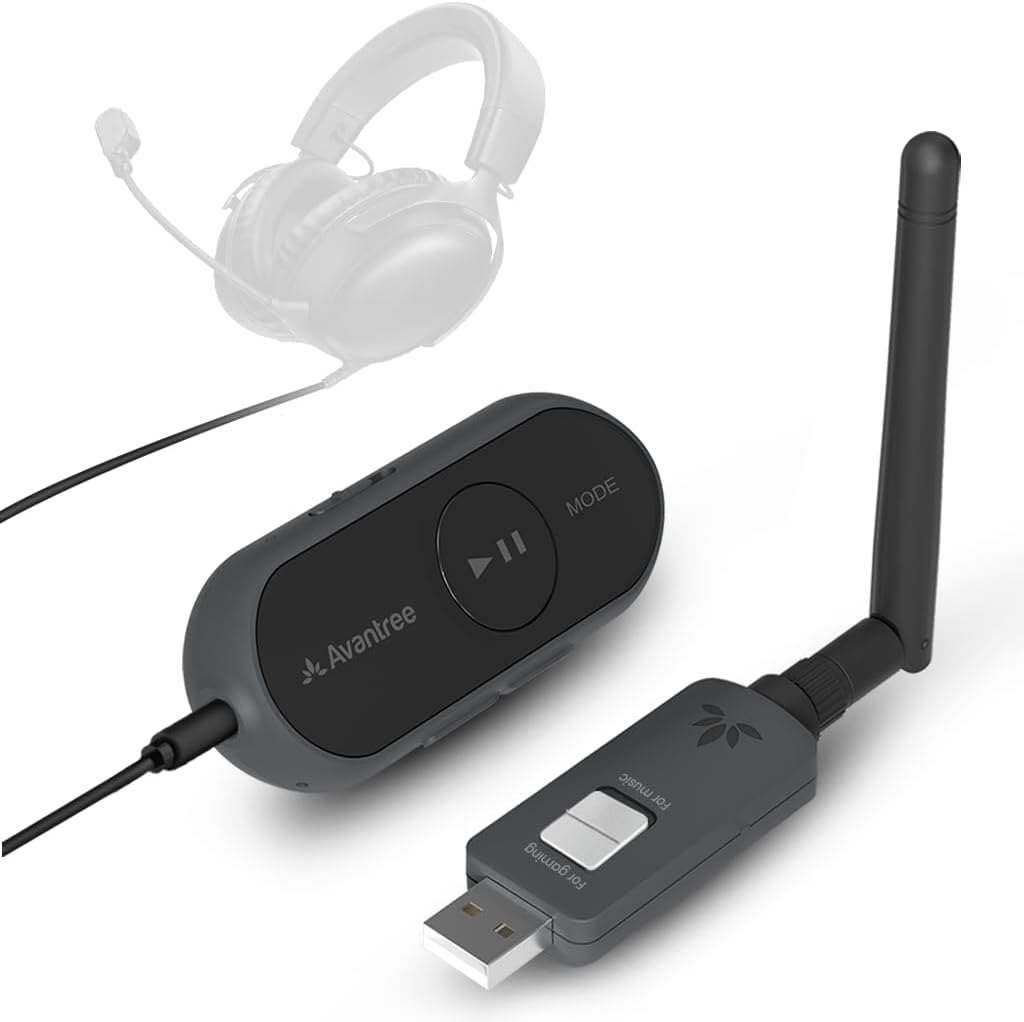
The Avantree ProLink is a two-piece Bluetooth 5.4 LE Audio system that includes both a transmitter and a receiver. Its 4.5 rating reflects a flexible premium option for gaming, calls, music, and video. It supports aptX Lite with a stated latency as low as 20 milliseconds, aiming to minimize synchronization problems across PCs, consoles, phones, and other compatible devices.
We may earn a commission when you buy through this link, at no additional cost to you.
The set can modernize existing 3.5mm headphones, including headsets with built-in or boom microphones. TRRS support makes it useful for voice chats, meetings, and in-game communication. Users select DG60L as the computer's input and output device for clear microphone input, while the broader platform support includes PC, PS5, Mac, Android, and iPhone through USB-C.
Setup is described as requiring no drivers and no pairing process: the user plugs in the USB side, powers on the receiver, and starts playback. The hardware can also be updated through firmware, which may improve stability and performance. Despite its broad capabilities, the product remains focused on audio rather than general peripherals or data-device connections.
Choose the ProLink when a single USB adapter cannot meet your needs or when you want both transmitting and receiving functions. It is the most complete option here, combining low-latency audio, headset microphone support, cross-platform use, and firmware flexibility in one kit.
Owning both halves makes the system more flexible than a one-way PC dongle. It can send sound from a modern USB-C device and receive audio through a traditional 3.5mm headphone connection.
TRRS support allows a wired gaming headset with a built-in or boom microphone to function in calls and games. Selecting the DG60L as the computer's input and output device helps the system identify the headset correctly.
We may earn a commission when you buy through this link, at no additional cost to you.
The right adapter depends on whether you need to connect accessories to a PC or send PC audio to wireless headphones, so function should be considered before Bluetooth version, range, or device count.
A receiver adds Bluetooth capability to a computer and is primarily useful for pairing a mouse, keyboard, phone, printer, headset, or speaker. An audio transmitter takes sound from a PC and sends it to Bluetooth headphones or speakers. Several products in this guide explicitly cannot perform both roles, while the Avantree ProLink includes separate transmitter and receiver units for greater flexibility.
Most adapters in this guide are designed specifically for Windows. Plug-and-play support commonly covers Windows 8.1, 10, and 11, while some products exclude Windows 7, Linux, and macOS. A few audio-focused adapters also support macOS, and the MEE audio Connect can connect through conventional analog or optical outputs. Check the operating system requirements before assuming a USB device will work with your setup.
The products span Bluetooth 5.3, 5.4, and 6.0, with many receiver dongles also supporting older versions. Newer versions can improve speed, efficiency, and stability, but the actual benefit depends on the peripheral. Audio transmitters should also be evaluated by codec support. AptX, aptX Adaptive, aptX HD, aptX Lite, and SBC provide different balances of latency, compatibility, and sound.
Latency is the delay between an action or video frame and the corresponding sound. The UGREEN CM668 states latency below 60 milliseconds, the UGREEN BT501 states under 100 milliseconds in its applicable mode, and the Avantree ProLink states latency as low as 20 milliseconds with aptX Lite. The Bluetooth 6.0 UGREEN adapter also offers a low-latency LE mode. Compatible headphones and software behavior remain important to achieving the advertised result.
Range claims are strongest on the BT11 and the Long Range Bluetooth 5.4 adapter, both of which use Class 1 technology and state distances of roughly 492 to 500 feet in open air. The UGREEN CM668 lists a more conservative 33 feet. Physical walls, furniture, metal objects, Wi-Fi routers, wireless TV adapters, and the receiving device's antenna can all reduce real-world performance.
The BT11 supports up to seven different device types simultaneously, while several UGREEN receiver dongles and the Long Range Bluetooth 5.4 adapter support five. This capacity is different from streaming to two pairs of headphones. MEE audio Connect specifically supports two audio recipients at once, and the Avantree system is built around separate transmission and reception functions rather than general multi-device pairing.
The UGREEN CM668, UGREEN BT501, Bluetooth 6.0 UGREEN audio adapter, and MEE audio Connect focus on audio transmission. They do not support general PC peripherals or file transfer in the way a full-purpose receiver does. This specialization can improve simplicity for users who only want wireless headphones, but it makes these products unsuitable as a universal Bluetooth solution.
USB-A receiver dongles work with many desktop and laptop ports, while USB-C audio transmitters suit newer computers and some consoles. The MEE audio Connect accepts 3.5mm, RCA, and optical TOSLINK inputs, making it more accommodating for varied legacy and modern sound sources. Check the connector on your computer and the output arrangement on your display or audio equipment.
Begin by identifying the adapter's role. For a receiver, insert it into a free USB port, disable any built-in Bluetooth adapter in Device Manager if instructed, and pair the desired mouse, keyboard, headset, speaker, or phone through Windows settings. For an audio transmitter, connect it to the proper USB or audio input, select the appropriate output device, and put the receiving headphones into pairing mode.
After pairing, test the primary function before moving the adapter. Confirm that the PC recognizes the wireless device, that a mouse or keyboard responds, or that PC audio is routed to the transmitter. For low-latency products, choose the appropriate Classic or LE mode, and for multi-device setups, pair each recipient through its individual button or device menu.
For care and troubleshooting, keep the adapter away from walls, metal objects, and crowded areas of the 2.4 GHz spectrum. Try a different USB port if pairing or audio is unstable, update firmware when the manufacturer offers it, and keep the original driver or operating instructions accessible. Disconnect a transmitter before changing ports, and avoid assuming that a receiver can send PC audio to wireless headphones.
Yes, but you need an adapter that explicitly supports audio transmission. The UGREEN CM668, UGREEN BT501, UGREEN Bluetooth 6.0 audio adapter, and MEE audio Connect are designed to send sound to compatible Bluetooth headphones or speakers. General receiver dongles primarily add Bluetooth for peripherals and are not equivalent to an audio transmitter.
A receiver lets the PC communicate with Bluetooth accessories such as mice, keyboards, phones, and printers. A transmitter sends audio from the PC to Bluetooth headphones or speakers. The Avantree ProLink includes both transmitter and receiver components, while most single adapters in this guide perform only one direction.
Most of the Windows receiver dongles in this guide do not support macOS or Linux. The UGREEN BT501 and CM668 audio products list Windows and macOS support, while the MEE audio Connect can take audio from a computer through included analog or optical connections. The Avantree ProLink is also listed for Mac use, so always confirm the exact product requirements.
The Avantree ProLink stands out with a stated aptX Lite latency as low as 20 milliseconds. The UGREEN CM668 states less than 60 milliseconds, and the UGREEN BT501 states less than 100 milliseconds in its low-latency mode. Headphones must support the corresponding codec and feature to obtain the full benefit.
The MEE audio Connect is specifically designed for two simultaneous headphone or speaker recipients, each with an independent pairing button. Other products that support several device types usually do not offer the same multi-headphone audio capability. Check the specifications carefully if sharing PC audio with another person is your priority.
Some receiver manufacturers recommend disabling an existing built-in or third-party Bluetooth device to prevent conflicts. Windows users can find Bluetooth adapters under Device Manager, right-click the active device, and choose Disable Bluetooth. After disabling it, unplug and reconnect the USB adapter and try pairing again.
No. A newer Bluetooth version can improve transfer performance, efficiency, and compatibility, but the connected peripheral, antenna placement, interference, and operating system all influence results. The stated range of a dongle may also shrink substantially around walls, metal objects, Wi-Fi equipment, or other obstructions.
Most supported modern Windows systems use a plug-and-play process for the general receiver adapters and the listed USB-C audio transmitters. The TP-Link adapter supports Windows 8.1, 10, and 11 without a driver, while Windows 7 requires one downloaded from the manufacturer's website. Avantree also describes its ProLink setup as driver-free.
The TP-Link UB500 Plus is the most balanced general choice because it combines Bluetooth 5.3, broad backward compatibility, and an adjustable antenna for a Windows PC. The UGREEN USB Bluetooth 6.0 receiver is a compelling modern option for everyday peripherals, while the Avantree ProLink stands apart as the premium, two-piece solution for low-latency audio and wired headset microphones.
Prioritize the direction and type of connection you actually need. A general receiver suits keyboards, mice, phones, and other accessories; a dedicated audio transmitter suits wireless headphones and speakers. Then consider Windows or macOS support, codec and latency features, simultaneous device capacity, physical ports, and whether an adjustable antenna or included receiver would make setup easier.
Finally, confirm the manufacturer's compatibility notes and review the current product page before ordering. Product ratings, technical details, availability, and pricing can change, and obstacles or existing Bluetooth hardware can affect real-world results. A carefully matched adapter is more useful than one with the highest specification on paper.