
UGREEN 4K DisplayPort to HDMI Cable
4.7Editor score
Supports 4K at 30Hz
Handles 1080p at 120Hz
Six-foot-length braided cable
This guide compares the best Displayport to HDMI Cable options for 4K, high-refresh gaming, extended desktops, presentations, and everyday monitor setups.
A Displayport to HDMI Cable gives a DisplayPort-equipped computer or graphics card a convenient way to connect to an HDMI television, projector, or monitor. The right cable must match your resolution, refresh-rate, and audio requirements while preserving a stable one-way signal from the computer to the display.
We compared ten cables based on their stated resolution support, refresh rates, directional design, audio capabilities, construction, cable length, and device compatibility. The selection includes basic Full HD options, 4K cables for everyday productivity and gaming, and active HDMI 2.1 models designed for advanced displays.
Each numbered review explains what the cable is best suited for and where its limitations matter. Ratings and specifications can change over time, and retailer prices fluctuate, so readers should verify the current listing, device requirements, and display settings before purchasing.
4.7Editor score

4.8Editor score

4.2Editor score
The comparison below highlights each cable's directional design, maximum stated resolution, refresh-rate support, and ideal use. It makes it easier to distinguish practical 4K models from Full HD alternatives and advanced active cables requiring compatible graphics hardware.



The Highwings 4K DisplayPort to HDMI cable is a practical all-around option for connecting a modern desktop or laptop to an HDMI display. It carries a 4.5 rating and stands out for a 6.6-foot length, multi-layer shielding, a nylon-braided jacket, and a 24K gold-plated connector. Its most notable feature is broad support for several common resolution tiers rather than a focus on only one mode.
We may earn a commission when you buy through this link, at no additional cost to you.
The cable supports 4K UHD at 30Hz, 1440p or 2K at 60Hz, and 1080p at 120Hz when the connected source and display can handle those settings. That mix works well for office productivity, video playback, presentations, and many gaming situations. Synchronized high-definition audio and video make it suitable for systems where the computer is also responsible for sound.
The main limitation is its explicitly unidirectional design. It can carry a signal from a DisplayPort source to an HDMI display, but it cannot reverse an HDMI gaming console, Blu-ray player, or streaming device into a DisplayPort monitor. The 4K ceiling of 30Hz also makes it less appropriate for demanding high-refresh 4K gaming, although 1080p at 120Hz offers a useful alternative.
This cable is a strong recommendation for users who want a flexible everyday connection without paying for an advanced active converter. Check that the source has DisplayPort output, the destination has HDMI input, and both support the desired resolution. It is especially well suited to desk arrangements that need more reach than a short integrated cable.
Supporting 4K at 30Hz, 1440p at 60Hz, and 1080p at 120Hz gives the cable flexibility across work, entertainment, and lighter gaming setups. The source device and display must both support the selected mode.
Multi-layer shielding, a nylon-braided exterior, and a gold-plated connector support dependable everyday use. The stated bend lifespan of more than 20,000 bends also makes the cable a practical choice for frequently rearranged desks.
We may earn a commission when you buy through this link, at no additional cost to you.
The Amazon Basics DisplayPort to HDMI cable offers a straightforward solution for Full HD displays. Its 4.6 rating reflects a generally dependable basic cable, and the product listing includes a six-foot length, gold-plated connectors, bare copper conductors, and foil-and-braid shielding. It is designed specifically for a DisplayPort computer sending video and sound to an HDMI television, projector, or monitor.
We may earn a commission when you buy through this link, at no additional cost to you.
The stated performance reaches 1920×1200 and 1080p Full HD, with support for uncompressed digital audio in 7.1, 5.1, or 2-channel configurations. It works for mirrored or extended desktops, large-screen movie viewing, office presentations, and adding a second display when the computer exposes the required DisplayPort output.
Its passive, one-way construction is simple but important. The cable needs a Dual-Mode DisplayPort source and cannot handle LVDS-only players or USB-A connections. Although the product title includes 4K at 30Hz, the detailed specification describes 1920×1200 and 1080p as the supported resolutions, so buyers should consult the current listing rather than assume every advertised mode is available.
The Amazon Basics cable is best for straightforward productivity, classroom use, presentations, and Full HD entertainment. It is less compelling when the goal is 4K gaming, advanced high-refresh output, or the latest HDMI 2.1 features. Its familiar construction and focused specifications make it a sensible fallback for users who do not need advanced display performance.
Uncompressed digital audio support covers 2.1, 5.1, and 7.1 configurations when the source provides the appropriate signal. That makes the cable suitable for presentations and home viewing without requiring a separate audio route.
As an unidirectional passive cable, it needs no external power or complicated setup. The DisplayPort end belongs on the computer, while the HDMI end connects to the display.
We may earn a commission when you buy through this link, at no additional cost to you.
The UGREEN 4K DisplayPort to HDMI cable combines a 4.7 rating with a useful range of everyday display modes. It supports 4K at 30Hz, 2K at 60Hz, and 1080p at 120Hz, making it a balanced option for work, presentations, media, and gaming. Its 6.6-foot length provides enough reach for most desk arrangements without becoming excessive.
We may earn a commission when you buy through this link, at no additional cost to you.
The listing explains that the cable can be used in mirror or extended-display modes and that up to six screens may be connected when the source device, graphics card, and system configuration permit it. It transfers audio and video without drivers or software. Support for uncompressed 7.1, 5.1, and 2-channel audio makes it more useful for entertainment setups than a video-only connection.
Construction details include 32AWG tinned copper, double shielding, an aluminum housing for heat dissipation, a no-buckle connector design, and a nylon-braided jacket stated to be ten times stronger than PVC. As with every one-way cable in this roundup, it cannot accept an HDMI source such as a PlayStation, Switch, or Xbox. Its 4K mode also tops out at 30Hz.
This is an excellent general recommendation for a user who wants 4K presentation quality, 1440p productivity, or 1080p high-refresh gaming without moving into active HDMI 2.1 territory. It delivers useful flexibility and strong construction at a modest tier, making it an easy all-around choice for common office and home setups.
Mirror mode is useful for presenting on a larger screen, while extended mode creates additional desktop space. The stated ability to connect up to six screens still depends on the computer's outputs, GPU, operating system, and display configuration.
The aluminum housing improves heat dissipation around the conversion electronics. Combined with tinned copper and double shielding, it supports stable transmission during sustained high-resolution use.
We may earn a commission when you buy through this link, at no additional cost to you.
The Warrky 4K DisplayPort to HDMI cable is a polished option for users who want more than a basic office lead. It holds a 4.6 rating and combines a six-foot nylon-braided jacket with an aluminum alloy one-piece shell. Its stated 24K gold-plated connectors and five-layer shielding emphasize both appearance and signal reliability.
We may earn a commission when you buy through this link, at no additional cost to you.
Resolution support includes 4K UHD at 30Hz, 1440p at 60Hz, and 1080p at 120Hz. The cable carries uncompressed digital audio in 7.1, 5.1, or 2-channel configurations. That combination suits a computer connected to a larger monitor, television, projector, VR headset, or other compatible HDMI display for work, media, and moderately fast gaming.
The product emphasizes durability, with a stated endurance of more than 16,000 bends while retaining flexibility. This is helpful in offices or home studios where the cable may be moved regularly. Its key trade-off is that the one-way DP-to-HDMl design cannot connect an HDMI console, media player, or streaming stick to a DisplayPort display.
The Warrky cable is a sound recommendation for users who prioritize a refined build, broad resolution choices, and everyday multi-monitor use. It is not the right choice for a high-end 4K or 8K display requiring 120Hz, 240Hz, DSC, or other advanced features, but it handles mainstream needs neatly.
A slim aluminum alloy shell gives the cable a modern appearance while also providing a rigid connector body. The finish is especially suitable for a clean, visible workstation.
The braided jacket and stated 16,000-plus bend endurance suit setups where the cable is routed behind a monitor or moved between desks. This does not change its fundamental one-way signal limitation.
We may earn a commission when you buy through this link, at no additional cost to you.
The JSAUX DisplayPort to HDMI cable differentiates itself primarily through its 10-foot length. With a 4.6 rating, it is well suited to desks, meeting rooms, home offices, and entertainment areas where the computer and television are not adjacent. The extra reach can reduce the need for extensions or awkward cable routing.
We may earn a commission when you buy through this link, at no additional cost to you.
Despite the extra length, it supports 4K at 30Hz, 2K at 60Hz, and 1080p at 120Hz under compatible conditions. It sends DisplayPort output from a computer, laptop, or graphics card to an HDMI monitor, television, or projector. This makes it useful for presentations, desktop expansion, and everyday viewing where high-resolution 4K is more important than very high refresh rates.
The product listing includes clear troubleshooting guidance: confirm that the DisplayPort end is connected to the source, the HDMI end is connected to the display, the correct input is selected, and the output resolution is supported. The one-way restriction means HDMI-source devices cannot send video to a DisplayPort display through this cable.
Choose the JSAUX cable when placement flexibility is the leading requirement. Its 10-foot run may be excessive for a compact desk, but it becomes a major convenience in conference rooms and living spaces. For mainstream 4K viewing and productivity, it offers a balanced set of modes and dependable construction.
A 10-foot cable provides ample distance between a desktop and a larger television or projector. It is especially useful when wall outlets, desks, and display furniture prevent a closer placement.
Most no-signal problems with this type of cable come from incorrect port orientation, the wrong display input, or unsupported resolution. The listed checks provide a clear order for diagnosing those issues.
We may earn a commission when you buy through this link, at no additional cost to you.
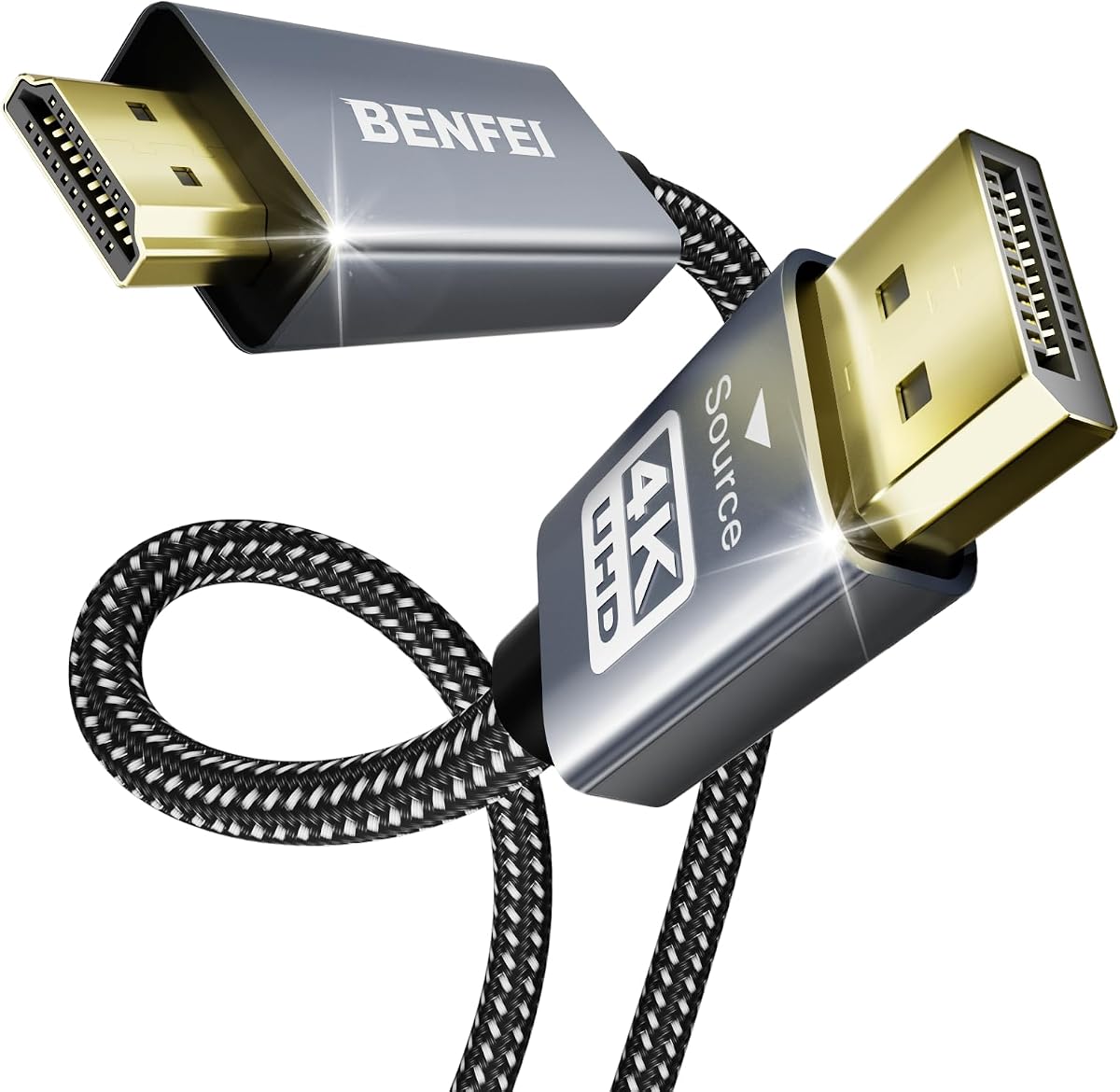
The BENFEI 4K DisplayPort to HDMI cable is built around an integrated IC chip and a durable six-foot construction. It carries a 4.5 rating and uses a nylon-braided jacket, aluminum shell, gold-plated DisplayPort connector, and molded strain relief. These details make it a practical option for office computers and home systems that regularly connect to HDMI monitors or projectors.
We may earn a commission when you buy through this link, at no additional cost to you.
Its listed maximum video mode is 3840 by 2160 at 30Hz. Other supported resolutions include 1080p at 60Hz, 720p, 1600×1200, and 1280×1024. Uncompressed digital audio pass-through is available in 7.1, 5.1, or 2-channel formats, allowing a connected computer to drive both the picture and sound.
The built-in chip converts the DisplayPort signal to HDMI, which explains why the cable remains strictly one-way. Users should not expect it to connect a PlayStation, Xbox, Blu-ray player, or other HDMI source to a DisplayPort display. The fixed 4K-at-30Hz ceiling also rules it out for the most demanding high-refresh gaming monitors.
BENFEI is a solid choice for standard 4K productivity, presentations, media viewing, and multi-monitor office configurations. The stated 18-month warranty adds additional reassurance for buyers who want a long-term connection rather than a disposable adapter.
The built-in chip provides the DisplayPort-to-HDMI signal conversion within the cable. That keeps the setup simple while supporting modern 4K output and legacy display resolutions.
A molded strain-relief section and braided exterior help protect the connector where bending normally occurs. These construction choices are useful in shared offices and frequently rearranged setups.
We may earn a commission when you buy through this link, at no additional cost to you.
The Cable Matters two-pack is a convenient option for people who want to connect two computers or keep a spare cable available. It has a 4.7 rating and includes two six-foot DisplayPort-to-HDMI cables. Each uses gold-plated connectors, bare copper conductors, and foil-and-braid shielding for signal transmission and reduced interference.
We may earn a commission when you buy through this link, at no additional cost to you.
The cables support up to 1080p Full HD and uncompressed digital audio in 7.1, 5.1, or 2-channel formats. They are intended for DisplayPort-equipped laptops and desktops connected to HDMI monitors or televisions, with support for mirrored or extended display arrangements. Their six-foot length suits standard desk and entertainment-center layouts.
A latching DisplayPort connector provides a secure fit and helps prevent accidental disconnection, although the release button must be pressed before removal. The product is designed to send signals from the computer to the HDMI display and is not a general-purpose reversible HDMI adapter.
This two-pack is best for users with multiple DP computers, a need to keep a spare connection on hand, or a workstation that may be reconfigured frequently. The trade-off is its Full HD ceiling, making it less attractive for 4K or high-refresh displays where greater bandwidth is required.
Two included cables make it easier to alternate between desktop and laptop or maintain a backup connection. The pack is particularly useful in offices, labs, and shared media rooms.
The DisplayPort latch helps secure the cable during normal use. Always depress the latch before pulling, which prevents damage to the connector and helps preserve the connection over time.
We may earn a commission when you buy through this link, at no additional cost to you.
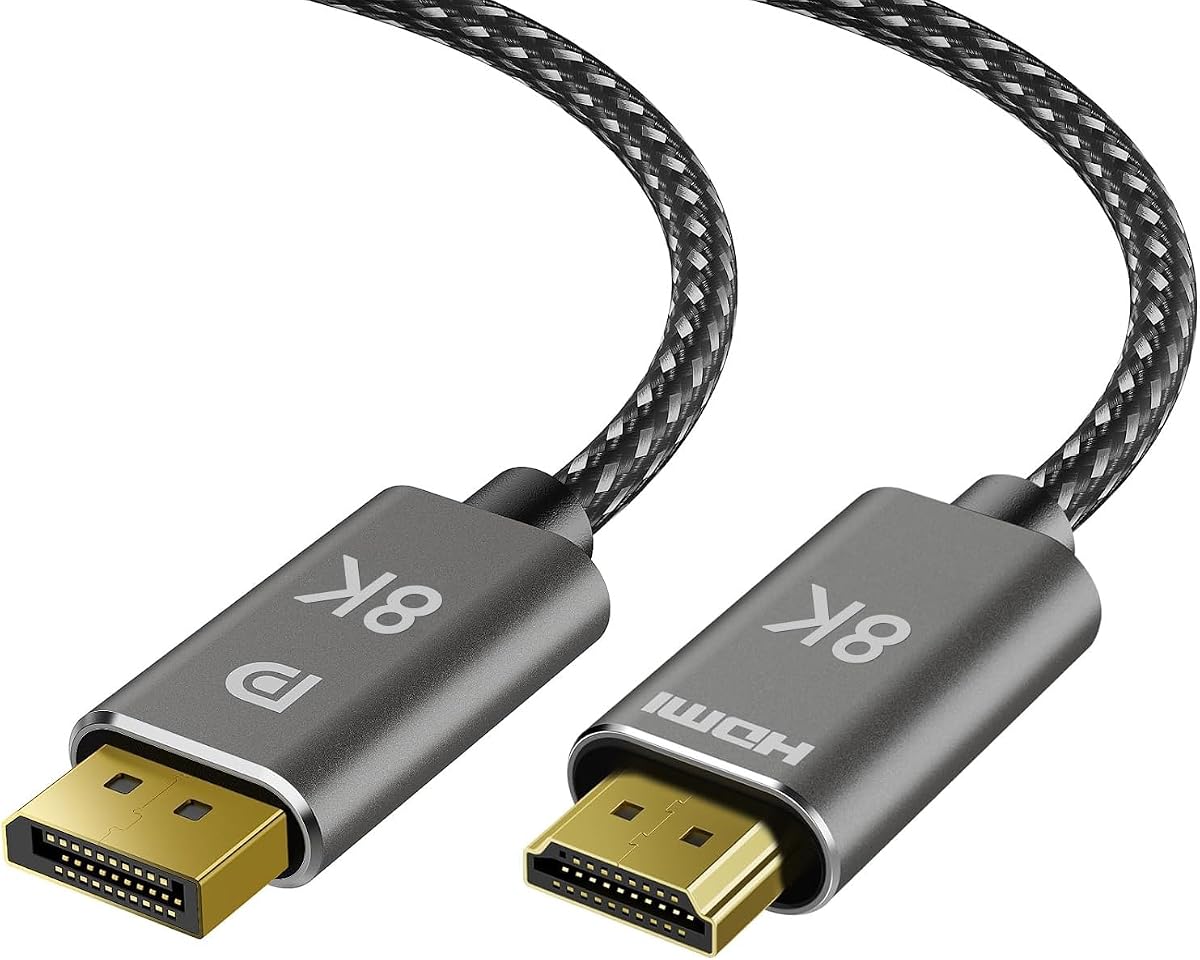
The 8K DisplayPort to HDMI cable is intended for users with demanding modern displays and compatible graphics hardware. It carries a 4.2 rating and advertises 8K at 60Hz, 4K at 120Hz, and 4K at 240Hz. Its six-foot braided design and latching DisplayPort connector make it look and feel suited to a serious gaming or media setup.
We may earn a commission when you buy through this link, at no additional cost to you.
The product supports HDMI 2.1-oriented features, including HDR and surround sound, when the entire chain supports them. The listing indicates that firmware updates can improve compatibility and enable features such as HDR and Dolby Atmos. It also recommends updating graphics drivers, particularly for certain Nvidia RTX 20/30 and AMD RX 6000-series systems.
This is not a simple plug-and-play cable in every environment. Firmware may need to be updated through the associated device ecosystem, and VRR is explicitly unsupported. It also remains one-way, so HDMI gaming consoles and streaming devices cannot be connected to a DisplayPort monitor with it.
The cable suits a user with a 240Hz 4K television, a 144Hz gaming display, and a recent GPU who prioritizes high refresh rates. Buyers should read the current firmware and compatibility instructions carefully. For a simpler 4K workstation, the extra complexity may offer little practical benefit.
Support for 4K at 240Hz and 8K at 60Hz offers considerable headroom for compatible high-end displays. The actual mode still depends on the graphics card, cable firmware, display, and application.
Firmware updates can expand compatibility and enable advertised features such as HDR and Dolby Atmos. Users should also keep graphics drivers current and check whether their preferred features are available.
We may earn a commission when you buy through this link, at no additional cost to you.
The UGREEN 8K active DisplayPort-to-HDMI cable leads this roundup with a 4.8 rating and an unusually broad performance envelope. It supports 8K at 60Hz, 4K at 240Hz, 2K at 240Hz, and 1080p at 480Hz under compatible conditions. This makes it the most ambitious option for modern gaming displays, high-end televisions, and professional multi-screen systems.
We may earn a commission when you buy through this link, at no additional cost to you.
The active conversion design supports a stated transmission rate of 32.4Gbps and HDMI 2.1 features including HDR and DSC 1.2a. It operates without drivers and is intended to connect DisplayPort desktops, laptops, and AMD or Nvidia graphics cards to HDMI monitors, projectors, televisions, and VR headsets. Its aluminum housing aids heat dissipation while tinned copper conductors support conductivity.
There are important boundaries. It is strictly unidirectional and cannot accept signals from HDMI-source devices such as a PlayStation, Switch, or Xbox. UGREEN recommends connecting the source directly to the display rather than through a dock or hub because of hardware limitations. Like other advanced cables, its headline modes still depend on source and display support.
This is the strongest recommendation for users who want extensive resolution and refresh-rate headroom from a single active cable. It is particularly attractive for compatible 4K high-refresh monitors and modern GPUs. Buyers should verify DSC support, firmware or driver requirements where applicable, and ensure their setup supports the exact mode they intend to use.
A stated 32.4Gbps transmission rate enables support for 8K at 60Hz and 4K at 240Hz. DSC 1.2a support also helps modern high-resolution workflows when every component in the chain is compatible.
The rigid aluminum case improves heat dissipation around the active electronics. Tinned copper conductors, a flexible braided jacket, and gold-plated pins support reliable operation in demanding setups.
We may earn a commission when you buy through this link, at no additional cost to you.
The Cable Matters 8K unidirectional DisplayPort-to-HDMI 2.1 cable is a premium option for modern high-end displays. It supports 8K at 60Hz and 4K at 240Hz, along with HDR and Dolby Atmos when the connected hardware permits. The six-foot braided cable and molded strain relief provide a refined, durable design.
We may earn a commission when you buy through this link, at no additional cost to you.
Its listing identifies compatibility with popular HDMI 2.1 televisions and monitors, including several Dell Alienware, Samsung Odyssey, Samsung OLED, and LG UltraGear or OLED models. Compatible DisplayPort 1.4 graphics systems with DSC can reach the advertised modes, including 4K at 240Hz on suitable HDMI 2.1 screens.
The product has clear technical limitations. A DisplayPort 1.4 GPU with DSC is required for 4K at 120Hz or 240Hz and 8K at 60Hz. VRR, G-Sync, FreeSync, and DDC/CI are unsupported. It also cannot work with a PlayStation, Xbox, or other HDMI source because signal flow is restricted from DisplayPort to HDMI.
This cable makes the most sense for a carefully matched premium system rather than a general-purpose upgrade. It is recommended for owners of current HDMI 2.1 monitors and capable graphics cards who prioritize resolution and refresh rate more than adaptive synchronization. For everyone else, a simpler 4K cable may deliver a more dependable experience.
The listing names several current HDMI 2.1 displays and modern Nvidia or AMD graphics cards. Those examples are useful, but the real deciding factors remain DSC support, the selected resolution, and the display's input configuration.
VRR, G-Sync, FreeSync, and DDC/CI are not supported, which matters to gamers who prioritize variable refresh rates. Check these limitations before treating the cable as a complete gaming solution.
We may earn a commission when you buy through this link, at no additional cost to you.
The right Displayport to HDMI cable depends less on marketing labels than on source capability, display input, resolution, refresh rate, cable direction, and physical layout. These factors determine whether the connection will work as intended and remain stable during daily use.
Every product in this guide is fundamentally a DisplayPort-to-HDMl connection rather than a reversible HDMI adapter. The DisplayPort male end belongs in a compatible computer, laptop, or graphics card, and the HDMI male end belongs in a television, projector, or monitor. An HDMI source device cannot be reversed through these cables, so gaming consoles, Blu-ray players, streaming sticks, and HDMI capture equipment are not supported.
A cable advertised as 4K may be limited to 30Hz, while a high-refresh 4K setup needs much more bandwidth and compatible DSC support. Check the exact resolution and refresh-rate combinations rather than relying on the headline label. Basic 4K models generally target office displays, presentations, and 4K media, whereas premium active cables target 4K at 120Hz or 240Hz and 8K at 60Hz.
Passive cables are typically simpler and appropriate for conventional Full HD or modest 4K use. Active cables include electronics that assist signal conversion and can provide higher bandwidth, but they may create compatibility questions when routed through docks or hubs. Advanced active cables may also require firmware or driver updates. The direction of supported traffic remains one-way even when the electronics are more capable.
Display Stream Compression, or DSC, is important for achieving very high resolutions and refresh rates without excessive data volume. The UGREEN 8K active cable supports DSC 1.2a, while the Cable Matters 8K model specifically requires a DisplayPort 1.4 GPU with DSC for its highest modes. A cable cannot add capabilities that the graphics card, driver, display, or game does not provide.
Many DisplayPort computers can send digital audio alongside video, and the listed cables generally support uncompressed 2-channel, 5.1-channel, or 7.1-channel audio. The display or television must then provide the corresponding speakers or audio output. If a monitor has separate speakers but no HDMI audio handling, an additional audio route may be required.
A six-foot cable suits many desks, while the JSAUX model's 10-foot length is useful for conference rooms and larger entertainment furniture. Longer cables can make routing easier but add clutter and may be unnecessary for a tightly arranged workstation. Measure the actual path, including desk depth, monitor stands, wall mounts, and cable-management hardware before selecting a length.
Braided jackets, molded strain relief, shielding, and gold-plated contacts can improve durability and signal integrity. A DisplayPort latch helps prevent accidental disconnection, though the release must be pressed before removing the cable. Aluminum housings on active models can improve heat dissipation, particularly during sustained high-bandwidth transmission.
High resolution and refresh rate do not guarantee every gaming feature. The premium cables in this guide explicitly do not support VRR, and one also omits DDC/CI. HDR, Dolby Atmos, firmware updates, and high refresh modes may also depend on the connected hardware and software. Review the complete limitation list before buying, especially if adaptive synchronization is important.
Start by confirming that the computer or graphics card has a DisplayPort output and that the monitor or television has an HDMI input. Shut down or switch both devices to the correct input before connecting the cable. Plug the DisplayPort end into the source and the HDMI end into the display, then power on the display and select its HDMI input.
Set the computer's output resolution and refresh rate to a mode supported by the cable, source, and display. In the operating system's display settings, choose extended mode if you want separate desktops or mirror mode if you want the same content on both screens. For advanced cables, review any firmware and graphics-driver instructions before attempting 4K high-refresh, 8K, HDR, or high-bandwidth modes.
Route the cable away from sharp edges, power cords, and objects that can pinch it. If the DisplayPort connector has a latch, press its release button before disconnecting it. When finished, unplug the connector rather than pulling the cable, keep the ends covered when not in use, and avoid tightly coiling the cable around the connector.
The cables reviewed here are unidirectional and work from a DisplayPort source to an HDMI display. They cannot send an HDMI console, streaming device, Blu-ray player, or other HDMI source into a DisplayPort monitor. Reverse use requires a specifically designed active converter or cable with the appropriate protocol support.
Yes, when the source computer provides digital audio and the connected display accepts HDMI audio. These products list support for uncompressed 2-channel, 5.1-channel, and 7.1-channel audio in various configurations. The selected audio format still depends on the graphics output, operating system, application, and display.
No. Some cables support only Full HD, while others support 4K at 30Hz, 4K at 120Hz, 4K at 240Hz, or 8K at 60Hz. The complete source-to-display chain must support the desired mode. A cable can never exceed the capabilities of the graphics card or monitor connected to it.
The cable may be connected in the wrong direction, the display may still be using another input, or the chosen resolution may exceed the cable's support. Verify that the DisplayPort end is on the source, select the matching HDMI input, and reduce the resolution or refresh rate. Advanced modes may also require compatible drivers, DSC, or firmware updates.
It depends on the exact source, cable, and display, because bandwidth requirements vary across DisplayPort and HDMI implementations. Some passive cables support 4K at 30Hz but not 60Hz, while others may handle 60Hz. Check the cable's exact specifications and ensure both the computer's output and the display's HDMI input support the intended mode.
Not when the console has an HDMI output and the monitor has a DisplayPort input, because the reviewed cables only transmit from DisplayPort to HDMI. The console's HDMI signal cannot be reversed through the cable. You would need an HDMI-to-DisplayPort adapter that explicitly supports the console's resolution, refresh rate, HDR, and adaptive synchronization features.
A cable advertising 4K at 240Hz is only one part of the requirement. The GPU needs an appropriate DisplayPort output, DSC support, suitable drivers, and a display with a compatible HDMI 2.1 input. Some advanced cables also require firmware updates, and connecting through a dock or hub may prevent the intended mode from being recognized.
Cable length does not inherently improve gaming performance, but the correct length makes routing and stable installation easier. A six-foot cable works for many desks, while ten feet can be useful in larger rooms. Choose a length that reaches without tight bends, and keep the route free from sharp edges or strain.
The UGREEN 8K active cable stands out for advanced bandwidth, 8K at 60Hz, 4K at 240Hz, and a 4.8 rating, making it the strongest option for compatible high-end systems. The UGREEN 4K model delivers the best balanced combination of resolution options, construction, and everyday usefulness, while the Cable Matters 8K model offers premium HDMI 2.1 features for carefully matched modern displays.
For most office, presentation, and home-entertainment needs, a 4K-at-30Hz cable with 1440p or 1080p high-refresh support is sufficient and simpler to operate. Prioritize one-way compatibility, the exact source and display modes, audio requirements, and a practical cable length before considering advanced 8K or high-refresh features.
Retailer prices and product details can change over time, so check the current listing before buying. Confirm the newest specifications, firmware guidance, display compatibility, and active-cable requirements to ensure the selected Displayport to HDMI Cable can deliver the intended setup.