
Kado 2-Pack Dual 22" Flat Screen
4.6Editor score
Compact dual 22-inch displays
Full HD 1920×1080 resolution
Built-in speakers on each screen
Dual monitors can transform office work by separating documents, communication apps, spreadsheets, and reference material across more usable screen space. The best setup balances panel size, resolution, color accuracy, connectivity, and comfortable positioning while avoiding unnecessary desk clutter or complicated installation.
This guide compares ten monitor options for productivity, including dual-monitor packs, standalone professional displays, flat and curved designs, and a 4K pair. We considered resolution, refresh rate, color coverage, speakers, mounting support, port selection, viewing angles, and the practical value of each bundle.
Each review identifies the configuration that best suits different office needs, from compact desks to detailed analysis and mixed work-and-play environments. Ratings and specifications reflect the supplied product information, while prices and bundle availability can change, so confirm current listings before purchasing.
4.6Editor score

4.7Editor score

3.9Editor score
As an Amazon Associate we earn from qualifying purchases.
The comparison below covers all ten options, highlighting the differences in screen size, resolution, refresh rate, color performance, connectivity, mounting features, and bundled equipment that matter most in an office.




This dual-monitor pack provides two 22-inch flat displays with Full HD resolution, a 75Hz refresh rate, and a 4.6 rating. Its compact format makes it a practical choice for smaller offices where a 24-inch or 27-inch pair could crowd the available desk space. Each monitor also includes built-in speakers.
We may earn a commission when you buy through this link, at no additional cost to you.
The flat design reduces the visual distraction that can sometimes accompany curved panels, which is useful when one screen contains a word processor and the other holds a browser, spreadsheet, or messaging application. Color coverage of 99% sRGB is suitable for everyday creative work, while custom gaming modes provide optional presets for users who also play games on the same system.
The main compromise is screen size. Full HD on a 22-inch display remains easy to read, but professionals working with dense spreadsheets, long code files, or multiple side-by-side applications may eventually want more physical workspace. A pair of 22-inch screens can also require careful scaling and alignment to avoid feeling cramped.
This setup is a sensible recommendation for users building a productive two-screen office on a modest desk, particularly when integrated audio and a straightforward FHD presentation matter more than maximum detail. It is one of the most approachable ways to gain dual-screen productivity without starting with an oversized 27-inch pair.
Two 22-inch flat panels create a useful separation between primary and secondary tasks without requiring a wide workstation. This makes the pack attractive for reception desks, home offices, shared spaces, and other compact environments.
Built-in speakers remove the need for separate desktop speakers in a basic office, while the 1920×1080 resolution and 75Hz rate provide a practical foundation for documents, calls, browsing, and general applications.
We may earn a commission when you buy through this link, at no additional cost to you.
This 27-inch dual-monitor pack combines a generous working area with a 4.7 rating, the highest among the products presented. Each display uses 1920×1080 Full HD resolution, a 75Hz refresh rate, and 100% sRGB color coverage, making it a balanced option for office productivity and color-oriented everyday tasks.
We may earn a commission when you buy through this link, at no additional cost to you.
Large panels are especially valuable for business workflows that require visible reference material. One screen can hold a video meeting, the other a presentation, spreadsheet, support console, or project timeline. The flat format provides a consistent rectangular workspace, and the pair includes custom gaming modes and built-in speakers for optional entertainment or quick video use.
The chief drawback is physical space. Two 27-inch monitors need careful placement, and users may need to pull them closer to achieve comfortable viewing angles. Full HD resolution is sufficient for ordinary office use, but it does not offer the fine text rendering and image detail of a 4K pair, especially when large 27-inch panels are viewed from a normal distance.
The recommendation is strongest for professionals who prioritize usable screen area, good color coverage, and a simple matching monitor set. It is less suitable for very compact desks or detail-sensitive users who regularly edit high-resolution imagery. For many general offices, however, the combination of size, rating, and useful extras is hard to overlook.
A 27-inch panel can display a full application without feeling as compressed as a compact display. Two panels allow users to maintain a visible reference while responding to messages, comparing reports, or participating in meetings.
The listed 100% sRGB coverage supports accurate-looking web, document, and multimedia work. It is not a professional color specification, but it is a strong fit for general business use where consistent color presentation matters.
We may earn a commission when you buy through this link, at no additional cost to you.
This two-pack of 24-inch monitors combines Full HD resolution, a 100Hz refresh rate, and a 4.3 rating. It stands out from most 24-inch office options through its stated 1ms blur-reduction mode, 100% sRGB color coverage, built-in speakers, wall-mount capability, and tilt adjustment.
We may earn a commission when you buy through this link, at no additional cost to you.
The 100Hz refresh rate makes scrolling and everyday motion appear smoother than on 75Hz alternatives, which can be helpful during long browsing sessions or when switching between documents. A pair of 24-inch FHD displays is a familiar office format: large enough for side-by-side applications without the footprint demands of dual 27-inch screens.
The advertised 1ms blur-reduction feature should be understood as a gaming-oriented setting rather than a guaranteed total system response time. The 4.3 rating is also lower than the ratings attached to most other products in this guide, so prospective buyers should consider the available customer feedback carefully.
This is a strong recommendation for users who want a higher refresh rate, flexible mounting, and well-rounded specifications in a two-monitor bundle. It particularly suits mixed office and casual gaming environments where fluid motion and convenience matter more than a 4K resolution.
The 100Hz refresh rate provides a more fluid presentation during scrolling, animation, and casual gaming. That improvement is useful in a workday where users spend hours moving between interfaces, even when the task is not technically gaming.
Wall-mount support and adjustable tilt make it easier to adapt the pair to a compact office. A mounted arrangement can recover desk surface area and permit more precise screen positioning than basic stands alone.
We may earn a commission when you buy through this link, at no additional cost to you.
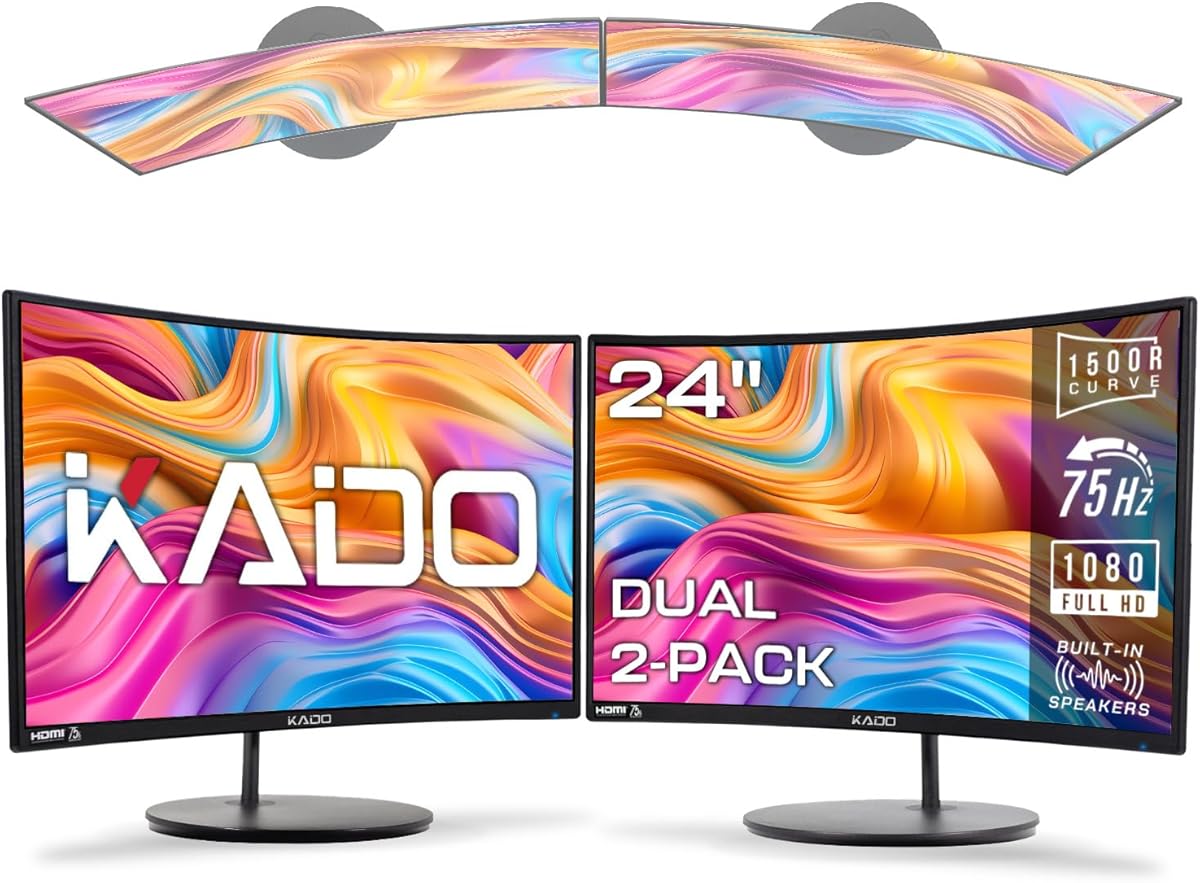
This 24-inch curved dual-monitor set uses a 1500R curve, Full HD resolution, and a 75Hz refresh rate. Its 4.6 rating reflects a generally well-received configuration, while the curved design is intended to reduce peripheral distortion and support a comfortable viewing experience during extended use.
We may earn a commission when you buy through this link, at no additional cost to you.
Curvature can make a pair feel more cohesive than two flat panels, particularly when both screens are positioned at matching angles. The 24-inch size is versatile for office work, and the 98% sRGB color gamut is suitable for documents, browsing, presentations, and general creative tasks. Custom gaming modes and integrated speakers broaden the package beyond conventional office use.
However, curved panels are not universally better for productivity. The edges can introduce geometric distortion, and aligning two independently curved screens precisely may be less straightforward than aligning flat monitors. The 98% sRGB specification also falls just below the 100% figures claimed by several alternatives.
This monitor pair is most appropriate for users who enjoy an immersive feel and want a comfortable curved workspace for extended sessions, light entertainment, or casual gaming. Users performing precision-oriented work or requiring perfectly straight document lines may prefer a flat 24-inch model.
Matching curved panels can create a continuous visual field when they are placed close together and angled consistently. The result can feel more natural for media viewing while still providing separate areas for office applications.
The 1500R design is presented as reducing eye strain and neck fatigue. Comfort still depends on screen height, distance, brightness, and desk geometry, so users should adjust the pair rather than relying on curvature alone.
We may earn a commission when you buy through this link, at no additional cost to you.
The HP Series 3 Pro 24-inch is a standalone 100Hz Full HD IPS monitor rather than a two-screen package, making it an important option for buyers who already own one display. It carries a 4.6 rating and includes a broad connection set: HDMI, DisplayPort, and VGA.
We may earn a commission when you buy through this link, at no additional cost to you.
IPS technology provides consistent image accuracy across wide 178-degree horizontal and vertical viewing angles. That is especially useful in a shared office, where colleagues may view a shared worksheet or presentation from different positions. Tilt, swivel, pivot, anti-glare, flicker-free operation, low-blue-light features, and VESA support add practical flexibility.
Its listed brightness of 250 nits is modest, which may matter in a brightly lit room or near a window. Because the product is not a dual-monitor pack, users starting from scratch would need to purchase a second compatible display and confirm included cables and mounting hardware. The supplied Docztorm portable data hub is also not a monitor arm.
This monitor is best recommended for professionals who already have a suitable second screen or want a high-quality, flexible single display. It offers the strongest professional ergonomics and connection flexibility in this list, but it requires more setup planning than an actual two-monitor bundle.
Wide IPS viewing angles help maintain readable content when coworkers lean in or the display sits away from the primary viewer. This makes the monitor particularly suitable for collaborative office work and shared review sessions.
HDMI, DisplayPort, and VGA give users flexibility when connecting newer systems, older desktops, or mixed equipment. The included portable data hub can also support convenient data transfer in compatible setups.
We may earn a commission when you buy through this link, at no additional cost to you.
This flat 27-inch dual-monitor pack provides a large workspace with a 4.6 rating. Each display has 1920×1080 resolution, a 75Hz refresh rate, and 99% sRGB color coverage, while built-in speakers make the pair convenient for office calls and everyday media use.
We may earn a commission when you buy through this link, at no additional cost to you.
Flat panels are particularly useful for business applications because their straight edges and rectangular image area make it easier to align documents, tables, and interface panels. The large dimensions allow a user to keep a communication app visible while working in a spreadsheet, presentation editor, browser, or customer-management system.
As with other 27-inch Full HD options, text may appear less crisp than it would on a 4K display when viewed at a normal distance. The 75Hz rate is sufficient for office use but less demanding than the 100Hz alternatives in this guide. Desk depth and monitor-arm compatibility should also be checked before installation.
This pair is well suited to users who want substantial screen area without adopting a curved design. It is a compelling option for business-focused multitasking, shared spreadsheets, and mixed work-and-play systems where matching flat panels are easier to arrange consistently.
Straight edges and consistent rectangular proportions help when comparing tables, writing text, or positioning application windows. Flat screens also simplify the task of aligning two displays into a balanced workstation.
Each monitor includes speakers, which can handle basic sound for calls, notifications, and videos. This reduces desk clutter, although dedicated speakers or a headset may still provide better audio quality.
We may earn a commission when you buy through this link, at no additional cost to you.
This 24-inch dual-monitor pack is a conventional office configuration with a 4.5 rating. The two flat Full HD displays offer 1920×1080 resolution, 75Hz refresh rates, 100% sRGB coverage, custom gaming modes, and integrated speakers.
We may earn a commission when you buy through this link, at no additional cost to you.
The 24-inch class is often the easiest balance between usable screen area and manageable desk dimensions. It can support a side-by-side arrangement for a primary work application and a secondary reference, communication panel, or document. A matching pair also simplifies visual consistency and equipment management.
The 75Hz refresh rate is not ideal for highly competitive gaming, although it is appropriate for standard office software and general media consumption. Full HD resolution is sufficient for most business documents, but users who work with dense text at large scale or intricate graphics should consider a higher-resolution alternative.
This is a straightforward recommendation for offices seeking a balanced dual-display bundle without moving to 27-inch panels. It offers the most conventional all-round package in the guide, combining a practical size, accurate-looking everyday color, useful audio, and enough screen area for common multitasking demands.
Two 24-inch panels provide more room than a single standard display while remaining easier to arrange than an oversized 27-inch pair. This makes the set suitable for common home offices and professional workstations.
The stated 100% sRGB gamut is beneficial for consistent appearance across web content, presentations, and everyday design tasks. It does not replace calibrated color for specialist production work.
We may earn a commission when you buy through this link, at no additional cost to you.
The Packard Bell airFrame includes two 21.5-inch Full HD monitors designed around productivity, home-office use, and light gaming. Each panel has a 75Hz refresh rate and 5ms response time, while the package supports VESA mounting and offers tilt adjustment along with HDMI and VGA connections.
We may earn a commission when you buy through this link, at no additional cost to you.
Its compact screens and slim bezels make the setup practical for a small workstation. A wall, arm, or stand mounting arrangement can raise the displays to a more comfortable height and reclaim desk space. The broad input selection also helps when an office mixes newer and older computers.
The 3.7 rating is the lowest among these options and warrants more attention to recent customer feedback. Color coverage is not specified in the supplied information, which makes it harder to compare with the Kado sets for visually sensitive tasks. The 75Hz rate is also modest for fast-paced games.
The airFrame is most appropriate for users who prioritize a compact, mountable two-screen system and broad connection options. It is a practical productivity package, though the lower rating and limited color information make the higher-rated alternatives more straightforward choices when those factors carry greater importance.
VESA compatibility gives users more freedom than a fixed stand. Mounting both displays can create a clean workstation, free surface area for a keyboard, or allow the screens to sit at a more appropriate eye level.
HDMI and VGA allow the monitors to work with a broad range of office equipment. This is helpful in mixed environments, although modern systems with limited ports may require an appropriate adapter.
We may earn a commission when you buy through this link, at no additional cost to you.
This dual 27-inch 4K pack is the specification-focused choice in the guide. Each flat monitor delivers 3840×2160 UHD resolution, a 70Hz refresh rate, DisplayPort and HDMI connectivity, VESA compatibility, and built-in speakers. Its 3.9 rating is lower than those of most other products, but the resolution distinction is substantial.
We may earn a commission when you buy through this link, at no additional cost to you.
Two 4K panels can display dense documents, complex spreadsheets, large spreadsheets, timelines, and application interfaces with much greater pixel density than Full HD models. The result is especially useful for research, analytics, finance, programming, and other work where reading small text or comparing detailed information is central to the task.
High resolution can also create a downside if the computer cannot drive two 4K displays smoothly. Users may need appropriate graphics hardware, suitable cables, and operating-system scaling. The 70Hz refresh rate is fine for most office applications but is not as smooth as the 100Hz options, and the 3.9 rating suggests mixed customer experiences.
This is the best premium recommendation for detail-oriented professionals who can use the extra resolution and have the necessary computer hardware. It is less suitable for buyers focused primarily on customer feedback, high refresh rates, or a simple plug-and-play setup.
A 3840×2160 canvas gives applications substantially more working space and produces finer text at a comparable physical size. That makes the pair suitable for large spreadsheets, code, side-by-side research, and detailed image review.
DisplayPort and HDMI provide modern wired options for PCs, consoles, streaming devices, and other compatible equipment. VESA compatibility allows for a cleaner mounted arrangement, while integrated speakers add convenient basic audio.
We may earn a commission when you buy through this link, at no additional cost to you.
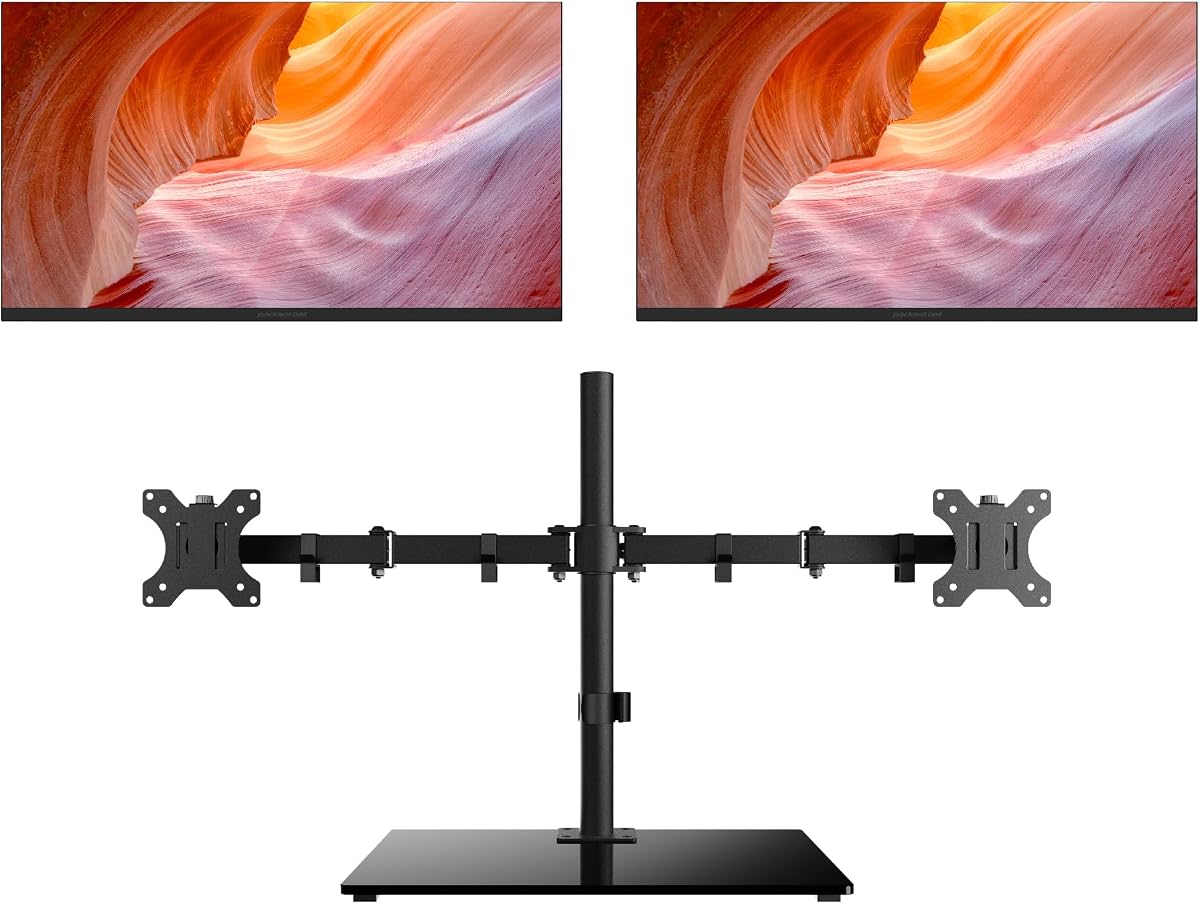
This two-pack of HP Series 3 Pro 24-inch monitors offers a 5.0 rating, 100Hz refresh rate, 3000:1 contrast ratio, and a 3000:1 specification paired with practical accessories. The bundle includes a Dockztorm data hub and an ErgoFlexy dual monitor mount, reducing the need to select those components separately.
We may earn a commission when you buy through this link, at no additional cost to you.
The 100Hz refresh rate gives scrolling and motion a smooth presentation, while anti-glare treatment, flicker-free operation, low-blue-light features, and adjustable tilt support all-day office use. The included arm is particularly useful because it allows both screens to be positioned at a comfortable height and aligned around the user.
The panel uses VA rather than IPS, and the listed 250-nit brightness is not especially high. The specified connections include HDMI and VGA but do not mention DisplayPort, so users should verify cable and dock compatibility with their computer. A monitor arm also requires compatible VESA mounting support and a suitable desk clamp or base.
This package is a strong recommendation for anyone who wants a ready-to-arrange dual-monitor office system with a smooth refresh rate, useful mounting hardware, and highly rated customer feedback. It is especially appealing for buyers who value a complete setup over assembling one separately.
The included dual monitor arm helps create a more unified workspace than two basic stands. Users can improve screen height, viewing angle, and desk organization while keeping the monitors closely aligned.
The 100Hz refresh rate, anti-glare surface, flicker-free operation, and low-blue-light support make the pair suitable for sustained productivity. The high listed contrast ratio can add impact to text and dark interface elements.
We may earn a commission when you buy through this link, at no additional cost to you.
A productive dual-monitor purchase depends on desk size, application demands, image quality, connectivity, and comfort. The right configuration expands useful workspace without creating alignment, scaling, or installation problems.
Monitor size determines how much information can be displayed without excessive scaling. A 21.5-inch or 22-inch pair is easier to arrange on a compact desk, a 24-inch pair offers a conventional office balance, and two 27-inch screens provide abundant room but require more desk width and viewing distance. Measure the usable desk area, including the space needed for stands, cables, and the keyboard, before choosing.
Full HD at 1920×1080 is adequate for standard documents, email, browsing, and video calls. A 4K monitor provides four times the pixel count of Full HD, producing finer text and allowing more information to appear on screen. The Kado Dual 27" 4K pack is therefore compelling for detailed analysis, programming, finance, and research, provided the computer can drive both displays and the user can adjust operating-system scaling.
Panel technology affects color consistency, contrast, and how clearly the screen appears from different positions. The HP Series 3 Pro 24-inch uses IPS with wide 178-degree viewing angles, which is useful when colleagues gather around a display. The HP dual bundle uses VA technology and lists a 3000:1 contrast ratio. Either can suit office work, but users should consider room lighting, shared viewing, and the importance of color consistency.
A higher refresh rate can make scrolling, cursor movement, and video appear smoother. Most 75Hz options are sufficient for conventional office work, while the 100Hz Sceptre and HP configurations offer a more fluid presentation. The 4K Kado pair uses 70Hz, which remains appropriate for documents but ranks below the faster alternatives. Match the refresh rate to office requirements rather than paying attention only to gaming language.
The Kado and Sceptre pairs list sRGB coverage between 98% and 100%, making them suitable for accurate-looking web, document, and general multimedia work. Color coverage is only one part of accuracy, and no calibration data is supplied for these products. Specialists should calibrate displays and avoid treating a general sRGB claim as a guarantee of professional production accuracy.
The most flexible options include HDMI and DisplayPort, while the HP Series 3 Pro 24-inch adds VGA for older equipment. The Packard Bell airFrame also supplies HDMI and VGA. Before buying, confirm that the computer has enough outputs and that a docking station or hub can support two displays at the desired resolution and refresh rate. Cables, adapters, and KVM requirements should be considered as part of the full setup.
A dual-monitor arrangement is only comfortable when the screens are aligned, correctly positioned, and adjusted to the user. Look for tilt, swivel, pivot, height adjustment, or VESA compatibility. The HP dual bundle includes an ErgoFlexy mount, while the Packard Bell package supports VESA mounting. Adjustability is especially important for smaller pairs because a small viewing-angle error becomes more noticeable when both screens must work together.
Most Kado and Sceptre pairs include built-in speakers, which can handle basic meeting audio, system sounds, and media while reducing the need for separate desktop speakers. The HP dual bundle also includes a Dockztorm data hub for compatible data workflows. Built-in speakers are convenient rather than equivalent to a dedicated audio system, and users with frequent calls should still consider a headset or dedicated microphone.
Begin by deciding how each display will be used. Place the application you consult most often on the primary screen, positioned directly in front of you, and use the second display for supporting tasks such as email, messaging, reference documents, or a shared calendar. Keep the screens at the same height and angle them inward so both viewing areas are comfortable and visually consistent.
Connect each display to the computer, use the included or compatible cables, and configure the operating system to extend rather than duplicate the desktop. Set the native resolution of each panel and adjust scaling so text remains readable without appearing tiny. Open the monitor controls to select a standard color profile, reduce brightness to match the room, and fine-tune the refresh rate only when it is supported by the graphics output and connected device.
For long workdays, take regular screen breaks, blink often, and keep the top of each display near or slightly below eye level. Keep vents unobstructed, clean the screens with a soft microfiber cloth, and avoid placing liquids directly on the panels. Secure stands and monitor arms, route cables to reduce strain, and periodically check that connections remain firm and displays are still correctly aligned.
A 24-inch pair is easier to fit on a typical desk and is a practical all-around choice for documents, calls, and general multitasking. A 27-inch pair provides more visible information and can reduce the need to enlarge text, but it requires more desk space and careful viewing distance. Choose based on your available workspace and the density of the applications you use.
No, Full HD is sufficient for email, browsing, standard documents, and video calls. A 4K dual-monitor setup is more valuable for detailed spreadsheets, programming, research, image review, and users who want smaller text with more information visible. Make sure your computer and any docking station can drive two 4K displays at the intended refresh rate.
It depends on the monitor and computer connections. This guide includes configurations with HDMI, DisplayPort, and VGA, so the correct cable must match both ends of each connection. DisplayPort is often convenient for higher resolutions and refresh rates, while HDMI is widely compatible. Check whether cables are included and whether your docking station has enough outputs.
Yes, an arm can improve alignment, raise the displays to a more comfortable height, and recover desk space. It is particularly useful with 24-inch and 27-inch pairs because the viewing angle between screens affects comfort. Confirm VESA compatibility, desk thickness, clamp clearance, and weight capacity before installing an arm.
Built-in speakers are useful for basic system audio, short videos, and everyday communication, so they can reduce desk clutter. For frequent calls, a headset may provide clearer voice pickup and better control over sound. Consider microphone placement, room noise, and privacy before relying on speakers for confidential conversations.
Flat panels generally make it easier to align documents, tables, and application windows without geometric distortion. Curved monitors can feel more immersive and may reduce peripheral distortion, but two curved screens require careful positioning to create a seamless view. Choose flat panels for exact office layouts and curved screens when an immersive viewing experience is a priority.
Position the primary display directly in front of you, align the second screen at a similar height, and keep both at a comfortable distance. Adjust brightness to the room, use a sensible color temperature, avoid glare, and take frequent breaks to change focus. Built-in low-blue-light or flicker-free features can help, but they do not replace correct positioning and regular breaks.
Yes, each monitor can usually be connected to a different source if the inputs and cables are available. Switching becomes easier with KVM hardware, a docking station, or a monitor with a convenient input-switching control. Confirm the supported input modes, resolution limits, and whether the included hub can manage two displays before buying.
The Kado Dual 27" 2-Pack stands out as the most balanced overall recommendation because it combines large panels, a strong 4.7 rating, 100% sRGB coverage, and built-in speakers. The compact Kado 22-inch pair is a compelling choice for smaller desks, while the dual 27-inch 4K Kado set serves users who need maximum detail and working space.
Prioritize the features that match your actual workload: screen size for physical comfort, resolution for information density, refresh rate for smooth movement, and mounting support for an aligned setup. A complete bundle with a monitor arm and hub can simplify installation, but a higher-rated standalone model may be better if you already own a second display.
Before purchasing, verify current specifications, included accessories, port compatibility, and the latest price and bundle details. Monitor technology and availability evolve, and prices can change without notice, so checking the current listing ensures the selected dual-monitor package still meets your office requirements.