
VORMOR Translator Pen
5.0Editor score
Touchscreen scanning interface
Two-way voice translation
Editable computer transfers
A dyslexia reading pen can provide immediate auditory support by scanning printed text and reading it aloud, helping readers reduce visual fatigue and work through unfamiliar material at a comfortable pace. The best models also offer adjustable voices, word highlighting, dictionaries, recording tools, and translation features that make them useful beyond the classroom.
We compared all ten products by examining their scanning and text-to-speech functions, language support, offline capabilities, export options, audio controls, portability, and stated suitability for readers with learning difficulties. The list covers everything from compact study tools to advanced models designed for students, adults, travelers, educators, and multilingual households.
Each review identifies the strongest use case while noting practical limitations, such as internet-dependent language features, vertical Japanese text restrictions, or the absence of a stated reading level. Ratings and availability can change, and prices fluctuate, so check the current listing and verify features against your specific reading needs.
5.0Editor score

4.0Editor score
3.9Editor score
As an Amazon Associate we earn from qualifying purchases.
The table below compares all ten reading pens by their most important capabilities, including text-to-speech, translation coverage, note transfer, recording, and audio connectivity.

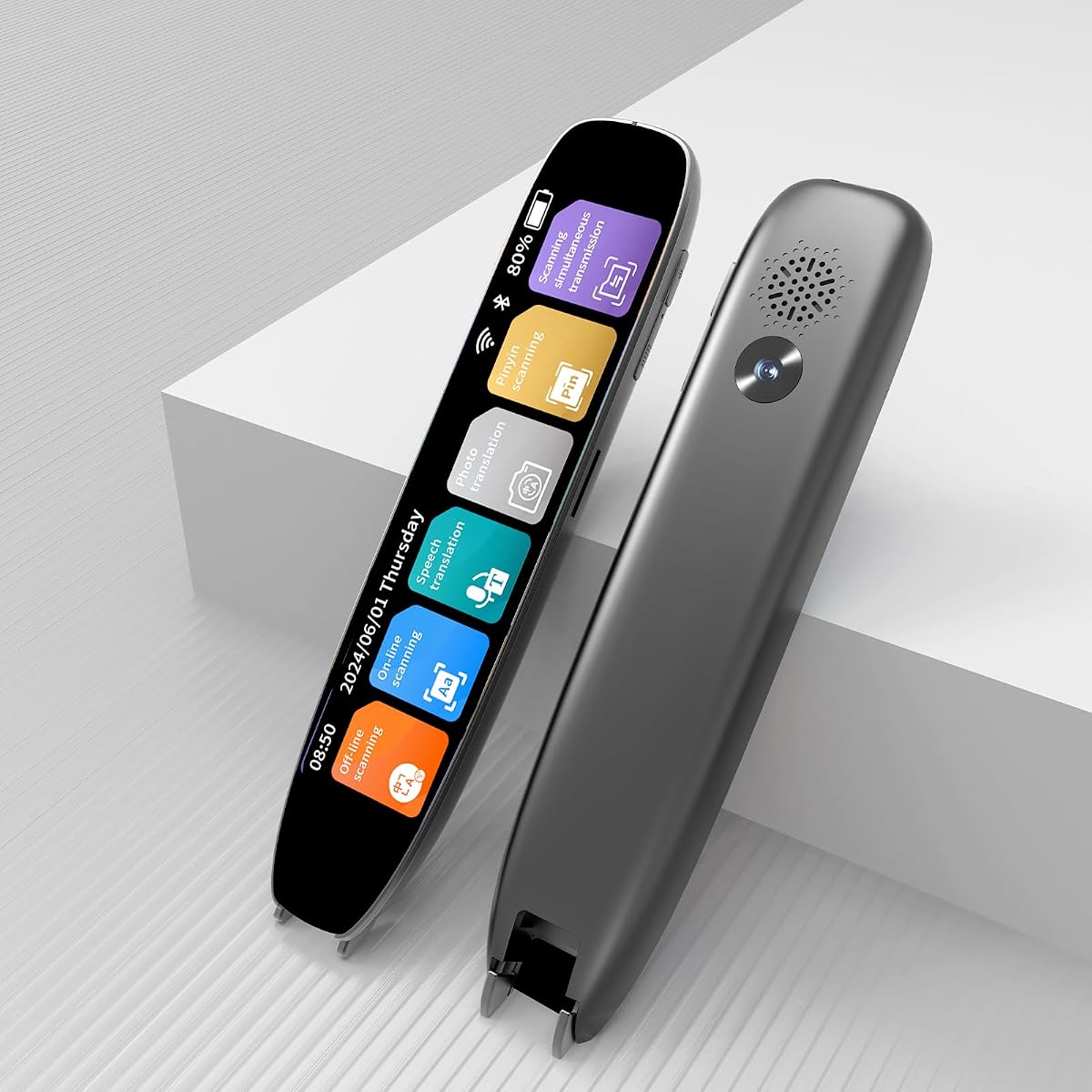
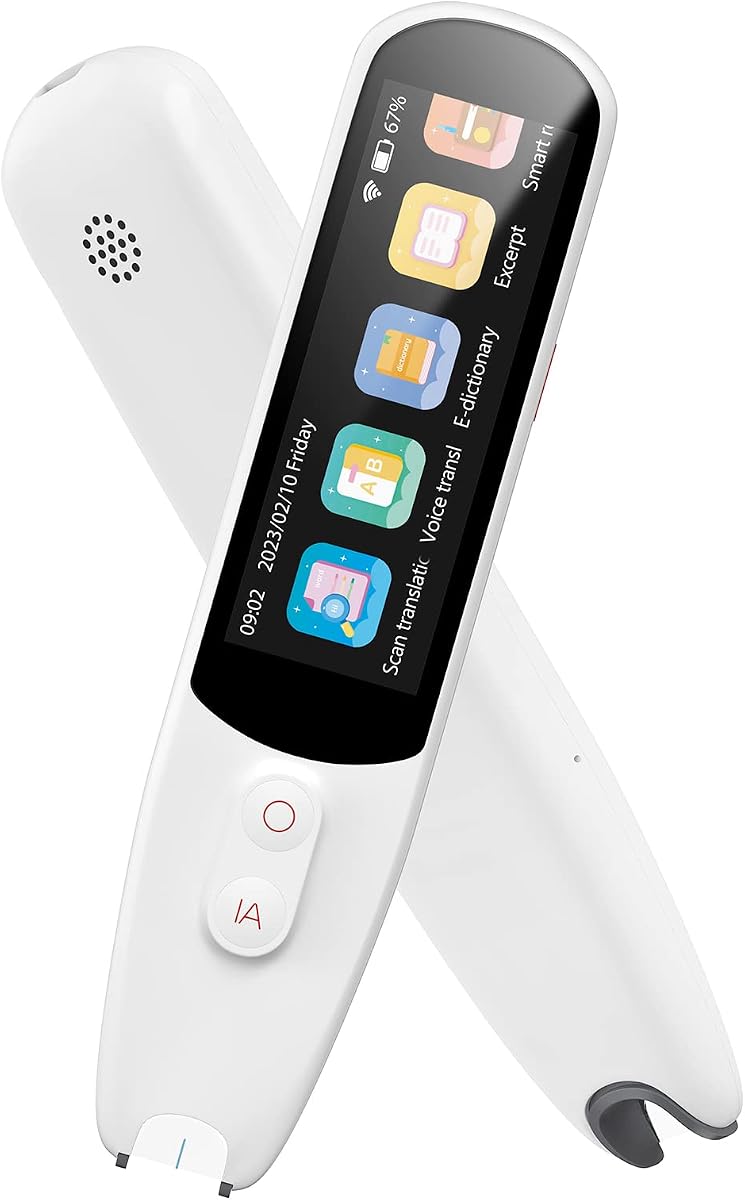


The Scanmarker Pal combines accessible reading support with extensive translation functions, earning a 4.0 rating among the products in this guide. It scans printed text, reads it aloud, and highlights words on its display as the narration progresses. That combination is particularly useful for readers who benefit from hearing text while maintaining a visual focus point.
We may earn a commission when you buy through this link, at no additional cost to you.
Its translation coverage extends to more than 100 languages, with offline support for English, Spanish, French, German, and Italian. Users can also scan and export text as a digital file, turning the device into more than a passive reading aid. The lightweight design makes it suitable for school, home, and travel, while Bluetooth headphone connectivity allows for a more private listening experience.
The main trade-off is that it does not match the 142-language online coverage offered by several competitors. Some of the broader language functions may also require an internet connection, so buyers who frequently need offline translation should focus on the five stated offline languages rather than the entire catalog. Its rating of 4.0 suggests a generally capable device without claiming perfection across every scenario.
Choose the Pal if you want a straightforward reading pen that combines text-to-speech, visual highlighting, translation, and file export in a portable format. It is particularly appropriate for students, multilingual learners, and adults who want flexible support for printed books, documents, and everyday reading tasks.
Reading a passage aloud while the relevant words appear highlighted gives the user two visual anchors and an audio cue. That format can make long passages easier to follow and helps a reader connect the spoken word with its printed form.
The broad online language catalog makes the Pal useful for international study and travel. Digital export also allows captured material to be saved and revisited rather than remaining only in the device's immediate reading function.
We may earn a commission when you buy through this link, at no additional cost to you.
The VORMOR Translator Pen is a compact all-in-one scanner with a 3.5-inch touchscreen, two-way voice translation, OCR recognition, recording, and reading support. Its listed 5.0 rating is the highest among the ten products covered here, although ratings alone do not guarantee that every feature will meet an individual reader's preferences.
We may earn a commission when you buy through this link, at no additional cost to you.
A major strength is the combination of functions in a relatively small device. The camera can point at text for translation, while the OCR scanner can read words and sentences aloud. Text can be transferred to a computer through USB for editing, and the integrated recording function can capture interviews, meetings, or lectures. Bluetooth connectivity supports headphones or speakers for more comfortable audio output.
Translation is the main consideration. The device advertises online two-way voice translation in 112 languages and a stated response time below 0.3 seconds, while OCR scanning covers 55 languages. Those are impressive capabilities, but travelers who need dependable translation without connectivity should not assume every advertised language is available offline. The dictionaries and interface also add value, although multilingual menus may initially feel complex.
This is a strong choice for readers who want a touchscreen scanner with extensive translation, voice interaction, recording, and computer transfer in one device. It is particularly useful for students, travelers, and multilingual users who can benefit from a larger screen for checking scans and translations.
The 3.5-inch touchscreen provides more room to inspect recognized text than a very compact display. It can be particularly helpful when a reader wants to confirm a word, review a translation, or navigate dictionaries and recording functions directly.
Two-way voice translation, a Collins dictionary, and Chinese-English dictionary support broaden the device beyond a simple reader. The trade-off is greater complexity, making setup and familiarization especially valuable before relying on it during an important trip or lesson.
We may earn a commission when you buy through this link, at no additional cost to you.
This 142-language scan translator offers one of the broadest language catalogs in the roundup and carries a 4.0 rating. Its core reading function scans printed text, extracts it, and reads it aloud, while voice translation, photo translation, and text synchronization make it suitable for study, travel, and family use.
We may earn a commission when you buy through this link, at no additional cost to you.
The device supports 142 languages online and ten major languages offline, including Chinese, Japanese, Spanish, French, and German. It can extract text in 52 languages and synchronize it to a phone for editing and note-taking. Bluetooth headphone support creates a more personal way to listen, which can help in a busy classroom, library, or shared workspace.
Two limitations deserve attention. The listing states that the pen is not suitable for blind people, so it should not be treated as a substitute for specialist screen-reader or braille technology. It also recognizes horizontal Japanese only and cannot process vertical Japanese text. Moreover, the full 142-language catalog is online, meaning connectivity remains important for many of the most impressive features.
This model suits students, language learners, and elderly users who want extensive translation alongside conventional text-to-speech reading. It is less suitable for anyone dependent on vertical Japanese OCR, and buyers seeking a dedicated accessibility device should consider how its visual interface aligns with their needs.
The online language total is particularly attractive for international students and frequent travelers. Ten offline choices provide a practical fallback for common learning and travel scenarios when a network is unavailable.
Phone synchronization gives scanned passages a role beyond immediate narration. Students can extract, edit, and organize vocabulary or notes, while language learners can preserve useful wording for later review.
We may earn a commission when you buy through this link, at no additional cost to you.
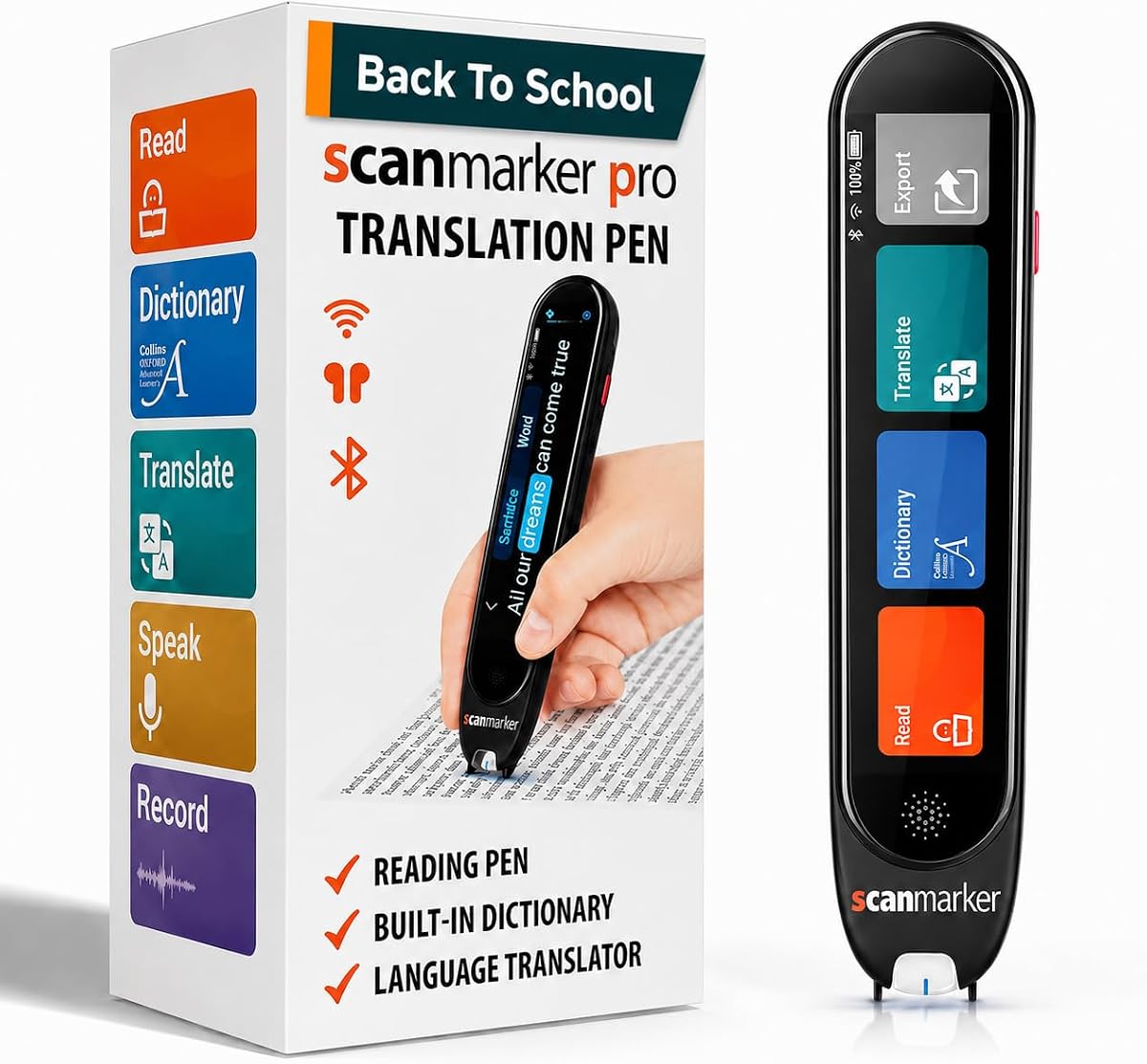
The Scanmarker Pro is designed as a focused reading and translation pen, with a 3.9 rating. It scans text and reads it aloud while highlighting the words on screen. For readers who need immediate auditory support and a clear visual tracking point, that combination is the product's central strength.
We may earn a commission when you buy through this link, at no additional cost to you.
A built-in English dictionary and word-translation functions add value for students and language learners. The Pro also handles online translation across more than 100 languages and provides offline support for English, Spanish, French, German, and Italian. Notes and memos can be captured directly on the device, while earbuds support provides more discreet audio during study.
Its clearest limitation is that it is a standalone pen and does not scan to other devices. That keeps the experience focused but means it is less suitable for buyers whose central requirement is seamless export to a phone, tablet, or computer. Its 100-plus online language count is also smaller than that of several competing models. The stated one-year warranty and customer support provide added reassurance for a premium purchase.
The Pro is best for readers who prioritize a polished combination of spoken text, word highlighting, dictionary help, and note capture. It is also suitable for adults and children who want one device to cover printed reading, vocabulary, and travel translation without needing a separate scanner workflow.
The Pro concentrates on scanning, reading, dictionary support, and note capture rather than presenting itself as a general phone scanner. That focus may appeal to users who want fewer steps between printed text and a clear audio-visual presentation.
A one-year warranty and dedicated customer support distinguish the Pro from many budget-oriented models. These benefits do not change the reading experience, but they can make a higher-tier assistive purchase feel more reassuring.
We may earn a commission when you buy through this link, at no additional cost to you.
The 142-Language Voice Reader combines text-to-speech, translation, photo recognition, and recording in a portable device. Its 3.8 rating reflects a useful feature set, particularly for students and older users who may want to listen to difficult passages, translate signs or documents, and capture spoken information.
We may earn a commission when you buy through this link, at no additional cost to you.
Its reading mode scans text, reads it aloud, and highlights words on the display. The integrated camera translates photographed text, while online translation covers 142 languages and offline support covers ten major languages. A smart recording function can capture classes, meetings, and other spoken content, adding a useful route for reviewing information that may be difficult to process in real time.
As with several products in this category, the listing states that the device is not suitable for blind people. It also supports horizontal Japanese only, so vertical text is outside its OCR capabilities. The rating is slightly below the leading products, but feature breadth remains notable for anyone who wants recording and translation in the same device as a reading aid.
This pen is a good fit for students, elderly users, and multilingual readers who want more than basic narration. It is especially practical for capturing difficult classroom content and revisiting it later, provided the horizontal-text and visual-interaction limitations suit the user's needs.
The recording control can preserve classroom explanations that a reader may struggle to absorb live. Listening again afterward gives the user an opportunity to pause, review, or create notes without relying entirely on real-time comprehension.
The camera-driven translation function handles situations where scanning line by line would be inconvenient. It is a practical complement to the text-to-speech function for menus, signs, and photographed pages.
We may earn a commission when you buy through this link, at no additional cost to you.
The SVANTTO Translator Pen places adjustable text-to-speech playback at the center of a four-function design that also includes translation, recording, and digital notes. Its 3.7 rating is the lowest listed here, but the specific controls and study-oriented features make it worth considering for readers who need to set a comfortable narration pace.
We may earn a commission when you buy through this link, at no additional cost to you.
Multiple reading speeds can help a reader move gradually from decoding individual words to following longer passages. Bluetooth earbuds allow audio to remain private and may also reduce distraction from surrounding noise. Scanned passages can be turned into editable notes, vocabulary lists, or study outlines and transferred to phones and computers for organization.
The product supports 102 languages online and offline translation for English, Spanish, Japanese, Chinese, and French. Its intelligent noise-reduction recording function is designed for lectures, meetings, and other spoken sessions. The main drawback is the more modest rating and smaller offline language list, which means the device is less compelling for someone prioritizing the broadest offline coverage.
Choose the SVANTTO when adjustable reading speed and a study-note workflow matter most. It is well suited to students, educators, language enthusiasts, and readers who want comfortable audio plus structured digital study materials in a portable format.
Adjustable playback speed allows the reader to slow difficult wording without forcing everyone else to do so. This is particularly valuable for developing readers, English-language learners, and anyone who benefits from revisiting a sentence at a measured pace.
Translation, narration, recording, and note creation cover several common learning needs. One-click transfer to a phone or computer can reduce the friction of turning a printed passage into organized reference material.
We may earn a commission when you buy through this link, at no additional cost to you.
The NEWYES AI Pen stands out for its six reading levels, customizable dyslexia-friendly display, and broad collection of study tools. It carries a 3.9 rating and is designed for students and adults. Users can adjust word-reading speed and pause time, select British or American accents, and choose from six levels ranging from pre-reader support to advanced material.
We may earn a commission when you buy through this link, at no additional cost to you.
Its dyslexia-focused design includes a special font intended to reduce reading stress. The pen can scan printed text, use its 5MP camera for photo translation, provide text-to-speech output, and translate between 112 languages. AI tools add dictionaries, image recognition, real-time chat, a homework checker, and scan-to-solve functions, creating a more varied study platform than a basic reader.
Storage is another strength. With 16GB of internal space, the device can hold saved content and export to txt, doc, and PDF formats. Bluetooth connectivity and synchronization to a phone, tablet, or computer add flexibility. The trade-off is that the breadth of features may make the interface more complex than necessary for a child who only needs simple text-to-speech, and some AI functions may depend on online services.
The NEWYES AI Pen is a compelling choice for students and adults who want adjustable reading levels alongside dictionaries, translation, storage, and AI-assisted study functions. It is less attractive for users seeking a simple, offline-only pen with a minimal learning curve.
Six levels allow the device to adapt as a reader improves. Rather than forcing parents or teachers to choose between very basic output and unrestricted adult text, the pen offers a graduated path across different reading proficiency levels.
The combination of 16GB storage, Bluetooth, device synchronization, and txt, doc, and PDF export makes captured material easy to retain. That makes the pen more useful for organized coursework than a device designed only for momentary narration.
We may earn a commission when you buy through this link, at no additional cost to you.
The 142-Language Scan Reader is a general-purpose accessibility and translation tool aimed at learners, business travelers, and elderly users. Its 3.8 rating reflects a useful combination of scanning, text-to-speech, photo translation, and text extraction, with an especially broad online language catalog.
We may earn a commission when you buy through this link, at no additional cost to you.
Scanned passages can be read aloud and highlighted on screen, while the built-in camera translates text found in signs, menus, and documents. Online translation covers 142 languages, with ten major languages available offline. The text-excerpt function is useful for capturing important wording from a larger page, and Bluetooth support allows connected headphones or speakers.
The listing includes the same important caveats found in several competing models. It is not suitable for blind people, and it recognizes horizontal Japanese but not vertical Japanese. In addition, the full 142-language feature set is online, so travelers should verify that the languages they expect to use offline are included in the stated ten-language list.
This model makes sense for readers who need a compact device for books at home as well as signs and documents while traveling. It is less suitable for specialized vertical-text work, but its combination of reading support, translation, excerpting, and Bluetooth audio serves a broad range of everyday needs.
The text-excerpt function is designed to pull relevant content from documents or images. That can be more useful than trying to transcribe a full page manually, particularly when a reader only needs a sign, address, label, or short set of instructions.
Combining narration with photo translation covers both book-based reading and real-world signs. The ten offline languages add a useful safety net, although the broader online catalog is the device's defining language feature.
We may earn a commission when you buy through this link, at no additional cost to you.
The Smart OCR Reading Pen is a compact translator and reading device with a 5.0 rating. Its distinguishing strength is a 5MP camera intended not only to capture ordinary lines of text but also to recognize text in images, pictures, and more complicated layouts that can challenge simpler scanners.
We may earn a commission when you buy through this link, at no additional cost to you.
The pen provides text-to-speech reading for users with dyslexia or other reading difficulties. It supports 142 languages for online voice dialogue, scan translation, and photo translation, plus ten languages for offline scan and photo translation. OCR text can be extracted in 52 languages and synchronized as editable files to a phone, supporting study notes, office work, and document organization.
Smart recording adds another layer by capturing meetings, lectures, and courses. As with many multilingual devices, users should understand that the largest language catalog is online and that broad feature availability can require a connection. The relatively generic product naming may also make it especially important to read the full listing and compare the stated functions carefully.
This is an attractive option for users who often encounter text in awkward layouts, photographed signs, or image-based documents. It suits adult language learners, travelers, and students who want a camera-centered scanning approach rather than relying exclusively on line-by-line text recognition.
The 5MP camera gives the pen more flexibility when text appears across an image, menu, or non-standard layout. This reduces the need to capture only neat, straight lines and may make the device more useful in real-world environments.
Extracting recognized text in 52 languages and syncing editable files to a phone turns a captured page into reusable digital content. The workflow is particularly helpful for students and office users who need to organize information rather than only hear it once.
We may earn a commission when you buy through this link, at no additional cost to you.
The Compact Smart Translation Pen weighs 70 grams and fits into a pocket or pencil case, making portability its most obvious advantage. With a 3.8 rating, it combines text-to-speech, scan-to-text, translation, photo translation, note syncing, and recording in a small form intended for students, adults, and elderly users.
We may earn a commission when you buy through this link, at no additional cost to you.
The reading mode scans text and highlights words as it reads them aloud, providing the visual-auditory support that many readers find helpful. Online translation spans 142 languages, while ten major languages work offline. Text extraction covers 52 languages and synchronizes editable content to a phone, which is useful for lecture notes and personal study collections.
Left- and right-handed mode selection gives the device a thoughtful usability feature for users who may find scanning uncomfortable in their usual grip. Bluetooth headphones create a more immersive listening experience, and a recording button can preserve classroom instruction. The same cautions apply as with several competitors: vertical Japanese is not recognized, the product is not suitable for blind people, and most of its broad language coverage is online.
Choose this pen when low weight and easy carrying are major priorities. It is a strong fit for students who want a reading and translation tool that can move between classes, commutes, and trips without becoming a burdensome device.
A 70-gram body reduces the chance that the pen will be left at home when support is needed. Its stated fit for a pocket or pencil case makes it easy to keep alongside the books and papers a reader is already carrying.
Left- and right-handed selection is a practical detail for sustained scanning. It reduces awkward wrist or hand positions and makes the device more adaptable for a broad range of users.
We may earn a commission when you buy through this link, at no additional cost to you.
The most useful reading pen is not determined by language totals alone. Consider how you will read, which words and layouts you need to recognize, whether audio should be adjustable, and how captured text must move into your everyday study or work workflow.
The central function of any dyslexia reading pen is the conversion of scanned text into clear spoken audio. Look for a model that reads words and complete sentences, provides understandable voice output, and can present the scanned words on screen as it speaks. The Scanmarker Pal and Scanmarker Pro emphasize this word-highlighting format, while the SVANTTO adds multiple adjustable playback speeds for readers who need to slow the pace.
Prioritize readable narration and useful playback controls over extra functions you will not use. A device that seems difficult to operate or produces an unhelpful voice may be less valuable than a simpler model with a natural reading flow.
OCR quality determines how reliably a pen recognizes printed words, books, newspapers, digital screens, labels, and other surfaces. A higher-resolution camera can help with photographed text and non-standard layouts, which is the central advantage claimed by the 5MP Smart OCR Reading Pen. Conversely, line-by-line scanning may be sufficient for ordinary books but less convenient for menus, signs, or complex pages.
Choose a scanner based on the material you will actually read. Test the stated camera or OCR features with your most common content and remember that clean, even text generally presents an easier recognition task than curved, tiny, or unusually arranged printing.
Translation catalogs can be impressive, but the number of online languages says little about the ten or five languages that remain available without connectivity. Several products support 142 languages online and ten offline, while the Scanmarker Pal lists 100-plus online languages with offline support for English, Spanish, French, German, and Italian. VORMOR emphasizes 112-language online voice translation and 55-language OCR scanning.
If you travel, study, or communicate across languages, list the required languages first and then compare offline availability. Also check the Japanese limitation on relevant models, since several explicitly support horizontal Japanese only and cannot recognize vertical text.
Private listening can make a reading pen more comfortable in a classroom, library, office, or shared home. Bluetooth headphone support appears across many options, including the VORMOR, SVANTTO, and several 142-language models. If you are especially sensitive to pace, look for adjustable reading speed, pause time, and multiple voice or accent options. The NEWYES AI Pen goes further with six reading levels, adjustable speed, pause controls, and British and American accents.
Confirm that the pen supports the headphones you intend to use and whether the audio controls operate in reading mode. Private audio improves accessibility, but only if the device lets you tailor the delivery to your comfort.
Some readers want immediate narration, while others need scanned text to become part of a searchable study system. USB editing is a stated feature of the VORMOR, while phone synchronization appears across the 142-language models, NEWYES AI Pen, SVANTTO, and Smart OCR Reading Pen. The NEWYES also offers 16GB storage and txt, doc, and PDF exports, giving it a particularly broad digital workflow.
Decide whether you need to save full passages, vocabulary lists, lecture notes, or only temporary audio. If files are central to your workflow, confirm the transfer method, compatible devices, and export formats before buying. A standalone reader may be simpler, but a synchronized device is usually more useful for organized coursework.
A camera and voice recorder can turn a reading pen into a broader study and travel tool. The VORMOR supports photo translation and recording of interviews, meetings, and conversations. The 142-Language Voice Reader includes a smart recording function for lessons and meetings, while the Compact Smart Translation Pen emphasizes classroom recording. These features are useful when spoken information is difficult to process live and needs later review.
Recording adds versatility but can also create privacy and storage considerations. Use the function only when it is appropriate to record, understand how files are stored, and avoid relying on it for situations where written notes or professional transcription would be more suitable.
A reading pen is most likely to be useful when it is easy to carry. The Compact Smart Translation Pen is explicitly listed at 70 grams, while the Scanmarker Pal and Scanmarker Pro are described as compact and lightweight. Screen size also matters: the VORMOR uses a 3.5-inch touchscreen, while the NEWYES AI Pen uses a larger 3.99-inch display, making either easier to navigate when the user needs to review substantial text visually.
Consider your hand, dexterity, and typical environment. Left- and right-handed settings, a manageable display, and a body that fits into a pencil case can make repeated daily use more comfortable and consistent.
Several listings explicitly state that their products are not suitable for blind people, so a reading pen should not automatically be treated as a universal alternative to braille or specialist screen-reader technology. A dyslexia reading pen is primarily a visual-and-auditory support for printed text. Users who need complete nonvisual access should consult appropriate accessibility professionals and verify the interface independently.
Also consider whether the device is a dedicated reading aid or a multilingual scanner with reading as one feature. Dedicated readers may offer a simpler workflow, while multilingual devices add value for travel, language study, photographed text, and international work. Choose based on everyday usefulness rather than the longest feature list.
Begin by charging the pen and learning the basic scan, play, pause, and language controls. Scan a short, clean line of large print first, check the recognized wording on the display, and then activate text-to-speech. Adjust narration speed, pause timing, volume, or accent settings where available. Using familiar material at first makes it easier to identify whether recognition or audio controls need adjustment.
For daily use, keep the scanning tip clean and avoid rubbing it aggressively across the page. Hold the device at a comfortable angle and move it smoothly across each line. Use the camera for signs, menus, and non-standard layouts, and Bluetooth headphones for private listening. When studying, transfer or synchronize saved text promptly and organize the files while their context is still fresh.
Protect the device by following its charging and storage instructions, keeping the screen and scanner away from excessive moisture, and using a protective case for transport. Update any available software or language services as directed, and confirm that a required language works online or offline before a trip. If recognition becomes inconsistent, clean the scanning surface and test a simple page before changing settings.
A reading pen is designed to scan printed text and convert it to speech, so ordinary books are a common use case. Recognition can vary with small print, unusual fonts, glare, curved pages, or complex layouts. Check the product's OCR and camera features, and test a representative page before relying on it for essential material.
Several product listings explicitly state that their devices are not suitable for blind people. These pens generally combine visual scanning with spoken output and are intended as dyslexia or learning-difficulty aids, not complete nonvisual access tools. Blind users should consider braille, specialist screen readers, and professional accessibility guidance.
A reading pen focuses on scanning text and reading it aloud, often with word highlighting and playback controls. A translator pen adds language conversion, sometimes including photographed text, real-time voice translation, dictionaries, or offline language support. Many products in this guide combine both functions.
Core text-to-speech functions may work without connectivity, but the broadest online translation and AI features often require a connection. Products in this guide list varying offline language support, from five to ten languages. Check the specific offline languages and confirm whether your required material can be processed locally.
Most of the listed products state support for Bluetooth headphones, earbuds, or speakers, which can make audio more private and easier to hear. Pair the device according to its instructions and confirm that the selected output remains active during text-to-speech playback. Support for phone calls or speakers does not always guarantee identical behavior in every mode.
Several products can transfer or synchronize scanned text to a phone, tablet, or computer. The VORMOR supports editing through a USB connection, while other models offer mobile syncing, and the NEWYES AI Pen supports txt, doc, and PDF exports. Check the required app, device compatibility, and storage arrangements before purchasing.
Not uniformly. Several products explicitly support horizontal Japanese text but cannot recognize vertical Japanese. If vertical text is important, look for a model that specifically addresses that layout or choose another scanning method. Language counts alone do not reveal the direction or layout limitations.
Choose a simple reader when your priority is dependable scanned narration with minimal complexity. Consider an all-in-one model for translation, recording, photographed text, dictionaries, or synchronized notes. The most useful choice is the one that fits your everyday reading environment and provides features you will genuinely use.
The Scanmarker Pal offers the strongest editorial balance for readers who want spoken text, word highlighting, broad translation, and digital export. The VORMOR stands out as the best budget-style feature package, with a touchscreen, fast two-way voice translation, recording, and computer transfers, while the Scanmarker Pro is the premium selection for a focused reading, dictionary, and warranty-supported experience.
Prioritize the functions that match your normal routine. Simple text-to-speech and highlighting may matter more than a large language catalog, while travelers may value offline translation, and students may need recording or editable note syncing. Check vertical-text restrictions, connectivity assumptions, audio controls, and whether the device feels manageable before making a final choice.
Ratings, software capabilities, and product availability can change, and prices fluctuate over time. Review the current listing, compare its stated features with your specific needs, and confirm the included accessories, compatibility, warranty, and return terms before purchasing.


