
Acer 24-Inch Conferencing Monitor
5.0Editor score
Webcam and microphone array
Adjustable ergonomic stand
DisplayPort HDMI and VGA
Monitors with built in speakers and cameras create a cleaner, more self-contained workstation by combining a display, microphone, camera, and audio system in one display. That convenience is especially valuable for remote meetings, online learning, home offices, and shared workspaces where avoiding separate peripherals can reduce clutter and simplify setup.
The products in this guide were compared using the supplied specifications, focusing on camera resolution, microphone and speaker integration, display quality, refresh rate, resolution, connectivity, adjustability, and eye-care features. The list covers conventional 24- and 27-inch models, higher-resolution displays, an ultrawide option, and a smart 4K monitor.
Each review explains the particular strengths and limitations of the model based on its published features. The top selections reflect the strongest combinations of conferencing hardware, display specifications, usability, and overall rating, although availability, configurations, and prices can change, so shoppers should confirm current details before buying.
5.0Editor score
4.3Editor score

4.0Editor score
As an Amazon Associate we earn from qualifying purchases.
The table below compares all ten monitors by display format, conferencing hardware, connectivity, and standout features, making it easier to identify the model that best matches your desk, computer, and calling needs.



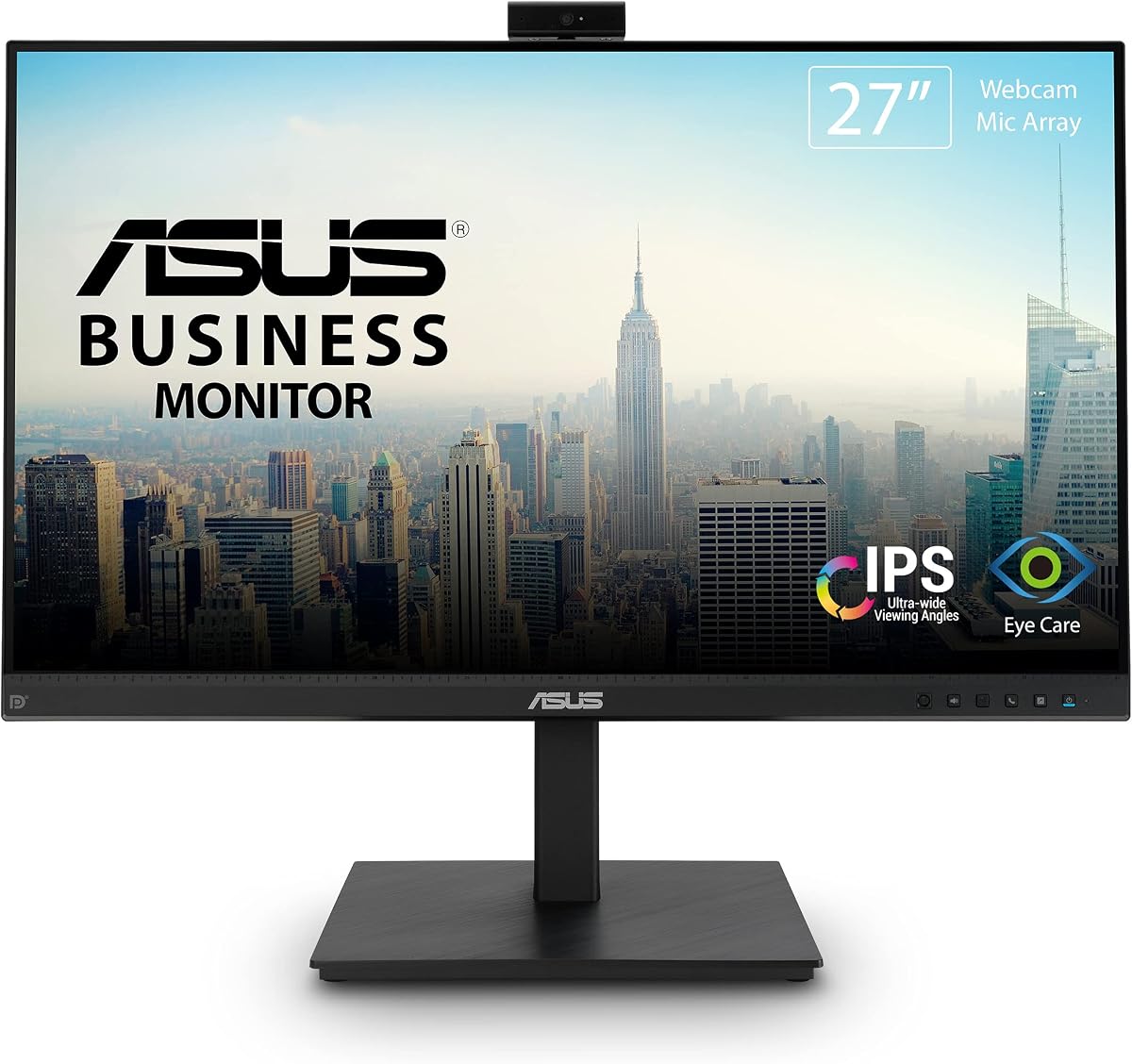
The ASUS BE279QSK combines a 27-inch Full HD IPS display with an adjustable Full HD webcam, microphone array, and stereo speakers. Its 4.3 rating reflects a balanced package for people who want a single monitor to handle ordinary computing, video calls, and online learning. The 1920 x 1080 panel provides a familiar 16:9 workspace rather than an unusually wide or tall layout.
We may earn a commission when you buy through this link, at no additional cost to you.
Its strongest feature is the integrated conferencing package. The adjustable webcam can be positioned for the user, while the microphone array and stereo speakers remove the need to arrange a separate webcam and desktop microphone. That makes the display particularly practical for shared offices and home workstations where a quick, reliable meeting setup matters. The camera's 2MP resolution is specified for Full HD use, though the supplied information does not describe advanced autofocus or low-light behavior.
Connectivity is another reason this model stands out. DisplayPort, HDMI, D-sub, USB upstream for the webcam, audio input, and a headphone jack provide options for different computers and existing equipment. A three-year warranty with advanced replacement and repair service adds useful support, while TV Rheinland-certified flicker-free and low blue light technologies may help during lengthy work sessions.
The principal limitation is its Full HD resolution. A 27-inch Full HD panel does not offer the same amount of desktop space or fine text detail as a QHD, UltraWide, or 4K model. However, the trade-off comes with a particularly complete set of integrated meeting features and extensive stand adjustment. For shoppers seeking a conventional but capable all-in-one conferencing monitor, the BE279QSK is the strongest general recommendation in this list.
The adjustable Full HD webcam, microphone array, and stereo speakers cover the core needs of online meetings without requiring several separate desktop devices. This integrated approach also keeps the desk visually cleaner.
Tilt, swivel, pivot, and height adjustment make the screen easier to position, while DisplayPort, HDMI, D-sub, USB, audio input, and headphone output support varied setups.
We may earn a commission when you buy through this link, at no additional cost to you.
The ASUS BE24EQK is a 24-inch Full HD IPS monitor built around an adjustable 2MP Full HD webcam, microphone array, and stereo speakers. Its 4.0 rating and emphasis on telecommuting make it a practical choice for compact desks. The 16:9 panel remains one of the most familiar formats for documents, web applications, and video calls.
We may earn a commission when you buy through this link, at no additional cost to you.
Call quality receives particular attention through beamforming and echo-cancellation technology. The listed features are designed to filter ambient sound, including keyboard clicks, while the stereo speakers provide a convenient way to hear meetings, presentations, or online learning material. The camera can be adjusted rather than remaining fixed, which is useful for directing the framing toward the seated user.
DisplayPort and HDMI provide the primary digital connections, while VGA adds compatibility with older or specialized equipment. The supplied specifications list 178-degree viewing angles, typical brightness of 300 cd/m², and a frameless IPS design. TV Rheinland-certified flicker-free and low blue light technologies are also included, making the model considerate for daily office use.
The 24-inch size is the main compromise. It offers less workspace than the 27-inch ASUS model and substantially less than an ultrawide, but it can suit smaller work areas and leave more room for other desk equipment. Buyers who prioritize speech-focused microphone processing over maximum screen area should give this model close consideration.
Beamforming and echo cancellation are the defining features here, helping reduce distracting ambient noise and echoes during calls. The integrated stereo speakers complete the communication package.
The 24-inch frameless IPS panel provides wide viewing angles and consistent Full HD imagery. It is a sensible format for users who want conferencing features without a large ultrawide footprint.
We may earn a commission when you buy through this link, at no additional cost to you.
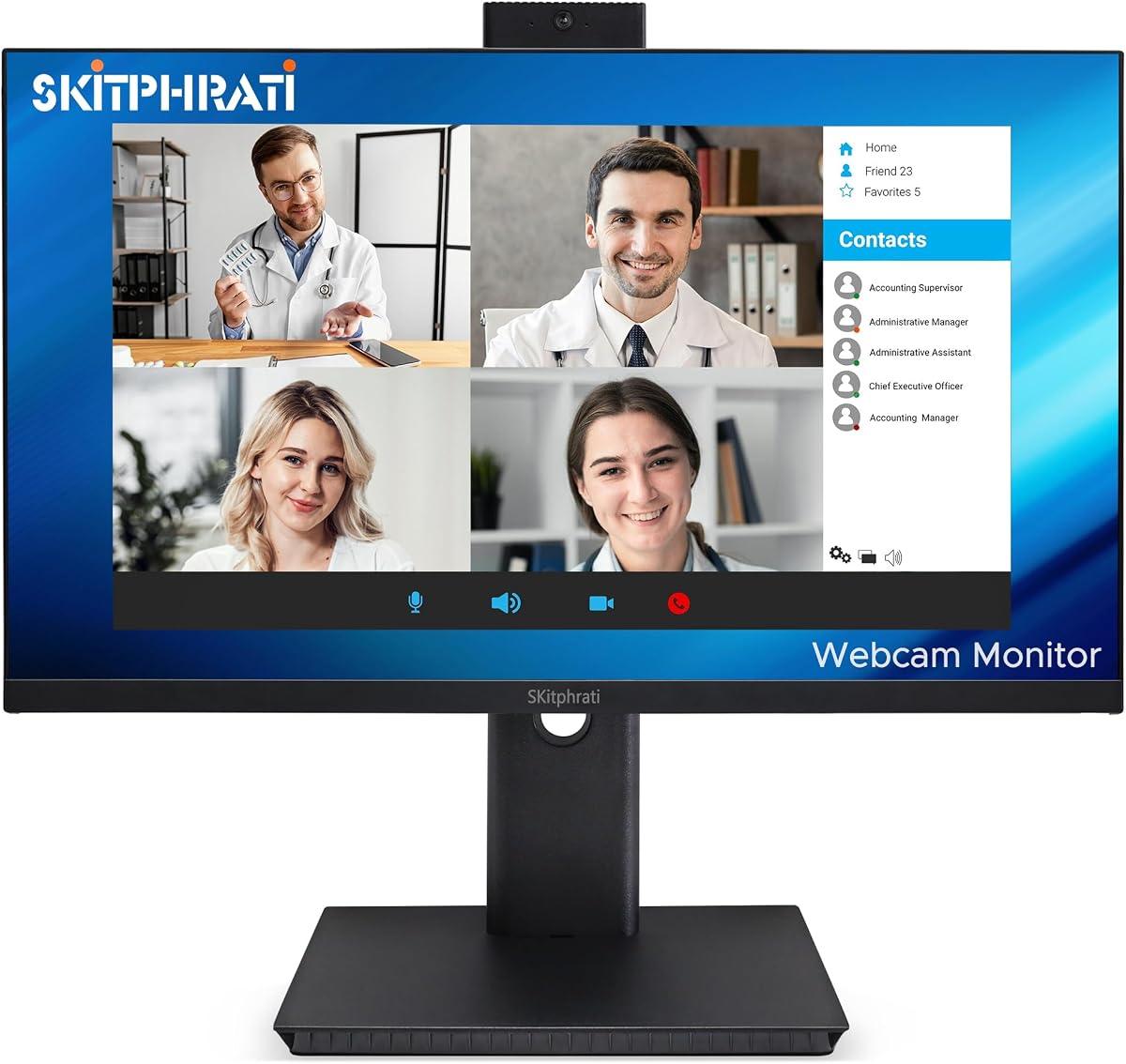
The SKitphrati 27-inch Business Webcam Monitor pairs a Full HD IPS display with a 120Hz refresh rate and an adjustable 3MP camera. Its 4.0 rating reflects a capable specification set for video conferencing, online learning, and regular productivity tasks. The integrated microphone array and stereo speakers create a more complete desk solution than a conventional display.
We may earn a commission when you buy through this link, at no additional cost to you.
Its most noticeable feature is the 120Hz refresh rate, which can make interface movement and general screen motion feel smoother than on many standard office monitors. The 1920 x 1080 resolution still limits total workspace and fine-detail capacity, so this is more appropriate for fluid everyday use than for high-resolution creative work.
HDMI, DisplayPort, VGA, and USB 2.0 provide broad connectivity, including support for a wider range of existing devices. The frameless design and eye-care technology support a clean appearance and comfortable extended use. Integrated speakers mean basic audio is available without immediately adding a separate desktop speaker system.
The supplied information is concise compared with the documentation for several other models, and it does not detail the microphone's processing methods or the stand's adjustment ranges. Even so, the combination of a 3MP adjustable camera, 120Hz panel, and multiple inputs is compelling for a value-focused 27-inch conferencing setup. It is especially relevant for users who value smooth motion and input flexibility.
The 120Hz refresh rate is the model's distinguishing display feature, improving fluidity during ordinary navigation and video. It also gives the monitor broader appeal than a conventional 60Hz business panel.
HDMI, DisplayPort, VGA, and USB 2.0 make the monitor adaptable to current and older systems. That variety is useful in offices where device compatibility can vary.
We may earn a commission when you buy through this link, at no additional cost to you.
The Philips 34E1C5600HE is a 34-inch curved UltraWide QHD monitor with a 21:9 aspect ratio, 100Hz refresh rate, and integrated conferencing hardware. Its 3.8 rating is the lowest in this group, but the model offers a distinctive combination of workspace, USB-C docking, a 5MP Windows Hello camera, a noise-canceling microphone, and stereo speakers.
We may earn a commission when you buy through this link, at no additional cost to you.
At 3440 x 1440, the display provides substantially more horizontal room than a standard 16:9 monitor. That makes it useful for document comparison, research, communication, and other multitasking workflows. The 1500R curved VA panel is designed to bring the edges of the display closer to the viewer, while Ultra Wide-Color technology is specified with sRGB 123.24 percent and NTSC 99.25 percent color-gamut area coverage.
The built-in 5MP webcam includes sensors for Windows Hello facial recognition, and the microphone includes noise cancellation. USB-C docking can carry data, high-resolution video, and up to 65W of power through one cable, reducing the number of connections needed with a compatible laptop. Stereo speakers add further convenience, while four-year advance replacement support is included.
Its large curved design demands more desk space, and a 3.8 rating suggests it may not be as broadly favored as the highest-rated alternatives. It also centers on a 100Hz refresh rate rather than the 120Hz offered by several competitors. Nevertheless, it is the clear ultrawide option here for someone who values a broad productive workspace and one-cable laptop connectivity enough to accept the additional footprint.
The 21:9 UltraWide format gives users room for more applications side by side than a conventional Full HD monitor. QHD resolution helps retain useful detail across that expanded canvas.
USB-C docking combines data transfer, high-resolution video, and up to 65W of power delivery. Compatible users can reduce desk clutter while retaining full-size peripheral support.
We may earn a commission when you buy through this link, at no additional cost to you.
The Acer 24-inch 1080P IPS Conferencing Monitor has a 5.0 rating, the highest listed rating among these products, and includes a webcam, microphone arrays, and built-in speakers. Its core appeal is straightforward: a 23.8-inch Full HD display with the essential communication hardware already attached. It is a particularly compelling budget-oriented all-in-one option.
We may earn a commission when you buy through this link, at no additional cost to you.
The stand supports height, swivel, and tilt adjustment, allowing the screen to be positioned comfortably over a long workday. Display specifications include a 75Hz refresh rate, 250-nit brightness, anti-glare treatment, 178-degree viewing angles, and AMD FreeSync support. DisplayPort, HDMI, and VGA provide good compatibility for a range of office devices.
The included speakers and microphone array reduce the need for separate meeting peripherals, while the webcam completes the package for online collaboration. The special-edition portable Dockztorm data hub is also included, and its listed data synchronization rate is up to 5Gbps. That accessory may be useful for users who want a simple way to organize connections.
The 24-inch Full HD format is less spacious than the larger models in the guide, and the 75Hz refresh rate is not aimed at high-refresh enthusiasts. Its 5.0 rating nevertheless makes it one of the most well-regarded options here. Choose it when a complete conferencing setup, flexible positioning, and everyday display quality matter more than maximum desktop area.
The built-in speakers, microphone arrays, and webcam cover the essential communications functions in one display. This reduces both desk clutter and the number of separate accessories to configure.
Height, swivel, and tilt adjustments allow the 24-inch panel to fit different users and desk arrangements. The anti-glare IPS display also supports comfortable everyday visibility.
We may earn a commission when you buy through this link, at no additional cost to you.
The CUNPU 24-inch 5MP Webcam Monitor is a compact conferencing display with a pop-up 5MP camera, dual-channel stereo microphone, and integrated speaker. Its 4.1 rating is supported by a strong feature set that includes a 120Hz Full HD IPS panel, DC dimming, a matte anti-glare surface, and extensive stand adjustment.
We may earn a commission when you buy through this link, at no additional cost to you.
The pop-up camera is a meaningful design choice. It can retract when not in use, which helps preserve privacy and leaves the display's appearance clean between calls. USB-B 2.0 upstream connectivity is provided for integrating the camera and microphone with a compatible computer, while HDMI and VGA handle display and related connections.
Display quality is specified at 1920 x 1080 with a 16:9 ratio, 16.7 million colors, 8-bit color depth, 96% sRGB coverage, and a stated Delta E of no more than 2. The panel operates at 120Hz through HDMI or 75Hz through VGA. Anti-glare matte construction, 300 cd/m² brightness, and a 1300:1 contrast ratio make the specification set suitable for sustained productivity.
The stand is unusually flexible for the size, offering 5.31 inches of height adjustment, plus/minus 35 degrees of swivel, 90-degree pivot, and minus 5 to 15 degrees of tilt. A quick-release base and 100 x 100mm VESA compatibility broaden mounting options, and a Kensington lock slot adds physical security. The lack of USB-C power delivery is the main limitation, but the monitor is a strong compact choice for privacy-conscious users.
The pop-up 5MP camera retracts when it is not needed, reducing the chance of unwanted recording and preserving a clean visual profile. It is a thoughtful feature in shared or home offices.
Height, swivel, pivot, and tilt adjustments make the monitor adaptable to different seating positions. The matte anti-glare panel and DC dimming technology complement the ergonomic stand.
We may earn a commission when you buy through this link, at no additional cost to you.
The CUNPU 27-inch 5MP Webcam Monitor combines a 2560 x 1440 IPS panel with a 120Hz refresh rate and a pop-up 5MP camera. Its 4.1 rating reflects a balanced approach to resolution, motion smoothness, conferencing hardware, and ergonomic design. The higher-resolution display gives it a clear advantage over ordinary Full HD models in this category.
We may earn a commission when you buy through this link, at no additional cost to you.
The camera retracts when it is not in use, while a dual-channel stereo microphone and built-in speaker support calls, remote work, and online learning. USB-B 2.0 upstream connectivity provides the camera connection to a PC or laptop. Both HDMI 2.0 and DisplayPort 1.4 support the listed 120Hz refresh rate, and a 3.5mm audio output allows external headphones or speakers to be connected.
Color specifications include 99% sRGB coverage, 16.7 million colors, and 8-bit color depth. The panel is rated at 300 cd/m² with a 1500:1 contrast ratio. AMD FreeSync and G-Sync compatibility are listed, along with a 10ms response time. DC dimming, an anti-glare matte surface, and TUV-style eye-comfort considerations are also present in the published features.
The stand includes 5.31 inches of height adjustment, plus/minus 35-degree swivel, 90-degree pivot, and minus 5 to 15-degree tilt. A quick-release base, 100 x 100mm VESA compatibility, and a Kensington lock slot add installation and security flexibility. There is no USB-C power delivery, so laptop users cannot rely on one cable for charging and video. Even so, the QHD resolution, smooth 120Hz performance, and pop-up camera make this an excellent mid-size conferencing monitor.
The 2560 x 1440 panel provides noticeably more working detail than a 1080p display, while 120Hz support keeps interaction fluid. That combination suits productivity, presentations, and general entertainment.
The retractable 5MP camera preserves privacy when not in use. HDMI 2.0, DisplayPort 1.4, USB-B upstream, and a 3.5mm audio output provide practical wired options.
We may earn a commission when you buy through this link, at no additional cost to you.
The ViewSonic VG2441V is a 24-inch Full HD conferencing monitor with a 120Hz refresh rate, a built-in 5MP infrared webcam, microphone, and speakers. Its 4.1 rating makes it a strong business-oriented option, particularly for organizations that value Windows Hello authentication and a tidy single-display meeting setup.
We may earn a commission when you buy through this link, at no additional cost to you.
The infrared camera is intended to support compatible Windows Hello sign-in, allowing biometric login without a separate webcam. The camera, microphone, and speakers are all integrated into the display, so the monitor is ready for meetings, collaboration, presentations, training, and other office communication tasks. The supplied information also identifies compatibility with laptop, PC, and Mac systems.
USB-C, HDMI, and DisplayPort make the monitor adaptable to different devices. USB-C is particularly relevant for streamlined professional setups with compatible laptops, while the traditional video inputs broaden compatibility for desktop workstations. The 120Hz refresh rate gives the display a smoother feel than standard 60Hz office monitors and may suit users who switch between calls and general work.
The principal limitations are the 24-inch Full HD format and the limited depth of the published specification list. No detailed stand adjustment, brightness, color-gamut, or wattage information is supplied here. Even so, the 5MP IR camera, Windows Hello support, 120Hz panel, and integrated conferencing hardware create a clear identity. It is a compelling option for business users who place secure sign-in and clean setup above maximum screen size.
The built-in 5MP infrared camera supports compatible Windows Hello authentication. This can reduce desk clutter and streamline access in home, hybrid, or shared offices.
A 120Hz refresh rate makes routine movement feel more fluid than on a conventional office screen. USB-C, HDMI, and DisplayPort support a flexible mix of modern and traditional equipment.
We may earn a commission when you buy through this link, at no additional cost to you.
The Samsung ViewFinity S65VC is a 34-inch 1000R curved monitor with Ultra WQHD resolution, a 21:9 aspect ratio, and integrated conferencing hardware. Its 4.0 rating reflects a premium productivity package that includes a retractable Windows Hello camera, built-in speaker, USB-C connectivity, a LAN port, and a built-in KVM switch.
We may earn a commission when you buy through this link, at no additional cost to you.
The 3440 x 1440 curved display creates a broad canvas for multitasking, while HDR10 is specified for a wider range of dark and light tones. The panel runs at 100Hz, and AMD FreeSync is included to reduce visible stuttering and image tearing during supported content. A height-adjustable, tilting, and swiveling stand helps place the ultrawide screen comfortably.
The camera slides into the monitor when not in use, maintaining a clean profile while supporting biometric sign-in through Windows Hello. A built-in speaker removes the need for an additional audio device in many situations. USB-C carries data, video, and power to a compatible device, while the LAN port allows a laptop without an Ethernet connection to access a wired network.
The KVM switch can control two sources with one keyboard and mouse, and split-screen, picture-in-picture, and picture-by-picture layouts are supported. This is a major advantage for users alternating between a work laptop and personal or secondary computer. The broad curved screen and numerous premium features require adequate desk space, but for buyers who routinely multitask, this is a highly capable premium choice.
The 21:9 UltraWide format makes it easier to keep communication, documents, and secondary applications visible together. QHD resolution helps preserve useful detail across the wide workspace.
The integrated KVM switch lets two sources share one keyboard and mouse. Split-screen, picture-in-picture, and picture-by-picture options add several ways to arrange the display.
We may earn a commission when you buy through this link, at no additional cost to you.
The Samsung M8 M80F combines a 32-inch 4K UHD display with a detachable SlimFit camera, 10W built-in speakers, and smart-TV functions. Its 4.9 rating is the second-highest listed score in the group, and its versatility extends beyond conventional office computing to entertainment, casual gaming, and standalone smart-monitor use.
We may earn a commission when you buy through this link, at no additional cost to you.
The display delivers 3840 x 2160 resolution through a VA panel, with HDR10+, a 60Hz refresh rate, 4ms response time, and a 3000:1 contrast ratio. Samsung's NQM AI Processor powers 4K AI upscaling and an AI Picture Optimizer. Smart TV apps, Samsung TV Plus, Gaming Hub, AirPlay, Wi-Fi, and Bluetooth are also listed, allowing many functions to be used without a connected PC.
The included detachable camera adds conferencing flexibility because it can be positioned as needed rather than remaining permanently exposed. USB-C supports compatible device connection and up to 65W of power delivery. Built-in 10W speakers are more substantial than the basic integrated audio offered by many competitors, while Multi View allows content from different sources to be considered together.
The height-adjustable pivot stand and Eye Saver Mode support everyday comfort, and the white finish gives the monitor a distinctive appearance. The 60Hz refresh rate is modest compared with the 100Hz and 120Hz alternatives, making it less oriented toward fast motion. Even so, the combination of 4K detail, smart features, detachable camera, strong speakers, and a 4.9 rating makes the M8 M80F an excellent choice for a mixed work-and-entertainment setup.
Smart TV apps, Samsung TV Plus, Gaming Hub, AirPlay, Wi-Fi, and Bluetooth expand the display beyond its role as a computer screen. The AI processor also supports upscaling and picture optimization.
The detachable SlimFit camera can be placed to suit the user's position, while USB-C can charge a compatible laptop with up to 65W. This simplifies mixed desktop and video-call arrangements.
We may earn a commission when you buy through this link, at no additional cost to you.
The right conferencing monitor depends on screen size, meeting quality, computer connections, and how much desk space you have. These factors help separate a basic all-in-one setup from a display designed for demanding productivity, gaming, or smart entertainment.
Camera resolution is one of the first specifications to compare because it affects the detail available to other participants. The list includes adjustable 2MP and 3MP cameras, built-in 5MP cameras, an infrared Windows Hello camera, and a detachable Samsung camera. A 5MP option may provide a useful resolution ceiling, but the published data does not establish every camera's autofocus, low-light, or image-quality behavior.
Look for a camera that can be physically adjusted if you share a monitor with people of different heights. Retractable and pop-up designs are also attractive because they can be hidden when not in use, improving visual privacy and reducing the chance of accidental recording.
An integrated microphone is convenient, but the more important question is how it handles a real meeting environment. ASUS BE24EQK specifically lists beamforming and echo cancellation to reduce ambient sounds such as keyboard clicks. Philips and Samsung also advertise noise-related microphone features, while several other models include microphone arrays without publishing equally detailed processing information.
Choose a model with dedicated noise handling when calls regularly occur in shared rooms or near noisy household activity. Otherwise, the included microphone can still provide a cleaner setup than a monitor without one, particularly when it connects to a computer through the appropriate upstream USB connection.
Screen size and resolution should be evaluated together. A 24-inch Full HD panel can fit a compact desk but provides less room than a 27-inch QHD display, a 34-inch UltraWide, or a 32-inch 4K monitor. Standard 16:9 screens are familiar for documents and calls, while a 21:9 format is better for side-by-side workflows. Higher resolution also gives more room for text and applications, provided the computer can drive the display.
Prioritize resolution when your work depends on reading documents, editing detailed information, or keeping many windows visible. Prioritize size and value when the display will mainly handle calls, browsing, and typical office applications.
Refresh rate affects how smoothly moving content appears. Several choices in this guide provide 120Hz, while the Philips and Samsung ViewFinity models list 100Hz, the Acer lists 75Hz, and the Samsung M8 lists 60Hz. Higher refresh rates can make general interface movement feel more immediate and can benefit casual gaming, although they are not a substitute for a dedicated gaming display in every scenario.
Match the refresh rate to your actual use. For video conferencing and office work, the core camera and connection features may matter more. For users who also expect fluid motion and responsive-feeling applications, a 100Hz or 120Hz option provides a more modern experience.
The port selection determines how easily a monitor fits into an existing setup. DisplayPort and HDMI are the most common modern video connections, while VGA provides compatibility with older equipment. USB upstream is particularly important for integrated webcams and microphones that need data communication with the computer. Some models also include a 3.5mm audio output, allowing the user to connect headphones or external speakers.
Check whether your computer has the required physical ports and whether the listed USB functionality is provided by a cable included with the product. USB-C docking is useful when it handles video, data, and charging, as on the Philips 34E1C5600HE and Samsung M8 M80F. Confirm that the laptop supports the relevant video mode and power-delivery profile before relying on a one-cable setup.
Height, tilt, swivel, and pivot adjustment can make a built-in camera and microphone usable by different people and improve long-session comfort. The Acer, both CUNPU models, and the two ASUS monitors offer meaningful adjustment ranges. Larger curved displays need more physical desk space, and their wide viewing angle can be less convenient in a compact workstation.
Measure the available desk area and check the stand's footprint before buying. A large ultrawide may replace several smaller accessories, but it can also dominate the room. For a smaller desk, a compact 24-inch model with an adjustable stand may be the more practical choice.
Built-in speakers are most useful for ordinary voice calls, system notifications, presentations, and casual media playback. They reduce cable clutter but do not necessarily reproduce deep bass or room-filling sound at high volume. The Samsung M8 lists 10W speakers, while most of the other models simply identify integrated stereo speakers without a stated wattage.
Consider a 3.5mm audio output if you expect to use headphones or a more capable external speaker system. For basic professional calls, the integrated microphones and speakers may be sufficient; for serious audio production or entertainment, dedicated peripherals will still provide more control and acoustic separation.
Privacy-oriented camera mechanisms include pop-up cameras on both CUNPU models, a sliding camera on the Samsung ViewFinity, and a detachable camera on the Samsung M8. Windows Hello support on the Philips, ViewSonic, and Samsung ViewFinity models adds biometric sign-in where the operating system and configuration support it. The Samsung M8 goes further with smart-TV applications, wireless connectivity, and a gaming hub.
Decide whether smart functionality is useful enough to justify the broader feature set. A smart monitor can serve as a standalone entertainment display, while a conventional conferencing monitor may keep the experience simpler. In either case, review the camera and privacy behavior before the device is positioned in a sensitive area.
Begin by positioning the monitor at a comfortable distance, with the top of the screen near eye level and the camera centered on the user. Use the stand's height, tilt, swivel, or pivot controls to avoid looking upward or downward for long periods. Connect the appropriate video cable, connect the camera or microphone through the required upstream USB connection when applicable, and select the matching input before opening your conferencing application.
Open the operating system's privacy and camera settings, verify that the correct integrated device is selected, and test the microphone level before a meeting. If the display has a pop-up or retractable camera, open it only when needed and close it afterward. For privacy, also review application permissions and the operating system's device indicators, since a physical mechanism does not replace software controls.
For daily care, clean the screen and camera lens with a soft microfiber cloth, avoid spraying liquid directly onto the display, and keep ventilation openings unobstructed. Route cables so they do not pull against the USB-B, USB-C, or camera connections. Periodically check stand tension, port fit, microphone permissions, and firmware updates, and use the monitor's eye-care and picture settings to establish a comfortable brightness level for your environment.
They generally work with compatible Windows, macOS, and Linux systems when the required video and USB connections are available. DisplayPort and HDMI handle the picture, while some webcam and microphone features also require USB upstream data. Check the product specifications and operating-system support before purchasing, especially for Windows Hello or other biometric features.
A higher resolution can provide more image detail, but camera quality also depends on factors such as focus, exposure, color, and lighting. None of the supplied product data guarantees that every 5MP camera will outperform every lower-resolution option. Choose primarily on adjustment, placement, and privacy design, while treating resolution as one useful point of comparison.
They are usually sufficient for voice conversations, presentations, and routine system audio while helping reduce desk clutter. Dedicated speakers can still provide better volume, bass, and sound separation for music or entertainment. Models with a 3.5mm audio output also give users an easy way to add external speakers or headphones.
A pop-up or retractable camera can be hidden when it is not being used, which helps with visual privacy and discourages accidental recording. It also keeps the monitor's front panel looking cleaner. Users should still manage operating-system permissions and application access, because physical concealment and software privacy are separate protections.
A 24-inch model is easier to fit on a compact desk, a 27-inch model offers a larger conventional workspace, and an ultrawide is best for side-by-side productivity. Resolution matters too, because a 27-inch QHD screen can show more detail than a larger Full HD panel. Choose based on your available space and the number of applications you routinely keep visible.
Only when the specific USB-C port supports power delivery and the connected laptop is compatible with the offered wattage. The Philips 34E1C5600HE and Samsung M8 M80F specify USB-C power delivery up to 65W. Confirm video mode, data transfer, and charging requirements separately because the presence of USB-C alone does not guarantee all three functions.
No. Most video calls are not driven by the display's maximum refresh rate, so a 60Hz or 75Hz model can still provide an excellent meeting experience. A 100Hz or 120Hz display may feel smoother during general navigation and offer benefits for casual gaming. In that case, camera quality, audio, and ergonomics should remain the central priorities.
Center the camera, keep the lens clean, and position yourself with soft, even lighting rather than a strong backlight. Test the microphone level and use headphones or a quiet room if echo or background noise is difficult to control. Also verify that the conferencing application is using the monitor's built-in camera and microphone rather than another connected device.
The ASUS BE279QSK is the strongest all-around recommendation because it combines an adjustable Full HD camera, microphone array, stereo speakers, extensive connections, and a highly adjustable 27-inch stand. The Acer 24-inch model is the leading budget-oriented option, while the Samsung ViewFinity S65VC takes the premium position with its ultrawide QHD canvas, retractable camera, USB-C and LAN support, and integrated KVM switch.
Prioritize the features that affect daily use. Camera adjustment and privacy design matter for calls, microphone processing matters in shared spaces, and screen size and resolution matter for productivity. USB-C docking can simplify a laptop setup, while higher refresh rates and smart functions may be worthwhile for users who also want fluid interaction or standalone entertainment.
Before making a final selection, confirm that the monitor supports your computer's connections, that all necessary upstream USB data is available, and that the included stand fits your desk. Product configurations, features, and prices can change, so check the current listing and warranty details before ordering.