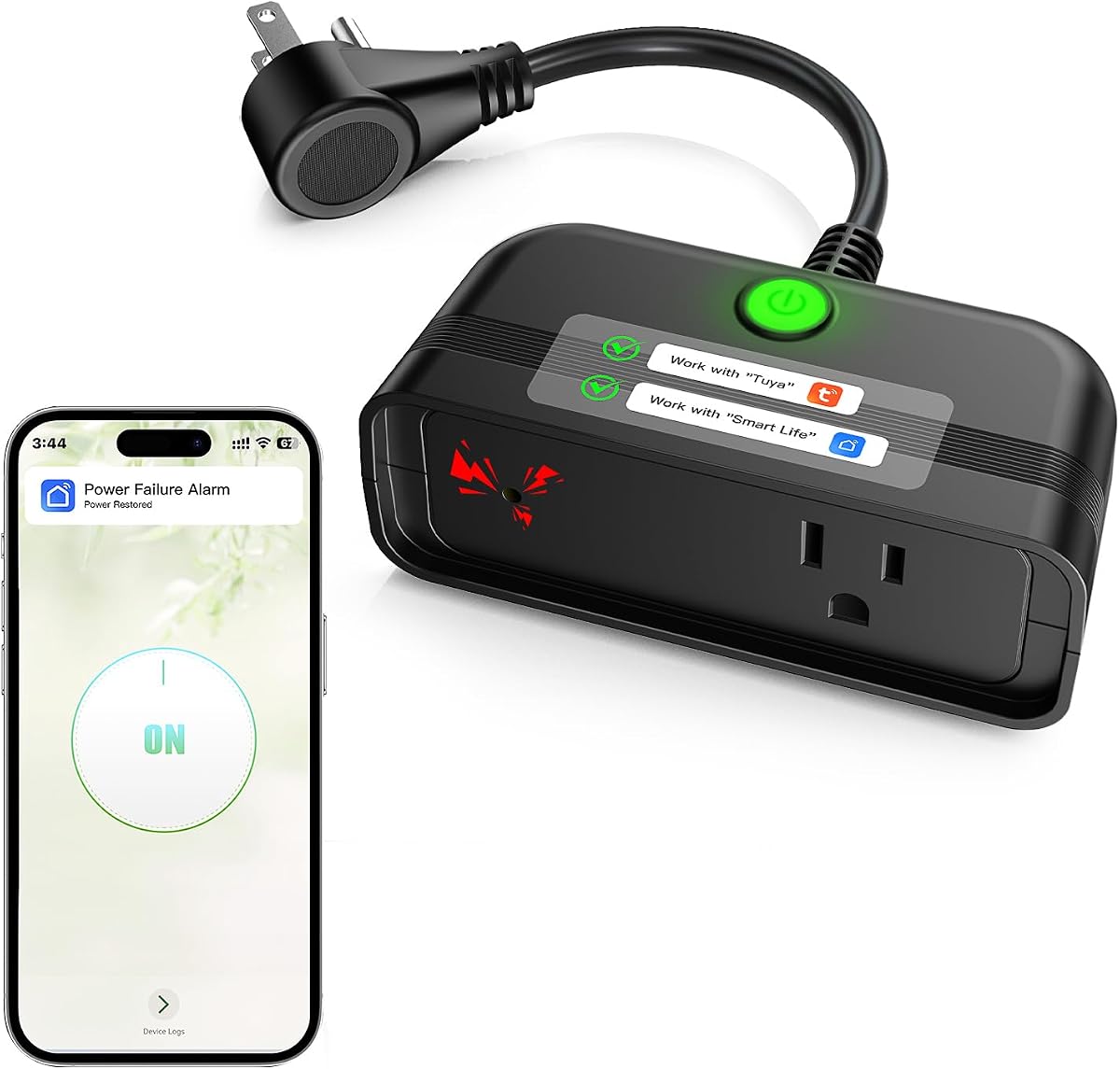
Outdoor WiFi Power Outage Alarm
4.3Editor score
Weatherproof outdoor design
Free Smart Life notifications
Local 110dB alarm
Twelve-hour backup operation
Best Power Outage Notification Device guide comparing WiFi alerts, SMS and email options, local alarms, battery life, app support, and outdoor readiness.
A power outage notification device helps you learn about a loss of electricity before returning home to damaged appliances or other unexpected problems. The best models combine phone notifications with an on-site alarm, backup power, broad equipment compatibility, and dependable WiFi connectivity. Useful options also support remote monitoring for freezers, sump pumps, aquariums, medical equipment, and outdoor systems.
This guide compares ten WiFi power outage monitors and smart power failure alarms across notification methods, audible alert volume, battery endurance, outlet design, supported apps, network requirements, and installation flexibility. We evaluate the information supplied for each product, including important distinctions between free app alerts and subscription-based SMS or email service, without claiming to have tested any device personally.
The list begins with the Risinglink model for its direct SMS and email notifications, independent operation, and extensive alert coverage, followed by several app-based alternatives for households seeking flexible alerts and convenient outlet designs. Each pick highlights a different use case, while the buying guide explains how to compare connectivity, battery support, local alarms, and installation needs. Product prices can change, so check the current listing before purchasing.
4.3Editor score

4.4Editor score

3.5Editor score
The comparison below organizes all ten devices by notification style, audible alarm, backup power, and connectivity. It makes clear which products provide direct SMS or email messages, which rely on free app alerts, and which can operate outdoors or function without a smartphone app.

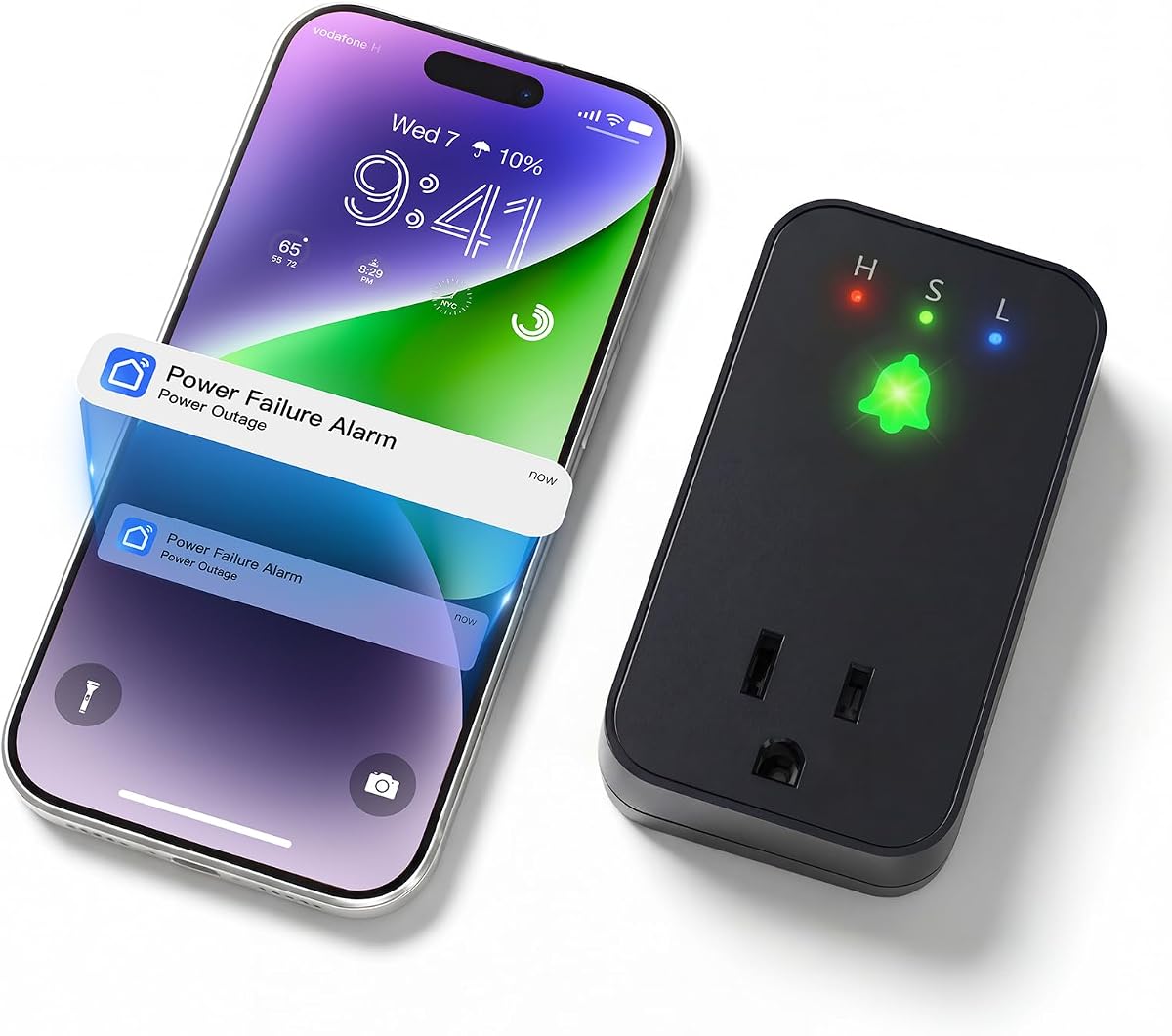



The Risinglink WiFi Power Outage Alarm Detector earns the top position with a 4.4 rating and a feature set focused on timely, direct communication. Unlike many competing smart plugs that offer only free app notifications, it sends SMS text messages, email alerts, and restoration notices without requiring a subscription. It can notify up to two phone numbers and four email addresses, making it particularly useful for households that need more than one person informed.
We may earn a commission when you buy through this link, at no additional cost to you.
Its strongest distinction is the combination of remote and local protection. The device can identify a power failure in as little as three seconds, then triggers an 85dB audible alarm that works even if the WiFi connection has disappeared. A pre-installed backup battery is designed to last more than five years under typical use. The unit also reports low battery conditions and device-offline events, giving owners a more complete picture of the monitoring system than a simple outage-and-restoration indicator.
There are important limitations. It supports 2.4GHz WiFi but not 5GHz-only networks, so a compatible router or dual-band network in 2.4GHz mode is required. It also sends alerts only after briefly connecting to active WiFi and the internet. Those caveats make the device unsuitable for locations without internet access, but they are reasonable for the principal benefit it offers: direct messaging without third-party smart-home platforms, monthly fees, or alert caps.
This is the strongest choice for a homeowner, renter, landlord, or caregiver who wants immediate SMS and email warnings for critical equipment. It is particularly useful when several relatives should receive the same warning or when a push notification alone may be overlooked. Choose this model when dependable direct communication matters more than app-based flexibility, and verify that your router can provide a 2.4GHz connection before installation.
SMS and email messages go directly to the recipients listed during setup, avoiding the app-only approach used by many alternatives. The absence of subscription fees also makes it easier to keep continuous outage monitoring without tracking a recurring communication plan.
The device reports initial outages, power restoration, low battery status, and loss of device connectivity. These extra notices help distinguish a genuine outage from a device or network problem that might otherwise leave you uncertain.
We may earn a commission when you buy through this link, at no additional cost to you.
This Smart WiFi Outage Alarm has a 4.3 rating and delivers a useful mix of app-based remote warnings and a loud on-site siren. It connects to a 2.4GHz WiFi network through the Smart Life or Tuya app and sends free push notifications when power is lost. This makes it a practical option for owners who want to monitor a refrigerator, freezer, aquarium, sump pump, fireplace, or similar appliance without paying for a communication subscription.
We may earn a commission when you buy through this link, at no additional cost to you.
The local alarm is one of its main selling points. Its buzzer can reach 110dB and offers three volume levels, allowing users to balance strong warning capability with household noise sensitivity. The built-in battery can keep the alarm active for up to 12 hours during an outage. When electricity returns, the alarm releases automatically, although a cancel button provides a manual option as well.
Its compact body includes an extended socket, which is more useful than a design that completely blocks a wall receptacle. You can connect the monitored appliance while preserving a second connection point for another device. The trade-off is that direct SMS and email messaging is not part of the free feature set; those options require a subscription within the app. Users who only need push notifications may still find this arrangement convenient.
This model is well suited to renters, first-time smart-home users, and households monitoring one primary appliance. It is a strong budget-oriented choice when app notifications and a loud local alarm meet your needs but texting is optional. Make sure the correct app identified in the product reference material is installed, confirm that your network provides 2.4GHz WiFi, and test the device before relying on it during a real outage.
The 110dB buzzer and three volume settings make the alarm noticeable in a basement, garage, workshop, or home where an app-only monitor could be too quiet. Automatic silencing after power restoration helps prevent a stale alarm from continuing unnecessarily.
The extended outlet preserves electrical access while the device monitors the connected load. Its relatively compact profile also makes it easier to place near the equipment you want to watch.
We may earn a commission when you buy through this link, at no additional cost to you.
The Smart Freezer WiFi Alarm combines a 4.4 rating with a straightforward design for monitoring freezers and other power-sensitive household equipment. It sends free app notifications through Smart Life or Tuya and works over a 2.4GHz WiFi network. Its stated applications include refrigerators, deep freezers, fireplaces, aquariums, and sump pumps, making it a general-purpose monitor despite the freezer-focused name.
We may earn a commission when you buy through this link, at no additional cost to you.
Its local alarm reaches 110dB with three adjustable volume levels. A built-in battery keeps the warning active for up to 12 hours, and the alarm releases automatically when full power returns. The mini-size body and extended socket allow the monitored equipment to remain connected while another plug can still use the outlet. That arrangement is useful in busy utility areas where every receptacle matters.
The principal limitation is communication choice. Only app notifications are free, while additional SMS and email settings require a subscription. The product instructions also warn users to download the correct app according to the product page reference video. These details make the setup process less flexible than a device offering direct messages, but they do not reduce the value of local audible warnings for someone physically present.
Choose this alarm for a home with a freezer, aquarium, sump pump, or other equipment that needs a fast remote warning and audible local signal. It is especially helpful if you are comfortable managing a smart-home app. Confirm your router is set for 2.4GHz WiFi, pair the device with the appropriate app, and perform a controlled outage test to verify both the push notice and the local alarm.
Free push alerts give you an early signal when a freezer or another connected load loses power. That notice can prompt you to protect food, check a sump pump, or inspect a basement before conditions deteriorate.
The second outlet gives you flexibility without sacrificing the monitored connection. Its built-in battery also supports up to 12 hours of alerting after utility power is lost.
We may earn a commission when you buy through this link, at no additional cost to you.
The Remote-Cancel Smart Outage Alarm is distinguished by app-based control over an alarm that continues sounding after an outage. It carries a 4.1 rating and is designed for situations in which a prolonged siren could disturb children, elderly residents, or pets while an adult is away. Through the Smart Life or Tuya app, users can cancel the alert remotely and customize the alarm time, sound, and volume.
We may earn a commission when you buy through this link, at no additional cost to you.
The physical alarm can reach 110dB and provides three selectable sounds along with adjustable volume levels. Its two expandable sockets offer more placement flexibility than a conventional single-plug monitor. Free app notifications provide remote warning about an outage, while the rechargeable battery keeps the unit active for up to 10 hours. The alarm stops automatically when power returns or can be ended with the cancel button.
Compared with most app-based models in this category, remote cancellation is a meaningful functional distinction. However, the feature depends on the phone, application, internet connection, and a functioning 2.4GHz network. Users must also download the correct app based on the product page reference video or manual. Direct SMS and email alerts require a subscription, while the free notification is an in-app push alert.
This product makes the most sense for households seeking remote management of a noisy local alarm rather than only outage detection. It can suit a home with a sump pump, aquarium, refrigerator, freezer, or automatic pet feeder, particularly if family members may be bothered by a sustained siren. Choose it for remote controls and outlet flexibility, but check the ten-hour runtime against the length of outages common in your area.
Remote cancellation lets an adult turn off the siren without returning to the outlet. Custom sounds and timing add further control for households where a continuous alarm would be disruptive.
The dual-socket layout provides room for connected equipment and additional household devices. It may be especially useful in crowded garages, basements, and utility rooms where outlet access is limited.
We may earn a commission when you buy through this link, at no additional cost to you.
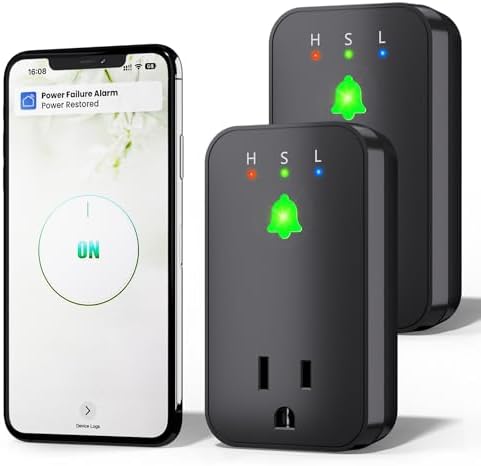
The Two-Pack WiFi Outage Alarm includes two individually usable monitoring units, making it well suited to homes or properties where important equipment is in more than one location. Each device can send free app notifications through Smart Life or Tuya, and both feature a 110dB buzzer with three volume levels. One unit could monitor a kitchen freezer while the other watches a basement sump pump.
We may earn a commission when you buy through this link, at no additional cost to you.
Both alarms include extended sockets, allowing connected equipment and another device to use the available outlet space. Their built-in batteries support up to 12 hours of local warning during a power failure. When electricity returns, the alert releases automatically, and users can also stop it manually with the cancel button. This combination gives each site both remote and on-site warning capability.
The trade-off is that communication beyond the basic app push is subscription-based. SMS and email settings are not included for free. Both units also require a 2.4GHz WiFi signal and the appropriate compatible app, which may complicate setup if the monitored areas are separated by walls, floors, or a detached building. You must download the correct app according to the supplied reference material.
Choose this two-pack when monitoring a second area is important enough to justify carrying two devices. It is a practical choice for a main house plus basement, rental property, or two separate freezers. If both units will remain in the same building with strong network coverage, the package can provide a streamlined way to monitor multiple loads. Confirm signal strength at each location before installation.
Two units let you monitor equipment in separate areas without relying on a single outlet position. This is useful when a refrigerator and sump pump, or two household businesses, occupy different parts of a property.
Each alarm provides a 110dB buzzer, adjustable output, and up to 12 hours of battery-supported operation. That gives both monitored locations an audible warning even when no one is near a phone.
We may earn a commission when you buy through this link, at no additional cost to you.
The Outdoor WiFi Outage Alarm is the clear choice for monitoring electrical systems beyond a standard indoor wall outlet. Its weatherproof design is intended for auto drip irrigation, birdbaths, pool equipment, courtyard lighting, camping, picnicking, and pond pumps. It also works indoors for refrigerators, fireplaces, aquariums, and medical equipment that relies on a ventilator or other powered device.
We may earn a commission when you buy through this link, at no additional cost to you.
Remote warnings arrive through free Smart Life or Tuya app notifications over a 2.4GHz WiFi network. A loud 110dB buzzer and LED indicator provide an immediate local signal, while the built-in rechargeable battery supports up to 12 hours of alarm operation. A mounting hole lets the device hang on a wall or another suitable surface instead of being left on the ground.
Its most important caveat is that outdoor usefulness depends on both a dependable WiFi signal and suitable environmental placement. The weatherproof enclosure addresses exposure, but users should still follow the manufacturer's placement guidance and avoid unsafe extension arrangements. Direct SMS and email features require a subscription, while basic app push notifications remain free.
This model is ideal for a homeowner with a pond pump, irrigation controller, or exterior lighting system that should continue operating during an outage. It is also a capable indoor alternative for users who value the mounting option. Choose it when outdoor resilience and a visual indicator matter, and verify stable 2.4GHz coverage at the intended installation point before purchasing.
The outdoor enclosure expands monitoring beyond kitchens, basements, and garages. It is particularly relevant to pumps, irrigation, and other systems that may fail while the property is unoccupied.
A bright LED complements the 110dB buzzer, making the outage easier to notice in different environments. The mounting hole also encourages installation above floor level or near relevant equipment.
We may earn a commission when you buy through this link, at no additional cost to you.
The Power Pal Power Monitoring Device has a 3.5 rating, the lowest in this comparison, but it offers a distinct communication model: text and email outage notifications without requiring an app for core setup. It also avoids fees for those alert messages. For someone who wants direct contact rather than app push notices, that simplicity may outweigh the lower customer rating.
We may earn a commission when you buy through this link, at no additional cost to you.
Power Pal plugs into a standard outlet and continuously monitors power at that location. It can operate as a standalone outage monitor, so it does not need to control a connected appliance. Owners may instead connect it to the Keep Connect Mobile App and their Cloud Services account to integrate it into an existing smart-home routine. Its compact design is intended to blend into the outlet area without occupying excessive space.
Compared with the leading picks, the product description does not mention a local audible siren, visual warning, battery runtime, or outdoor rating. It also differs from most competitors by making app use optional rather than central. These are meaningful gaps if you need to be alerted inside a noisy home or during a prolonged outage when your phone and router are unavailable.
Power Pal is best for a user who values direct text and email messages, minimal configuration, and freedom from recurring notification fees. It can be especially useful for a caregiver, landlord, or employee who needs simple awareness without complicated smart-home controls. Buyers prioritizing a loud local siren or long battery-supported operation should instead consider one of the WiFi alarm models.
Core setup can be completed without the Keep Connect app, which simplifies access to text and email notifications. The optional app integration is useful only if you want the device to participate in broader cloud services.
Power Pal does not need a connected load to report a location-level outage. That flexibility makes it possible to monitor an outlet or circuit rather than only the power use of a specific appliance.
We may earn a commission when you buy through this link, at no additional cost to you.
The Smart Freezer Alarm carries a 4.5 rating, tying for the highest customer rating among the products compared. It is designed around the needs of freezers and other vulnerable loads, offering free Smart Life or Tuya app notifications, a local 110dB siren, and a 12-hour battery-supported alarm. Its application extends to refrigerators, aquariums, sump pumps, fireplaces, and deep freezers.
We may earn a commission when you buy through this link, at no additional cost to you.
One useful distinction is its selection of three alarm sounds alongside the volume controls. This allows users to choose a tone that is easier to distinguish or less disruptive in a particular household. The extended socket leaves room for additional electrical equipment, while the automatic release stops the alarm when power returns. A cancel button offers immediate manual control as well.
Like the other app-based models, it limits free communication to app notifications. SMS and email require a subscription, and setup depends on downloading the correct app from the product reference information. It supports only 2.4GHz WiFi, so a 5GHz-only router will not work. The loud siren and battery operation compensate for some network limitations, but users should still ensure the router has backup power if remote alerts are essential.
Choose this model if your priority is a freezer warning with the highest listed rating in the group, a large choice of local sounds, and a useful second outlet. It is well suited to home users who are comfortable with app-based monitoring and do not need direct SMS without a paid service. Test the full notification path before relying on it for critical equipment.
Multiple siren options make it easier to choose a sound that stands out in a busy home without being unnecessarily harsh. Users can combine the selection with adjustable output to suit the location.
A free app push gives owners an early signal when a freezer loses electricity. Combined with a 12-hour local alarm and an extended socket, it supports both remote and immediate in-home responses.
We may earn a commission when you buy through this link, at no additional cost to you.
The Compact WiFi Outage Alarm has a 4.5 rating and emphasizes a monitoring design intended to prevent an outage from being casually dismissed. It sends free Smart Life or Tuya app notifications when it detects power loss at the connected outlet. The product information specifically states that the alarm cannot be silenced remotely, so an interruption must be acknowledged at the device itself.
We may earn a commission when you buy through this link, at no additional cost to you.
That decision makes it different from the Remote-Cancel Smart Outage Alarm. After an outage or shutdown, the user must perform a manual hard reset by holding the up-arrow button. The alarm uses a loud 110dB siren, a flashing red LED, and three volume levels. A rechargeable battery provides up to 12 hours of continuous alerting and silences automatically when power returns, although the cancel button can stop it sooner.
Its listed dimensions are 3.54 by 1.93 by 1.38 inches, and installation is designed to be straightforward: plug it into a standard 120V outlet, connect the appliance, and use the app guide. It supports 2.4GHz WiFi and is marketed for refrigerators, freezers, sump pumps, aquariums, irrigation, greenhouse controls, pond pumps, security systems, and offices. No direct text or email function is stated.
This model is appropriate when you want to ensure that an outage receives human attention rather than being silenced from a phone. That may be helpful in a home with older adults, in a rental property, or anywhere repeated false dismissal is a concern. The trade-off is convenience: remote cancellation is unavailable, and the manual reset may require travel to the outlet after power is restored.
The device cannot be muted remotely, which helps ensure that an outage does not disappear from attention with a casual app action. A physical reset is required after an interruption.
The unit combines a small footprint with a 110dB siren, three volume levels, and a flashing red LED. It provides a noticeable local warning without requiring a large freestanding enclosure.
We may earn a commission when you buy through this link, at no additional cost to you.
The Voltage-Monitoring WiFi Alarm has a 3.9 rating and differentiates itself by monitoring voltage in real time. It provides a 110dB alert with a flashing LED for 60 seconds when power is lost, then continues with a steady light and a beep every minute. That pattern keeps the condition noticeable while reducing the need for a continuously repeated high-volume siren.
We may earn a commission when you buy through this link, at no additional cost to you.
The device connects to a 2.4GHz WiFi network and sends real-time status alerts through the Smart Life app. Its 12-hour rechargeable battery takes over after an outage, and the alarm stops automatically when power returns or can be canceled manually. A three-level volume control lets users adjust the local warning for daytime or nighttime conditions.
Its most appealing technical feature is the extended outlet's stated support for up to 15A, allowing it to accommodate higher-power equipment such as furnaces, refrigerators, deep freezers, aquariums, sump pumps, ovens, automatic feeders, oxygen concentrators, and dehumidifiers. Actual appliance compatibility still depends on safe load limits and manufacturer guidance; a higher outlet rating does not make every high-power device appropriate for any monitoring setup.
This model is worth considering for a basement sump pump, oxygen concentrator, large freezer, or other important load that benefits from both voltage monitoring and a substantial outlet rating. A router with uninterruptible power supply is recommended if phone notifications must continue during a prolonged outage, since the monitor's backup battery cannot keep the network online by itself. Confirm the current product specifications and electrical requirements before use.
Monitoring voltage provides more context than a simple power-loss message. Users can receive real-time status updates through Smart Life while the local beacon and beep make the condition visible and audible.
The stated 15A outlet rating supports a broader range of household equipment than lower-rated models. Users should still respect appliance limits, avoid overload, and follow all relevant electrical guidance.
We may earn a commission when you buy through this link, at no additional cost to you.
The most useful outage monitor is not necessarily the one with the most features. Your priorities should reflect the equipment being protected, the communication methods you reliably check, the availability of network power, and whether the device must operate indoors or outdoors.
Start by deciding how you want to receive warnings. Direct SMS and email messages can reach you even when an app push notification is overlooked or disabled, while free in-app notifications are more convenient for users who regularly monitor the Smart Life, Tuya, or Keep Connect ecosystem. Several products provide only free app alerts and place additional text or email services behind a subscription. Read the current product instructions carefully because “notification support” does not always mean every communication channel is included at no charge.
A local alarm is valuable when a phone is silent, charging, disconnected, or left in another room. Many models use a buzzer rated as high as 110dB, while the top-ranked Risinglink unit specifies an 85dB integrated alarm. Some products provide three selectable sounds or adjustable volume levels, which can make a warning easier to distinguish or less disruptive at night. A flashing LED or steady illuminated status is also helpful in basements, garages, and other locations where a sound may be difficult to hear.
The backup battery determines how long the device can continue monitoring and sounding after utility power disappears. Products in this comparison advertise alert durations ranging from 10 to 12 hours, while the Risinglink model has a pre-installed backup battery designed to last more than five years under typical use. Longer outage duration does not necessarily mean a better battery, because one product describes five years of standby monitoring while others describe hours of active alarm operation. Read those claims carefully and compare like with like.
Most devices in this category require 2.4GHz WiFi, and several explicitly do not support 5GHz-only networks. This is not an unusual limitation for small smart plugs, but it can cause setup problems if your router or mobile network only offers a 5GHz band. Confirm that a 2.4GHz network is available before buying, especially for an outdoor monitor, detached garage, or basement where signal strength may be weak. A WiFi router with a backup power supply can also preserve app notifications during an outage, although it will not keep every internet service operational indefinitely.
The physical design affects where you can install the monitor. Compact bodies are easier to fit near a refrigerator or aquarium, while extended or dual sockets preserve access to the wall receptacle for additional devices. One model states a 15A outlet capacity, which can be useful for higher-power equipment, but you must still observe appliance limits and electrical safety guidance. Do not use outlet capacity as permission to overload a circuit or connect equipment beyond the monitor's safe operating requirements.
Most outlet alarms are designed for indoor use, where weather and moisture are less likely to affect them. The Outdoor WiFi Outage Alarm has a weatherproof design intended for pond pumps, irrigation, exterior lighting, and other exposed systems. Even with a weatherproof enclosure, placement should follow the manufacturer's instructions and safe electrical practices. Outdoor monitoring also demands reliable 2.4GHz signal coverage, so test the location rather than assuming a nearby indoor router will be sufficient.
App support can range from optional integration to the core of the product. Power Pal can provide text and email notifications without requiring an app for basic setup, while most other devices rely on Smart Life or Tuya for app push notifications. If remote alarm cancellation is important, the Remote-Cancel model allows it through the app. The Compact WiFi Outage Alarm takes the opposite approach and cannot be silenced remotely, requiring a physical reset after an interruption. These behaviors may be positive or negative depending on your monitoring habits.
Start with the appliance or system that matters most. Refrigerators and freezers need prompt warning, sump pumps benefit from early detection in wet-weather outages, aquariums and fish tanks need attention to temperature and aeration, and medical equipment may require a high level of notification confidence. Outdoor pumps and irrigation controllers require a weatherproof body and strong WiFi coverage. Monitoring several separated areas may justify a two-pack, while one central load is better served by a single unit with direct SMS and email support.
Begin by choosing an outlet close to the equipment you want to monitor while preserving access for other plugs. Confirm that your network provides 2.4GHz WiFi, download the correct app referenced in the product information, and follow the setup guide before connecting critical appliances. The Risinglink and Power Pal options use different configuration processes, so use the instructions included with the specific model rather than assuming every device works identically.
After configuration, perform a controlled test by switching off the upstream power or unplugging the monitor briefly. Verify the local sound, app notification, restoration notice, and any SMS or email message. This test also reveals whether the phone has notification permission enabled and whether the router retains internet access. If remote alerts are important, consider a backup power supply for the router and any required network equipment.
For care, check the outlet and connections periodically, keep the device dry, and avoid covering the buzzer or ventilation areas. Test the battery and alarm operation every few months and after a substantial power event. Clean the enclosure with a dry or lightly damp cloth as appropriate, and follow the manual's charging instructions for models with built-in rechargeable batteries. Replace or service any unit that repeatedly goes offline, fails to alert, or shows battery trouble.
Most of these devices can detect a loss of power and sound a local alarm without internet access because that function runs locally and uses backup battery power. However, remote app, SMS, and email notifications require a working WiFi connection and internet service. If uninterrupted remote alerts are important, a backup power supply for the router can keep the network operating during a short or moderate outage.
No, not with the models whose specifications require 2.4GHz WiFi. Most products listed here explicitly support 2.4GHz only, and some state that a 5GHz-only network is unsupported. You can usually enable a 2.4GHz band on a dual-band router, but you should confirm that the network is available before purchasing.
The Risinglink model and Power Pal advertise direct text and email notifications without monthly fees. The Smart Life and Tuya-based products provide free app push notifications, while additional SMS and email options require a subscription in the app. Check the current listing and service terms because communication packages can change.
The Smart Freezer WiFi Alarm, Smart Freezer Alarm, and Voltage-Monitoring WiFi Alarm are all explicitly aimed at freezer use. The Smart Freezer Alarm offers a 4.5 rating, a 110dB siren, and three sounds, while the voltage-monitoring model states support for up to 15A and high-power appliances. Your choice should also reflect app preference, router compatibility, and the load attached to the outlet.
Only choose a model specifically designed for outdoor use. The Outdoor WiFi Outage Alarm has a weatherproof enclosure intended for pumps, irrigation, courtyard lighting, and similar exterior equipment. It also needs strong 2.4GHz WiFi coverage at the mounting location and safe electrical placement that follows the manufacturer's guidance.
Most models automatically stop the active alarm when full power is restored, and many also provide a cancel button for manual control. The Compact WiFi Outage Alarm is different in one respect: it requires a physical hard reset after an interruption, and it cannot be silenced remotely. Review the specific model's behavior so an alarm does not remain confusing after an event.
Their primary function is to detect loss of power at the connected outlet, not to diagnose individual appliance faults. The Voltage-Monitoring model states that it monitors voltage in real time, while Power Pal can monitor the location with or without a connected device. None of the listed specifications should be interpreted as a substitute for dedicated appliance or electrical diagnostics.
Set up the app and confirm that it has permission to send notifications before testing. Then briefly interrupt power at the outlet or upstream breaker, listen for the local alarm, and verify that you receive the outage message. Restore power and confirm the restoration notice and automatic or manual alarm reset. A planned test helps verify both remote and local warnings before a real emergency.
The Risinglink WiFi Power Outage Alarm is the strongest all-around choice because it provides direct SMS and email messages without subscriptions, supports multiple recipients, includes a local alarm, and reports battery and offline conditions. The Outdoor WiFi Outage Alarm leads the budget-friendly category with its weatherproof construction, free app alerts, visible warning, and 12-hour active battery support. Power Pal serves users who want direct text and email messages, minimal app dependence, and no recurring communication fees.
Prioritize the warning channel you will actually notice, then evaluate local alarm coverage, battery operation, and WiFi compatibility. App-based models are convenient when push notifications fit your routine, but they may not be ideal if you need direct SMS or email without a subscription. Outdoor systems require a weatherproof unit and reliable 2.4GHz signal, while critical equipment may justify a model with direct messages, manual reset behavior, or a two-pack for separate locations.
Before purchasing, confirm the outlet layout, app compatibility, network band, and rated load, and review the current product instructions. Product prices, app features, and subscription terms can change, so check the live listing and service information before making a final decision. Testing the complete alert path after installation will ensure the device provides useful warning when an outage actually occurs.