
Lenovo WL310 Bluetooth Silent Mouse
4.5Editor score
Bluetooth 5.0 wireless connection
Three adjustable DPI levels
Silent left and right clicks
Our Quiet Click Mouse guide compares ten top-rated wireless models for noise reduction, comfort, connectivity, battery life, portability, and everyday
A quiet click mouse can make shared offices, libraries, study sessions, and late-night work feel more comfortable by reducing distracting click noise. The best models also deliver responsive tracking, comfortable handling, dependable wireless connections, and enough battery life for regular use.
We compared ten popular quiet click mice using their stated specifications, customer ratings, connection options, control features, size, power design, and platform support. The list covers budget models, compact travel designs, premium ergonomic options, and feature-rich mice for users who switch between devices.
Each review explains where the mouse stands out, where its compromises may matter, and who is most likely to enjoy it. Product details and availability can change, so readers should confirm the current specifications, accessories, and system requirements before purchasing.
4.5Editor score

4.6Editor score

4.6Editor score
The following comparison highlights the major differences in noise reduction, connectivity, ergonomics, scrolling, DPI control, portability, and battery design so buyers can quickly identify the model that best matches their routine.



The Lenovo WL310 combines a restrained feature set with the qualities buyers most often need from a quiet click mouse: a comfortable shape, silent clicking, adjustable sensitivity, and a straightforward Bluetooth connection. Its 4.5 rating reflects a well-rounded package for everyday office, school, and travel use, while the compact grey design keeps it visually and physically unobtrusive.
We may earn a commission when you buy through this link, at no additional cost to you.
Its strongest feature is the freedom offered by Bluetooth 5.0. Because no USB receiver is required, the mouse can connect directly to compatible Windows PCs, Macs, Chromebooks, and Lenovo laptops. That makes it particularly useful when a USB port is already occupied or when the user prefers not to carry a dongle. Three selectable DPI levels—1000, 1200, and 1600—provide enough variation for browsing, document work, and more precise selections without adding unnecessary complexity.
The ergonomic form and portable construction are also meaningful advantages. Lenovo describes the mouse as fitting comfortably in the hand and light enough to carry in a laptop bag. The trade-off is that it is designed for uncomplicated productivity rather than intensive enthusiast use. There are no programmable side buttons, specialized horizontal scrolling, wired operation, or multi-device switching, and the product information does not claim the same click-noise reduction percentage cited by some Logitech models.
This is a strong recommendation for students, office workers, travelers, and anyone seeking dependable quiet clicking without a complicated setup. Users who work across several computers simultaneously may prefer a multi-device model, but for a single laptop or desktop, the WL310 provides a convincing balance of comfort, portability, and everyday control.
Direct Bluetooth 5.0 pairing removes the need to store or reconnect a USB receiver. It also leaves the mouse compatible with systems that rely on Bluetooth rather than an available USB-A port.
The 1000, 1200, and 1600 DPI choices cover daily navigation through detailed work. An on-board selection button also makes changes quick without opening software.
We may earn a commission when you buy through this link, at no additional cost to you.
The VssoPlor Wireless Mouse is a compact 2.4 GHz option for people who want quiet operation and straightforward portability. It has a 4.5 rating and a slim profile suited to office desks, home workspaces, and travel kits. The black-and-gold finish adds a little visual distinction, but the practical appeal comes from its lightweight construction, quiet switches, and receiver that can be stored inside the mouse.
We may earn a commission when you buy through this link, at no additional cost to you.
Its 2.4 GHz connection is specified to work up to 10 meters and provides a stable alternative in crowded wireless environments. The included USB receiver supports Windows, macOS, and other listed systems, making it a safe choice for a laptop that has a free USB-A port. The receiver-storage design is a particularly thoughtful travel feature because it reduces the chance of leaving a small accessory behind.
Power management includes an automatic sleep mode after five minutes of inactivity. The mouse wakes when clicked, which makes the feature convenient without requiring users to remember a manual shutdown routine. Quiet clicks help maintain focus in shared rooms, although the product information gives no specific percentage of click-noise reduction, and there is no advertised adjustable DPI range, multi-device support, or side-button suite.
The VssoPlor is most appropriate for budget-conscious users who value a slim profile and quiet response over advanced controls. It is also a good travel choice because the receiver stays protected inside the body. People who need Bluetooth, customizable buttons, or precise sensitivity adjustment should examine the more specialized options in this guide.
The USB receiver can remain inside the mouse when it is not in use. This simple storage solution keeps the setup together and is useful for people who frequently work in cafés, airports, or shared offices.
Automatic sleep after five minutes helps conserve power during short breaks. A click returns the mouse to working mode without requiring users to manage a separate power switch.
We may earn a commission when you buy through this link, at no additional cost to you.
The wegear Bluetooth Mouse delivers one of the more complete feature sets in the budget portion of this guide. It combines silent left, right, and scroll-wheel buttons with forward and backward controls, three adjustable DPI settings, Bluetooth 5.0, and a claimed battery life of up to 24 months. Its 4.5 rating makes it a practical choice for users who want more control than a basic two-button travel mouse.
We may earn a commission when you buy through this link, at no additional cost to you.
The sculpted, full-size shape is designed to support the hand during extended use. Its three DPI levels—800, 1200, and 1600—can be changed with a dedicated button, providing enough range for routine browsing and finer placement. Forward and back buttons improve navigation through documents and websites, although the product information specifically states that these buttons are not recognized on Mac systems.
There are several worthwhile durability claims. The primary buttons are rated to withstand up to three million clicks, while the scroll wheel is stated to endure up to 300,000 cycles. The mouse sleeps after 30 seconds of inactivity and wakes when moved. It is compatible with several versions of Windows, macOS, Chrome OS, and Android, and the AA battery used for the stated 24-month endurance is not included.
This model is a good fit for Windows and Chromebook users who want silent scrolling, navigation buttons, adjustable sensitivity, and generous battery life in one affordable package. Mac owners who do not need side buttons can still benefit from the quiet switches and Bluetooth connection, while buyers seeking cross-platform customization should first verify the listed limitations.
Forward and backward buttons speed up movement between pages and interfaces. Their Windows and Chromebook utility makes them especially helpful for research, office work, and intensive browsing.
Silent operation extends beyond the primary clicks to the scroll wheel. This reduces another common source of distraction when reviewing long documents in shared or quiet spaces.
We may earn a commission when you buy through this link, at no additional cost to you.
The Logitech Signature M550 is a balanced quiet click mouse with a 4.6 rating, refined ergonomics, and flexible connectivity. Its SilentTouch technology is advertised to reduce click noise by 90 percent, making it one of the strongest choices for offices, libraries, and shared homes. The contoured shell, soft thumb area, and rubber side grips also distinguish it from the simplest budget models.
We may earn a commission when you buy through this link, at no additional cost to you.
The M550 is specifically designed for small to medium hands, and Logitech emphasizes a snug, natural fit for long sessions. Its SmartWheel changes between line-by-line scrolling for documents and rapid movement through long web pages. Buyers can connect through Bluetooth Low Energy or use the included Logi Bolt receiver, providing flexibility across systems with varying port configurations.
The included AA battery is stated to deliver up to 24 months of use, and the mouse is compatible with Windows, macOS, Linux, Chrome OS, iPadOS, and Android. The main limitation is that its side buttons are not customizable like those on the M650. The smaller shape may also feel cramped to users with larger hands who prefer a full-size mouse. Those trade-offs are modest for the M550's target audience.
This mouse is a particularly strong recommendation for professionals and students with small to medium hands who value low click noise, dependable battery life, and broad platform support. It works especially well for general productivity, document review, and everyday navigation. Users wanting programmable shortcuts or a larger ergonomic shape should consider the M650 instead.
The M550's compact proportions are deliberate rather than simply portable. Its contoured body, soft thumb region, and textured side grips help keep smaller hands comfortably positioned during extended work.
Bluetooth Low Energy provides a receiver-free option, while Logi Bolt offers a dedicated wireless connection. Supporting both gives users freedom across different computers and USB configurations.
We may earn a commission when you buy through this link, at no additional cost to you.
The TECKNET Hybrid Multi-Mode Mouse is built for demanding desktop workflows. It supports dual Bluetooth, 2.4 GHz wireless, and wired operation, while also adding a metal scroll wheel, a horizontal side wheel, six DPI levels, and quiet clicks. Its 4.5 rating reflects a versatile feature set aimed at users who move between computers or work with wide spreadsheets and design applications.
We may earn a commission when you buy through this link, at no additional cost to you.
The six sensitivity settings range from 800 to 4800 DPI, and an LED flashes to indicate the active level. The main wheel supports fast scrolling, while the side wheel allows horizontal movement across broad spreadsheets, canvases, and web pages. The ergonomic contours are intended to reduce wrist strain during extended work, and silent clicks suit offices, libraries, and other focused environments.
Its built-in rechargeable battery is stated to last up to 90 days per charge. The charging cable can also activate wired operation when the mouse is powered off, providing a useful fallback during long sessions. Important compatibility details remain: the side scroll wheel is not supported on macOS, and some older documentation may not list side-wheel compatibility.
This is a compelling choice for power users, spreadsheet heavy workers, and anyone who values flexible connectivity. The broad DPI range and horizontal scrolling justify the added complexity for many users. Those who work primarily on Mac systems or want a simpler setup may prefer one of the more streamlined models.
Dual Bluetooth enables quick switching between paired devices, 2.4 GHz offers plug-and-play wireless access, and wired mode remains available for reliable charging and long work sessions.
Six DPI levels and horizontal side scrolling create a more specialized control set. These features are valuable for detailed editing, large spreadsheets, and applications that benefit from fast two-axis navigation.
We may earn a commission when you buy through this link, at no additional cost to you.
The TECKNET Three-Device Mouse is built around a simple productivity proposition: one mouse can manage a laptop, desktop, and another Bluetooth-capable system without repeated pairing. It supports two Bluetooth 5.3 or 5.0 connections alongside 2.4 GHz USB-A connectivity, and a single button switches among the three active devices. Its 4.4 rating reflects a capable, specialized design.
We may earn a commission when you buy through this link, at no additional cost to you.
The rechargeable battery is stated to last around three months with two hours of daily use and to charge in approximately one and a half to two hours. A six-level DPI system ranges from 800 to 4800, with the LED indicator showing the selected level through a number of blinks. A metal main scroll wheel and a side wheel add smoothness and horizontal navigation.
The product information notes that all buttons are non-programmable, which limits its appeal for users who want custom shortcuts. The side wheel may also fail to work with older document software such as versions of Microsoft Office from 2016 or earlier. Compatibility is otherwise broad, with support for Windows, macOS, Chrome, and Linux, though the side controls are not supported on macOS.
The mouse is a good choice for people who regularly alternate between a work laptop, personal computer, and another device. Its multi-device switching, broad DPI range, and quiet clicks support an efficient, distraction-light routine. Users seeking programmable controls should look elsewhere, while those prioritizing effortless reconnection will find this model appealing.
Two Bluetooth connections and one 2.4 GHz receiver can remain available at once. This arrangement is useful for people who regularly move between a docked desktop, a laptop, and a secondary system.
The included charging cable replenishes the built-in battery, while the stated three-month endurance reduces routine maintenance. It is a cleaner alternative to frequently replacing standard batteries.
We may earn a commission when you buy through this link, at no additional cost to you.
The Logitech Signature M650 is the most premium-focused recommendation in the guide, combining Logitech's established comfort and quiet-click design with customizable side buttons. Its 4.6 rating reflects a well-rounded feature set, and SilentTouch technology is advertised to reduce click noise by 90 percent. The result is a particularly convincing option for productivity-focused users who still work in shared or noise-sensitive spaces.
We may earn a commission when you buy through this link, at no additional cost to you.
The M650's side buttons can be customized through Logitech Options+ on Windows and macOS. That flexibility allows common actions such as back, forward, copy, and paste to be assigned to the controls, reducing repetitive movements. The SmartWheel also shifts between precise document scrolling and high-speed movement through lengthy pages, making the mouse useful across email, research, creative, and administrative tasks.
Comfort is another major strength. A contoured shell, soft thumb area, and rubber side grips are designed to support small to medium hands over long sessions. Bluetooth Low Energy and the Logi Bolt receiver provide flexible connectivity, while the included AA battery is stated to last up to 24 months. Compatibility extends across Windows, macOS, Linux, ChromeOS, iPadOS, and Android.
The trade-offs are relatively minor. Button customization requires compatible software and supported operating systems, and users with larger hands may find the compact dimensions less accommodating than a full-size ergonomic model. Even so, the combination of quiet operation, programmable shortcuts, excellent platform support, and strong customer feedback makes the M650 the clearest premium choice here.
Programmable side buttons can mirror familiar commands or reduce repetitive navigation. For users who spend much of the day in documents, browsers, or creative software, this small feature can materially improve workflow efficiency.
SilentTouch reduces click noise by a stated 90 percent while preserving a familiar clicking response. It is particularly effective in shared rooms where repeated clicking can become distracting.
We may earn a commission when you buy through this link, at no additional cost to you.
The TECKNET Rechargeable Bluetooth Mouse focuses on quiet operation, comfortable right-handed use, and effortless charging. It pairs with up to three devices through Bluetooth 5.0 or 3.0 and a 2.4 GHz receiver, includes a 700mAh rechargeable battery, and offers a USB-C charging port. Its 4.4 rating makes it a solid general-purpose choice for people who want flexibility without a large learning curve.
We may earn a commission when you buy through this link, at no additional cost to you.
The contoured body and integrated thumb rest are designed to reduce hand fatigue during extended browsing and editing. Six DPI settings—800, 1200, 1600, 2400, 3200, and 4800—cover everything from careful selection to rapid screen movement, with 1600 DPI as the default. Forward and back buttons streamline web navigation, although they are not supported on macOS.
The stated battery life reaches three months on a full charge, though the product information appropriately notes that actual duration varies with usage and conditions. The wireless range reaches up to 33 feet. Primary buttons are tested for up to six million clicks, adding confidence for regular daily use. The mouse also works with compatible Windows, Android, macOS, and iOS devices.
This model is well suited to users who want a rechargeable mouse, multiple device profiles, and a comfortable thumb support without moving to a more specialized productivity design. Its primary compromises are the lack of custom button programming and the Mac limitation on navigation buttons. Otherwise, it delivers a balanced and versatile everyday experience.
USB-C charging removes the need for disposable batteries or a proprietary charger. A stated three-month runtime makes the mouse convenient for regular office and school use.
The contoured right-handed shell creates a defined resting area for the thumb. This shape supports a more relaxed grip during long browsing, editing, and general productivity sessions.
We may earn a commission when you buy through this link, at no additional cost to you.
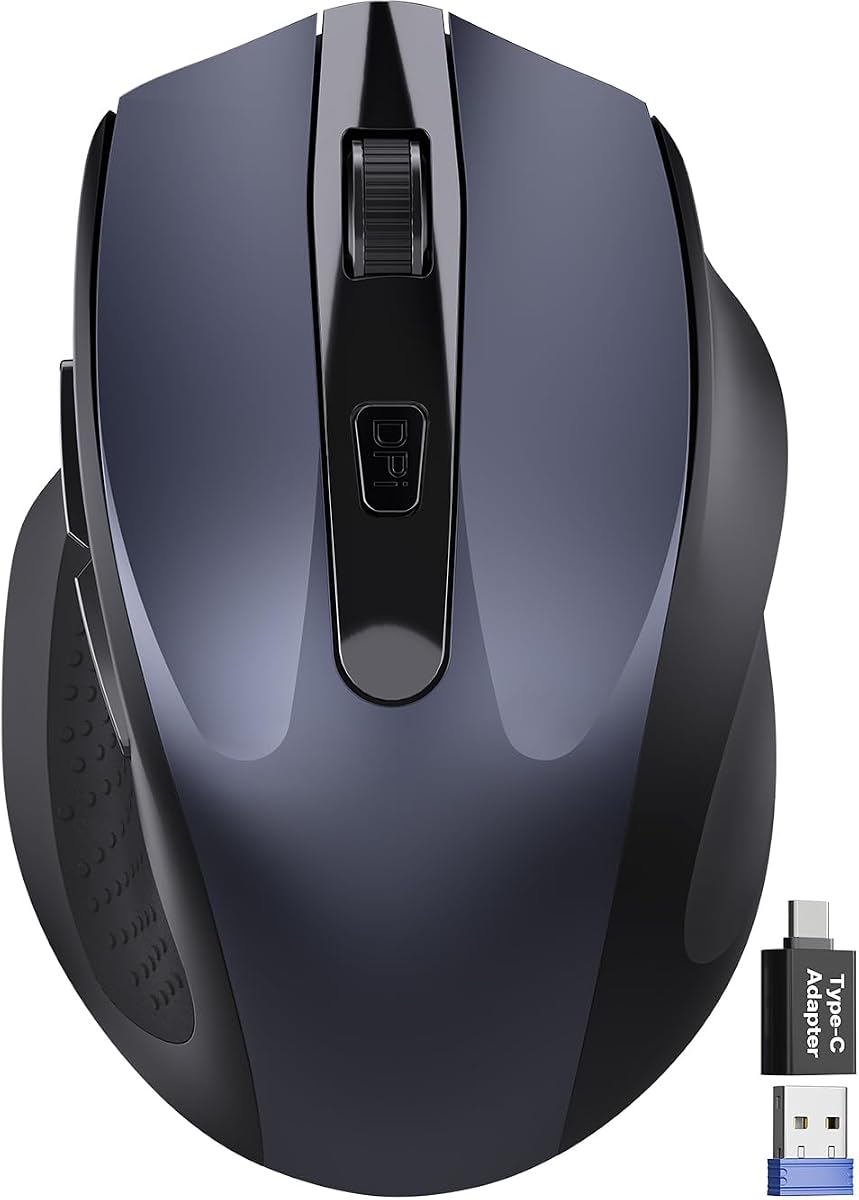
The Compact Wireless Travel Mouse is designed for people who need a quiet pointer that occupies as little space as possible. Measuring 4.09 by 2.68 by 1.49 inches, its asymmetrical right-hand body is compact enough for a laptop bag or travel case. It offers up to 90 percent click-noise reduction, three DPI levels, forward and back buttons, and a 4.4 customer rating.
We may earn a commission when you buy through this link, at no additional cost to you.
The included USB-A nano receiver and USB-C adapter improve compatibility with modern systems. It supports Windows, Mac, Linux, Chrome OS, Android, and iOS, including USB-C phones with OTG, and the stated 2.4 GHz range reaches 33 feet. Tracking is advertised for wood, fabric, paper, and leather, making it flexible for travel and heterogeneous workspaces.
A built-in thumb rest supports the palm, but the small proportions mean it may not be ideal for extended daily use. The product is specifically shaped for right-hand use, so left-handed buyers should consider another option. Intelligent power management includes 10-second light sleep, 10-minute deep sleep, and a claimed battery life of up to 18 months with one AA battery, which is not included.
This mouse is a strong recommendation for commuters, students, and frequent travelers who work in temporary spaces. It prioritizes portability, broad receiver compatibility, and quiet clicking over extensive controls. For users with larger hands or a full-time desk setup, a larger ergonomic model may provide a more comfortable long-term experience.
The unusually compact body is easy to fit beside a laptop or inside a small pouch. Its travel-oriented design is a major advantage for people who carry a minimal computer setup.
The included USB-C adapter broadens access to systems that may lack USB-A. It can also make 2.4 GHz operation more practical across a changing mixture of laptops, tablets, and phones.
We may earn a commission when you buy through this link, at no additional cost to you.
The Logitech M340 is a compact silent mouse with a 4.6 rating, an ambidextrous shape, and an 18-month stated battery life. Its minimalist design and light weight make it ideal for travel, while SilentTouch technology removes a stated 90 percent of click noise. The Sheer Dream color and statement-pattern options also give the restrained design some visual personality.
We may earn a commission when you buy through this link, at no additional cost to you.
Operation is refreshingly simple. The included 2.4 GHz USB receiver plugs into a computer's USB-A port and works up to 10 meters away, while the battery is included. Automatic sleep conserves power during inactivity. Unlike many modern alternatives, the M340 focuses on one dependable connection method rather than Bluetooth profiles, receiver-free pairing, or multi-device switching.
Platform support is narrower than that of the Signature models. It is compatible with Windows and Chrome OS, works with Surface devices, and requires a USB-A port. There is no listed macOS support, and its compact form prioritizes portability over the palm support associated with larger ergonomic models. Those limits matter for buyers who need broad operating-system flexibility.
The M340 is an excellent choice for Windows or Chrome OS users who want an uncomplicated, portable, quiet mouse for both hands. It is particularly useful in shared workspaces, travel, and temporary setups where a full-size ergonomic design would be excessive. Buyers who regularly use Macs or need Bluetooth should favor a more broadly compatible alternative.
The symmetrical profile avoids a pronounced left- or right-hand bias. This makes the mouse approachable for a wider range of users and convenient when it is passed between coworkers or family members.
The included receiver provides a familiar plug-and-play connection within a stated 10-meter range. Users who prefer predictable USB-A operation may find this simpler than managing multiple wireless protocols.
We may earn a commission when you buy through this link, at no additional cost to you.
The most useful quiet click mouse balances low acoustic output with comfort, accurate tracking, reliable connectivity, and a power design that suits the user's routine. Comparing these factors before buying can prevent a technically silent mouse from becoming frustrating in daily use.
Quiet operation is more useful when it is supported by a specific noise-reduction claim rather than a vague description. SilentTouch models such as the Logitech Signature M550, M650, and M340 advertise 90 percent less click noise, while the compact travel model makes a similar claim. Other options simply state that their clicks are quiet. Buyers should consider both the primary buttons and scroll wheel, because a silent click mechanism may not make every input equally discreet.
A mouse that feels comfortable during a short demonstration may become tiring after a full workday. Small-to-medium hands are specifically addressed by the Logitech Signature M550 and M650, while the TECKNET models use contoured full-size shapes. The compact travel mouse favors portability over long-session support. Right-handed users should also check whether the body has a defined thumb rest and whether the resting angle feels natural with their hand.
Bluetooth removes the need for a receiver and can free up valuable USB-A ports, while 2.4 GHz provides a dedicated wireless connection and a straightforward plug-and-play experience. Some models support both, and higher-end options can maintain two Bluetooth connections plus one 2.4 GHz device. Buyers should count the computers they regularly use and confirm whether switching is manual through a button or requires additional software.
The scroll wheel can affect productivity as much as the primary clicks. Standard wheels suit ordinary documents, SmartWheel models offer a switch between precise and rapid scrolling, and side wheels support horizontal movement in wide spreadsheets, design canvases, and other expansive workspaces. Extra buttons may provide back, forward, copy, paste, or custom commands, but some platform-specific limitations apply. Reviewing the software and operating-system requirements prevents surprises.
DPI determines cursor sensitivity, and a wider range supports more types of work. The Lenovo WL310 offers three levels up to 1600 DPI, the wegear and TECKNET options also reach 1600, and more specialized TECKNET mice go to 4800. More settings are not automatically better, but they can help with detailed selections, large displays, fast navigation, and differing surface conditions. On-board DPI buttons make adjustment convenient.
Disposable batteries are simple and widely available, while built-in rechargeable systems reduce recurring maintenance. The Logitech models emphasize long battery life from an included or specified AA battery, while TECKNET options use rechargeable batteries and USB-C or included charging cables. Actual runtime varies with activity, sleep settings, and connection methods, so published endurance should be treated as a maximum under stated conditions rather than a guarantee for every user.
A mouse that performs consistently across a desk, fabric chair arm, paper, or travel surface is more adaptable than one optimized only for a dedicated mat. The compact travel option explicitly lists several surfaces, and most optical models are designed for common desktop materials. Portability also depends on receiver storage, body size, weight, and whether the mouse supports receiver-free Bluetooth. A smaller device is easier to carry but may offer less long-session comfort.
Some mice work immediately without any software, while others reserve their most advanced controls for companion applications. The Logitech M650 uses Options+ for customizable side buttons on Windows and macOS. TECKNET notes that some side controls do not work on macOS, and the M340 is listed for Windows and Chrome OS rather than the widest possible platform range. Checking the operating system, Bluetooth version, USB port, and software requirements is essential before buying.
Begin by choosing the correct connection method. Turn on the mouse, open the relevant Bluetooth or wireless controls on your computer, and pair it if the model uses Bluetooth. For 2.4 GHz operation, insert the supplied nano receiver into a compatible USB port and move the mouse to wake it. Models with multiple device profiles usually include a selection button that can be pressed until the desired device indicator appears.
Set the mouse down on a clean, even surface and adjust the DPI to match the task. Use a lower level for precise selections and a higher level for rapid movement across large displays. If the model has programmable buttons, install the stated software, assign the shortcuts that match your workflow, and confirm that they work in the applications you use most. Avoid installing customization software solely for functions you do not need.
For care, remove or replace batteries when the product requires them, and recharge a built-in battery before long periods of use. Keep the sensor free of dust and crumbs, and clean the exterior with a soft dry cloth. Avoid moisture, abrasive materials, and accidental cable damage. Periodically inspect the receiver, buttons, scroll wheel, and battery compartment, especially if the mouse is carried regularly or shared in a busy work environment.
A quiet click mouse uses modified internal switches to reduce the sound produced when the primary buttons are pressed. Some models also silence the scroll wheel, while others advertise a specific percentage of click-noise reduction. The real-world result can vary depending on the surface, grip pressure, computer, and surrounding room acoustics.
Silent mechanisms are designed to preserve a familiar tactile response, but the feel can differ from a conventional mouse. Buyers who are particularly sensitive to feedback should consider a model with a well-reviewed button feel. Testing before purchase is useful when possible, especially for extended daily work.
No. Many quiet mice use a 2.4 GHz nano receiver, which can be an excellent option for computers with reliable USB-A access. Bluetooth avoids the need for a receiver and may be more convenient for modern laptops and tablets, while multi-device models provide even greater flexibility.
Yes, if the model supports multi-device pairing. The Logitech Signature M550 and M650 support multiple platforms, while the three-device TECKNET options can keep two Bluetooth connections and one 2.4 GHz connection available. Check the number of remembered devices and how the switching button identifies the active computer.
They can be just as important in a shared office or library. A mouse may have quiet primary buttons but a noticeably audible wheel, as scrolling often occurs continuously. The wegear model and several TECKNET products explicitly describe their scroll wheels as silent, while other options focus only on reduced click noise.
That depends on hand size and session length. Compact models are convenient for travel but may provide less palm support than a larger ergonomic mouse. The Logitech M550 and M650 are explicitly aimed at small-to-medium hands, while full-size TECKNET designs and the right-hand compact model offer more substantial contours.
It depends on the model. Many options support Windows, macOS, and Chrome OS, but the Logitech M340 is listed for Windows and Chrome OS, and several side-button or side-wheel functions do not work on macOS. Buyers should check the complete platform list and any button-specific restrictions before ordering.
Use light, deliberate button pressure and keep the mouse on a clean, even surface. Avoid placing it on rough fabric or uneven materials that force the buttons to travel farther than intended. Regular gentle cleaning can prevent debris from affecting the switches, and choosing a model with stated click-life testing can provide additional confidence for regular use.
The Logitech Signature M650 stands out as the most complete premium option because it combines strong noise reduction, comfort, customizable side buttons, SmartWheel scrolling, broad platform support, and long battery life. The Signature M550 delivers many of the same core advantages in a smaller design for small-to-medium hands, while the Lenovo WL310 provides the most approachable Bluetooth-focused option.
Prioritize the features that will affect your routine most. Frequent travelers may favor the Logitech M340 or compact wireless travel mouse, multi-computer workers may prefer the three-device TECKNET models, and spreadsheet-heavy users may value horizontal scrolling and a wide DPI range. Platform compatibility, button limitations, charging method, and hand size deserve careful attention before checkout.
Specifications, ratings, included accessories, and listings can change over time, so readers should verify the current product details and availability. They should also check the current listing for the exact color, operating-system requirements, connection method, and accessories they need before making a final purchasing decision.