
TP-Link ER605
4.4Editor score
Five Gigabit Ethernet ports
Up to three WAN connections
Multiple VPN protocols
Advanced firewall controls
This Site to Site Vpn Router guide compares VPN clients, servers, port options, throughput, travel features, and security for homes and small offices.
A site-to-site VPN router creates a protected connection between two physical networks, allowing authorized users and devices to communicate as if they share one secure local environment. The right unit must balance VPN throughput, port capacity, routing features, security, and ease of administration, whether it serves a home office, branch office, or traveling professional.
We compared all ten routers on the capabilities most relevant to remote network access, including VPN protocols, simultaneous client-and-server operation, multi-gigabit Ethernet, wireless standards, OpenWrt customization, firewall controls, and physical convenience. The list covers travel routers, wired security gateways, a gaming router, a cellular model, and a high-end home mesh router.
Each review explains where the product stands out, where its design creates compromises, and which network it is best suited to serve. Ratings and technical specifications reflect the available product information, while market conditions and prices change frequently, so readers should confirm current details before purchasing.
4.4Editor score

4.5Editor score

4.4Editor score
The table below compares the ten routers by their most important site-to-site VPN traits, including protocol support, wired or wireless operation, port speed, and the environments each model is designed to serve.




The GL.iNet Beryl AX is the most balanced recommendation in this guide because it combines a capable VPN gateway, dual-band Wi-Fi 6, multi-gigabit WAN, and an approachable travel-oriented design. Its 4.5 rating reflects a favorable overall reception, while the supplied specifications identify OpenVPN and WireGuard support, OpenWrt customization, and simultaneous VPN client and server operation.
We may earn a commission when you buy through this link, at no additional cost to you.
Its most important advantage is the 2.5G WAN port, which gives a faster wired connection than a conventional Gigabit uplink when the service and local equipment support it. The router also provides a Gigabit LAN port, USB 3.0, WPA3, IPv6, DNS over HTTPS, DNS over TLS, and a physical switch for activating a VPN client or AdGuard Home. This makes it more versatile than a basic pocket hotspot.
The trade-offs are modest but meaningful. It has only one Gigabit LAN port, so several wired devices will need additional switching or wireless connections. The listed maximum VPN speeds of 150 Mbps for OpenVPN and 300 Mbps for WireGuard are useful but not exceptional, and actual results depend on the network, provider, server location, and configuration. OpenWrt also introduces a steeper learning curve than a basic consumer router.
This is the strongest choice for a small branch, home office, or traveling professional who needs a private wireless network and a protected connection to another network. The client-server cascading capability can support remote access to local resources while the internet path is handled by the VPN client. It is less suitable for a large office requiring many wired ports, but for compact, flexible site-to-site access, it offers the most compelling mix of features.
Running the VPN server and client simultaneously gives administrators more choices when connecting branch networks, accessing local servers, or combining a protected internet uplink with private resource access. That combination is the Beryl AX's defining advantage over simpler client-only travel routers.
OpenWrt 21.02 exposes routing, DNS, firewall, and package-management options for users who need more than a simple toggle. The interface supports more than 5,000 ready-made plugins, including privacy and network utility packages.
We may earn a commission when you buy through this link, at no additional cost to you.
The TP-Link ER605 is a straightforward wired VPN router that focuses on the essentials of a small site-to-site deployment. It carries a 4.4 rating and offers one Gigabit WAN port, two Gigabit WAN/LAN ports, and two Gigabit LAN ports. That is enough physical capacity to link a primary site, a secondary location, and several local systems without adding a wireless access point.
We may earn a commission when you buy through this link, at no additional cost to you.
The router supports up to 20 LAN-to-LAN IPsec connections, 16 OpenVPN connections, 16 L2TP connections, and 16 PPTP connections. This wider protocol selection is valuable when the remote site uses a different VPN platform. Security features include firewall policies, denial-of-service defense, IP, MAC, and URL filtering, a speed test function, SPI firewall support, and VPN pass-through.
Its biggest limitation is the absence of Wi-Fi, which makes it less convenient for a mixed office with phones, tablets, and laptops. It also lacks the OpenWrt flexibility and high-speed VPN processing highlighted by more advanced models. That said, the feature set is coherent: buyers who need a dependable wired gateway can focus on connection capacity, filtering, and multi-WAN behavior rather than paying for wireless capabilities they do not need.
Choose the ER605 for a small office, home-based business, or branch with wired endpoints and conventional VPN infrastructure. It is particularly useful where multiple WAN links or VPN protocols matter more than wireless speed or touchscreen controls. For a portable or mixed-device deployment, one of the GL.iNet travel routers would be more appropriate.
Two WAN/LAN ports can be assigned for WAN use, allowing up to three WAN connections and more deliberate allocation of bandwidth. A compatible 4G or 3G modem can also use the USB port for backup connectivity.
Support for IPsec, OpenVPN, L2TP, and PPTP broadens compatibility with remote sites and older business equipment. IPsec LAN-to-LAN support is particularly relevant when both locations are controlled by the administrator.
We may earn a commission when you buy through this link, at no additional cost to you.
The GL.iNet Opal is a lightweight AC1200 travel router aimed at users who want an inexpensive, compact way to create a private Wi-Fi network and connect through a VPN client. Its 4.2 rating remains positive, though it trails the higher-rated options. The supplied information lists simultaneous 2.4GHz and 5GHz operation, a lightweight 145-gram design, and three Gigabit Ethernet ports.
We may earn a commission when you buy through this link, at no additional cost to you.
OpenVPN and WireGuard are pre-installed and compatible with more than 30 VPN providers, which simplifies deployment for travelers. The physical toggle can enable or disable a selected VPN client, and the repeater mode can turn a public wired or wireless connection into a private network. Retractable antennas are included to improve signal reception, while IPv6 and Cloudflare encryption add privacy-oriented controls.
The main compromise is the older Wi-Fi 5 platform, with combined listed speeds of 300 Mbps on 2.4GHz and 867 Mbps on 5GHz. The product data does not indicate VPN server or simultaneous client-server operation, so it is better suited to remote client access than a complete two-branch site-to-site system. Its feature set is otherwise refreshingly straightforward.
The Opal is most appropriate for a traveler, consultant, or remote worker who wants to avoid directly joining hotel, airport, or café Wi-Fi. It can also be a sensible inexpensive client gateway for a small home network. Buyers who need multi-gigabit WAN, stronger wireless performance, or server functionality should move up to the Beryl AX or a wired GL.iNet gateway.
Repeater mode allows a laptop, phone, and other nearby devices to share a private wireless network built over a public connection. This is more useful than connecting every device directly to an unknown hotspot, although the router cannot prevent every form of public-network risk.
Despite its travel-focused size, the Opal includes a Gigabit WAN port and two Gigabit LAN ports. That allows it to serve as the main router for a small temporary office rather than only acting as a simple adapter.
We may earn a commission when you buy through this link, at no additional cost to you.
The GL.iNet Slate AX is designed for travel and temporary networks that must accommodate many connected devices. It has a 4.4 rating and offers AXT1800 dual-band Wi-Fi 6, with listed speeds of 600 Mbps at 2.4GHz and 1200 Mbps at 5GHz. MU-MIMO, OFDMA, and BSS color support strengthen its suitability for crowded wireless environments.
We may earn a commission when you buy through this link, at no additional cost to you.
Its VPN credentials are among the strongest in this group, with listed OpenVPN speeds up to 500 Mbps and WireGuard speeds up to 550 Mbps under local testing conditions. OpenVPN and WireGuard are pre-installed and compatible with more than 30 providers. The router also runs OpenWrt 21.02, includes AdGuard Home support, and offers a physical VPN toggle, making it convenient for frequent travel use.
The product description highlights a NAS feature using SAMBA and WebDav with an attached USB hard drive. That adds value for temporary file sharing, although external storage is necessary. The supplied information does not list a multi-gigabit WAN port, so users with a high-speed fiber or multi-gigabit service may not receive the full benefit of their connection. The lower 4.4 rating also suggests some compromise compared with the leading models.
The Slate AX is well suited to temporary offices, digital nomads, families traveling with numerous devices, or a small branch that needs both wireless access and a VPN client. It is less compelling as a dedicated site-to-site server appliance, but for portable client-side protection, broad device support, and customization, it delivers a well-rounded package.
The stated support for up to 120 connected devices makes the Slate AX more appropriate than compact single-user routers for a traveling team. Features such as MU-MIMO and OFDMA help it manage concurrent traffic more efficiently.
With a USB hard drive attached, the NAS feature can expose documents through SAMBA or WebDav. This gives a traveling work group a convenient way to exchange files without relying on a separate storage server.
We may earn a commission when you buy through this link, at no additional cost to you.
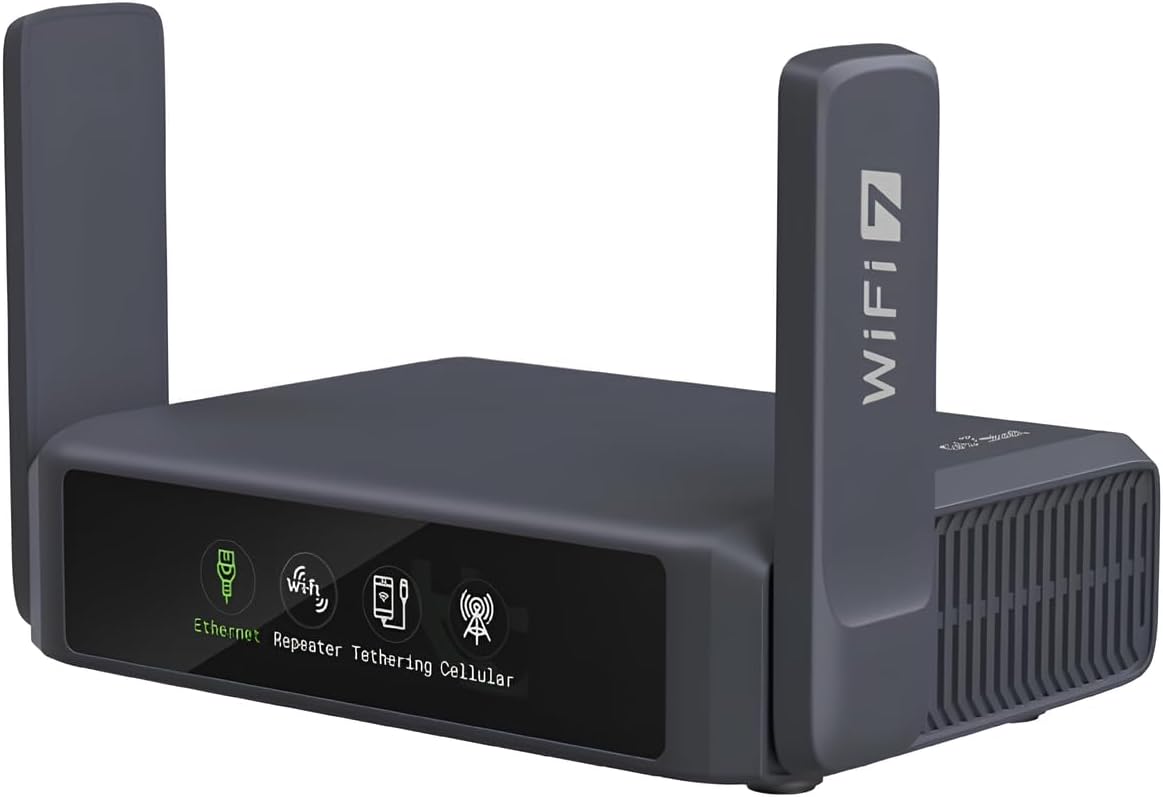
The GL.iNet Slate 7 stands out through its combination of Wi-Fi 7, a color touchscreen, 2.5G Ethernet, and OpenWrt-based VPN functionality. Its 4.4 rating is solid, and the product data lists dual-band wireless speeds of 688 Mbps and 2882 Mbps, along with one 2.5G WAN and one 2.5G LAN port.
We may earn a commission when you buy through this link, at no additional cost to you.
The touchscreen is a meaningful convenience for travel. It can scan QR codes for Wi-Fi access, display live speed, toggle VPN status, and switch providers directly from the screen. OpenVPN and WireGuard are pre-installed for compatibility with more than 30 providers. Unlike many compact routers, it can also operate a VPN client and server simultaneously, improving its usefulness for remote access to local resources.
The listed OpenVPN maximum of 100 Mbps is the lowest among the GL.iNet VPN options here, while WireGuard reaches 540 Mbps. It also has only one LAN port, so a larger site will need a switch. The 512MB storage figure is lower than the storage cited for some competing GL.iNet models, which may limit heavier package or NAS workloads.
Choose the Slate 7 for travelers, small offices, and creative professionals who want a modern, visually simple interface without giving up OpenWrt flexibility. It is particularly effective when VPN management happens frequently or when QR-code access is valuable. For a conventional office with many wired endpoints, a three-port wired gateway may be easier to integrate.
The color display puts connection status, speed information, provider selection, and VPN toggles close at hand. This reduces the learning curve for occasional users while preserving the deeper controls available through the administration interface.
Simultaneous VPN client and server operation lets administrators combine a protected internet route with access to local printers, web servers, or other resources. It is a practical advantage for temporary offices and branch-style arrangements.
We may earn a commission when you buy through this link, at no additional cost to you.
The GL.iNet Brume 2 is a dedicated wired VPN security gateway rather than a combined router and Wi-Fi system. Its 4.4 rating reflects a favorable reception, while its key attraction is a 2.5G WAN port paired with OpenVPN and WireGuard support. The product data also confirms support for VPN cascading and more than 30 VPN service providers.
We may earn a commission when you buy through this link, at no additional cost to you.
This focused design is useful for administrators who already have separate Wi-Fi equipment. The router can protect the internet connection for wired devices, connect to a remote site, and operate as a VPN server so authorized users can reach local files or applications. Cloudflare encryption and IPv6 support add privacy features, while an 8GB eMMC provides onboard storage for packages and local data.
The lack of Wi-Fi is the defining limitation. Every connected device needs a wired connection or a separate access point, so this is not a convenient all-in-one solution for a small home. There is also only one Gigabit LAN port, which limits direct wired expansion. The listed VPN speeds—150 Mbps for OpenVPN and 355 Mbps for WireGuard—are suitable for typical administrative traffic but not the fastest in the category.
The Brume 2 is ideal for a small branch with managed switches, a server room, a home office that already has a mesh network, or a site requiring a dedicated VPN endpoint. It is especially relevant when remote staff need to reach local resources while internet traffic is also routed through a VPN client. Those priorities explain why its compact, wireless-free design can be an advantage rather than a drawback.
Using the Brume 2 as a dedicated gateway prevents VPN and routing duties from being tied to the access point. This can simplify network design when a business already relies on quality Wi-Fi equipment.
VPN server and client operation at the same time allows a remote user to access local network resources while remaining connected through a protected internet path. The configuration is well suited to home offices that expose internal applications.
We may earn a commission when you buy through this link, at no additional cost to you.
The GL.iNet Flint 2 is the performance-focused choice in this roundup, combining Wi-Fi 6, dual 2.5G Ethernet ports, and very high listed VPN throughput. Its 4.5 rating places it alongside the Beryl AX among the strongest-reviewed products. The router is designed for users who want a powerful VPN endpoint without giving up modern wireless networking.
We may earn a commission when you buy through this link, at no additional cost to you.
The supplied specifications list WireGuard performance up to 900 Mbps and OpenVPN performance up to 880 Mbps. It also includes 1GB of DDR4 memory, 8GB of eMMC storage, eight-stream Wi-Fi 6, MU-MIMO, OFDMA, and support for more than 100 devices. AdGuard Home is supported, while OpenWrt-based customization allows additional packages and routing tools.
The product data advises updating the firmware during initial setup to improve performance and the overall experience. That is a sensible step but adds a setup requirement compared with simpler routers. Although it has two 2.5G ports, the product description does not specify how many are configurable as WAN, so buyers with multiple WAN or multi-gigabit LAN requirements should verify the exact port configuration before ordering.
The Flint 2 is a strong match for power users, gamers, developers, and small offices that handle large files or many concurrent connections. It is also appealing when one device must perform VPN, routing, wireless, DNS filtering, and plugin-based services. For a traveler needing something pocket-sized, the Beryl AX or Slate AX is more portable, but for stationary performance the Flint 2 is difficult to overlook.
Hardware resources and listed VPN throughput make the Flint 2 more appropriate for large transfers and busy networks. The performance claims are most relevant when the internet service, remote VPN server, and local equipment can all support those rates.
The combination of Wi-Fi 6, AdGuard Home, VPN services, and OpenWrt package support reduces the need for separate DNS and filtering tools. It is a versatile platform for users who want fine control without a complex rack of devices.
We may earn a commission when you buy through this link, at no additional cost to you.
The GL.iNet Mudi 7 is the most connectivity-rich model in the guide, combining tri-band Wi-Fi 7, 5G cellular service, eSIM support, dual nano-SIM slots, and a 2.5G Ethernet port. It carries a 4.4 rating and is designed for professionals who need a secure, self-contained network in places where conventional internet access is unreliable.
We may earn a commission when you buy through this link, at no additional cost to you.
Its Qualcomm Dragonwing MBB Gen 3 X72 platform is listed as supporting 5G downloads up to 4.67 Gbps. The wireless system offers 2.4GHz, 5GHz, and 6GHz bands and supports up to 64 devices. A 10 Gbps USB-C port supports tethering, storage, and external NAS synchronization, while the 2.5G Ethernet port provides wired backhaul.
The most significant feature is the quad-path multi-WAN system. Ethernet, Wi-Fi repeater, USB tethering, and 5G cellular can operate together, with traffic rerouting if a link fails. The built-in 5150mAh battery is listed for up to 13.5 hours of untethered use and supports 30W PD/PPS charging. Cellular plans, compatible SIMs, coverage, and carrier terms remain external requirements.
The Mudi 7 is best suited to mobile workgroups, pop-up businesses, field teams, media operations, and remote workers who cannot depend on a single broadband link. Its VPN client and server functions support private access, while the touchscreen makes cellular and VPN changes accessible without immediately opening the administration panel. The complexity and size are justified when cellular failover is essential rather than merely convenient.
Running several uplink types at once is valuable for temporary offices where a wired connection may fail or cellular coverage may be needed. Automatic failover reduces the interruption that a single unavailable link could cause.
The built-in eSIM and two physical nano-SIM positions offer several ways to manage regional and international connectivity. QR-code top-up support and touchscreen switching make the device convenient for frequently changing work locations.
We may earn a commission when you buy through this link, at no additional cost to you.
The GL.iNet Brume 3 is the premium choice for administrators who need a dedicated, high-performance VPN gateway. It has a 4.4 rating, a three-port 2.5GbE design, and listed VPN throughput up to 1100 Mbps using hardware-accelerated WireGuard and OpenVPN-DCO. That makes it substantially more oriented toward demanding site-to-site networking than the basic travel models.
We may earn a commission when you buy through this link, at no additional cost to you.
Every Ethernet port operates at 2.5Gbps and supports flexible WAN/LAN configuration. The router can use dual-ISP multi-WAN with failover, which is useful for a business that cannot tolerate a single provider or uplink failure. OpenWrt, 1GB of DDR4 memory, 8GB of eMMC, and USB 3.0 Type-C support expansion with storage or 4G/5G dongles.
Advanced privacy and traffic-management tools distinguish it from simpler gateways. VPN obfuscation can disguise VPN traffic as regular HTTPS, while Deep Packet Inspection provides visual controls for unwanted categories of sites. SQM and QoS can prioritize gaming, calls, and video when available bandwidth is limited. These features also make the setup more advanced, so the router is less attractive to a user who wants factory defaults and no tuning.
The Brume 3 is best for a growing home office, a professional studio, a small branch, or a remote-access endpoint that moves large files and needs resilient connectivity. Its lack of Wi-Fi is intentional for a dedicated gateway role and works well alongside a separate access point. It is the strongest premium pick when throughput, multi-WAN reliability, and advanced traffic control justify a more hands-on configuration.
Flexible port assignment and dual-ISP failover allow a site to maintain connectivity when one uplink fails. This is especially valuable for remote workers whose access to a primary network may be inconsistent.
VPN traffic obfuscation can help the connection remain usable on networks that attempt to detect or block ordinary VPN protocols. It is a targeted feature for administrators working across varied and sometimes restrictive environments.
We may earn a commission when you buy through this link, at no additional cost to you.
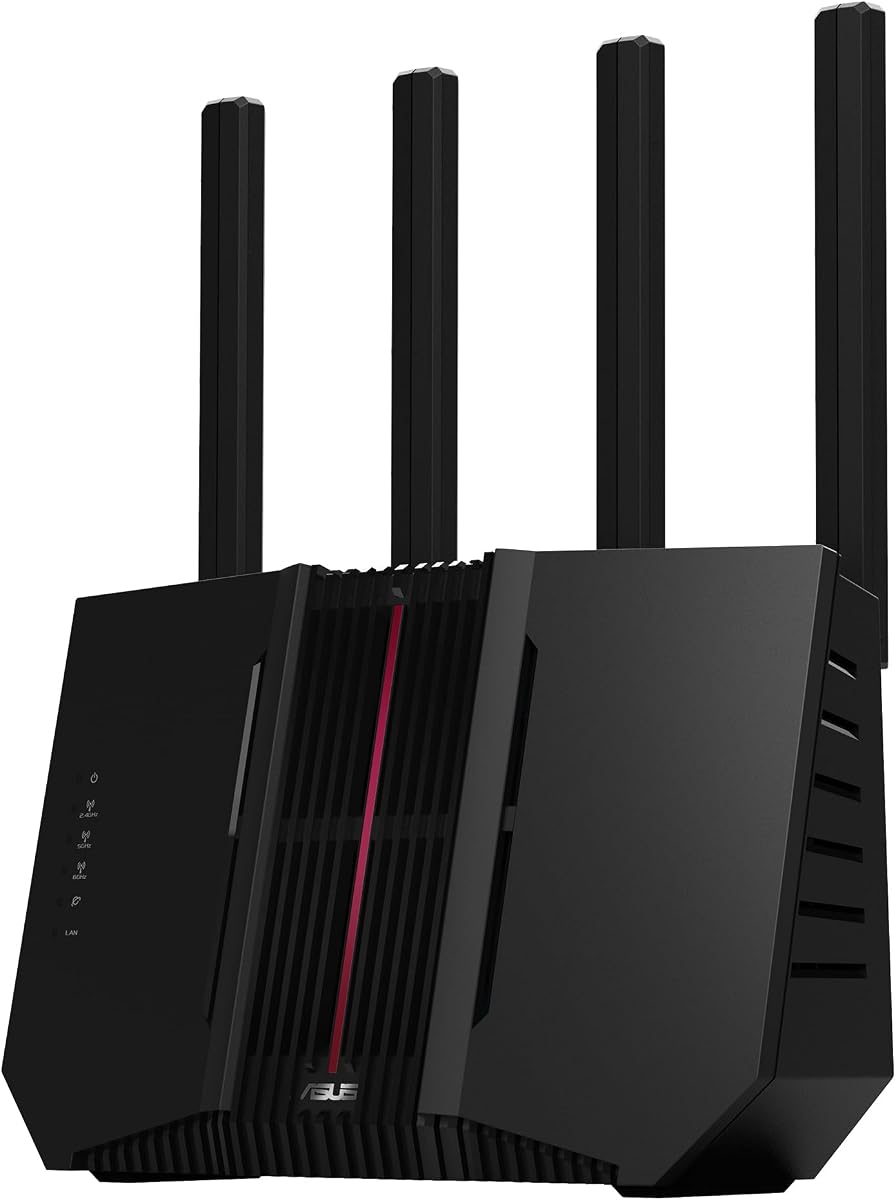
The ASUS RT-BE9700 is a high-end Wi-Fi 7 home router with advanced site-to-site VPN capabilities and extensive mesh networking support. Its 3.9 rating is the lowest in the group, so it does not lead on overall user satisfaction, but the underlying specifications target modern homes with demanding wireless and wired connections.
We may earn a commission when you buy through this link, at no additional cost to you.
The router supports 802.11be, 320MHz channels in the 6GHz band, and 4096-QAM, with a stated maximum speed of 9700 Mbps. Multi-Link Operation allows devices to use multiple bands simultaneously for stability and efficiency. Versatile WAN configuration, AI WAN detection, and a USB port ready for 4G LTE or 5G mobile tethering broaden its connectivity options.
Site-to-site VPN support makes it relevant to home-based professionals who need to connect to a company network. Instant Guard provides a separate mobile-app approach for securing access over public Wi-Fi. ASUS Network Security and AiMesh Extendable Network support add security and whole-home roaming functions. However, the specification does not list the same protocol breadth or hardware VPN throughput figures provided for the dedicated GL.iNet gateways.
The RT-BE9700 is best for a high-end home that needs very fast Wi-Fi 7, mesh expansion, and a company connection from a residential location. It is less suitable for a small office whose main priority is a cost-effective dedicated VPN server or a traveler seeking a compact device. Its value comes from combining premium home networking with site-to-site access rather than specializing only in VPN performance.
Tri-band Wi-Fi 7, Multi-Link Operation, and AiMesh roaming make the RT-BE9700 a strong central platform for a modern residence. It is particularly relevant to homes with many high-bandwidth devices and several coverage areas.
Advanced site-to-site VPN and public-Wi-Fi protection let a home-based professional reach company resources while away from the immediate home network. The goal is convenient secure access without assembling a separate VPN appliance.
We may earn a commission when you buy through this link, at no additional cost to you.
A site-to-site VPN router should be selected by considering protocol support, processing capacity, physical ports, network roles, wireless needs, and administration requirements. The best unit is the one that securely links the intended locations without creating bottlenecks elsewhere in the network.
A true site-to-site setup normally requires each router to act as a VPN server, a VPN client, or both. Buying a client-only travel router for a site that must initiate outbound tunnels is a common mistake. Products such as the Beryl AX, Slate 7, Brume 2, and Brume 3 explicitly support simultaneous client and server operation, allowing a remote user to reach local resources while the internet path is also protected.
The protocol list should match the systems at the remote end. OpenVPN and WireGuard are common in modern GL.iNet devices, while the TP-Link ER605 also supports IPsec, L2TP, and PPTP. The listed GL.iNet compatibility with more than 30 providers usually means that a supported provider's account and configuration can be imported rather than manually constructing every tunnel. An active provider subscription is still required where the product information says so.
Maximum VPN speed figures are useful only as comparative indicators because internet speed, server distance, encryption overhead, and local hardware all affect results. The Beryl AX lists 300 Mbps over WireGuard, the Slate 7 reaches 540 Mbps, the Flint 2 reaches 900 Mbps, and the Brume 3 reaches 1100 Mbps. A lower-performing router may still be sufficient for administration and browsing, while large file transfers and busy branches benefit from hardware acceleration.
Port count determines how many devices and WAN links can be connected without a switch, while port speed determines whether a multi-gigabit internet service is fully utilized. The ER605 provides five Gigabit ports, the Brume 3 provides three 2.5GbE ports, and the Beryl AX pairs a 2.5G WAN with one Gigabit LAN. Check whether ports are fixed or configurable as WAN and LAN, especially when multi-WAN or failover is required.
A site-to-site router may also need to provide Wi-Fi, especially at a temporary office or home-based endpoint. Wi-Fi 6 models such as the Beryl AX, Slate AX, and Flint 2 offer more current wireless capabilities than the AC1200 Opal. The Slate AX states support for up to 120 connected devices, while the Mudi 7 lists up to 64. These figures describe capacity, not guaranteed performance in every environment.
Site-to-site connectivity becomes more resilient when the router can combine broadband, cellular, or another uplink. The ER605 supports multiple WAN ports and USB 4G/3G backup, the Brume 3 supports dual-ISP multi-WAN with failover, and the Mudi 7 can combine Ethernet, repeater, USB tethering, and 5G cellular. The complexity and cost of secondary connections should be weighed against how costly an outage would be.
A router that carries sensitive traffic should include a strong firewall, updated firmware, DNS privacy functions, and traffic controls. The ER605 provides IP, MAC, and URL filtering plus denial-of-service defense. Several GL.iNet models support DNS over HTTPS, DNS over TLS, IPv6, AdGuard Home, Cloudflare encryption, or Deep Packet Inspection. These tools are useful, but they should supplement secure passwords, careful account permissions, and current firmware.
OpenWrt gives technically capable users access to packages, routing controls, and services that are unavailable on locked-down router interfaces. The Beryl AX, Slate AX, Slate 7, Flint 2, Brume 3, and Mudi 7 are positioned as customizable platforms. This flexibility is valuable for a network specialist, but it can make initial configuration more involved than a router with a simple business dashboard. More customization also means greater responsibility for updates and security.
Begin by documenting the two networks that need to connect, including their private address ranges, local services, internet gateway, and intended tunnel direction. Update the router's firmware before configuring it, especially for models whose product information specifically recommends an initial update. Connect one site to the internet, configure its WAN or upstream connection, and make sure basic LAN addressing and DNS work before adding a VPN tunnel.
Install the VPN client or server settings with the same protocol and compatible parameters on both ends. Where supported, import the provider's configuration file and enter the required account credentials. For simultaneous client-and-server models, create separate roles and verify the routes so VPN traffic does not loop or accidentally pass through the wrong interface. Test the tunnel from a client on each side, then test remote access to only the services that should be reachable.
For a travel router, use a physical toggle only after assigning its function in the administration panel, because the supplied instructions state that its default setting has no assigned action. Keep firmware current, use strong wireless credentials, restrict remote-management access, and maintain separate administrator credentials. When moving a portable unit, disconnect the WAN or upstream lead, power it down cleanly, and store it in a protected case; for cellular equipment, review roaming, coverage, and data-plan requirements before departure.
Usually, yes. In a conventional two-site tunnel, one router initiates the connection and the other accepts it, so the pair must have compatible client and server roles. Some products can perform both simultaneously, which is helpful when remote users need to access local services while the site also maintains a protected internet connection. Confirm the exact role requirements of both locations before purchasing.
A site-to-site VPN connects two networks as though they are linked through an encrypted tunnel. A remote-access VPN usually connects an individual device to a company network. Several travel routers in this guide support remote client use particularly well, but that alone does not guarantee complete two-network site-to-site capability.
WireGuard is generally efficient and modern, while OpenVPN has broad compatibility and a long history of business deployment. The right choice depends on the remote endpoint, existing provider, administrative experience, and required throughput. Models advertising both protocols provide more flexibility, but the highest listed speed for one protocol does not guarantee identical results in the field.
Yes, when its capacity and ports meet the office's needs. The Beryl AX, Slate AX, Slate 7, and Mudi 7 provide combinations of Wi-Fi, VPN, and multi-gigabit connectivity suited to temporary or small locations. A larger branch with many wired devices may be better served by a wired gateway or a full-size router with more ports and enterprise-oriented management.
A router-level VPN can protect traffic from devices that route through its tunnel, which makes it more comprehensive than installing a VPN application on one device. Protection still depends on correct routing, DNS configuration, firewall rules, and the remote endpoint. Local services exposed to the tunnel should also be secured with appropriate authentication and access controls.
VPN cascading lets the router act as a VPN client and server at the same time. This can protect the site's internet traffic while also allowing authorized remote users to reach selected local resources, such as printers or internal web servers. It is especially useful for a small branch or home office that needs both private upstream connectivity and controlled inbound access.
Only when the underlying internet service, remote site, local devices, and intended file-transfer speeds justify it. A Gigabit connection remains practical for browsing, administration, and typical office traffic. Multi-gigabit ports are more valuable for large file transfers, fast local networks, or links that would otherwise be limited by the router's uplink.
Update the firmware, change default administrative credentials, use WPA3 or another strong wireless security setting, and connect through the router's VPN client before handling sensitive work. Avoid exposing the router's administration interface to the public network. Travel routers with repeater mode and a physical VPN switch make this process more convenient, but the remote endpoint and local firewall still matter.
The GL.iNet Beryl AX is the best overall choice because it combines Wi-Fi 6, a 2.5G WAN, OpenWrt, and simultaneous VPN client and server operation in a travel-friendly design. The TP-Link ER605 is the best budget option for a conventional wired office, while the GL.iNet Brume 3 is the premium pick for administrators prioritizing high VPN throughput, three 2.5GbE ports, and multi-WAN resilience.
Prioritize the requirements of the actual connection rather than wireless headline speed alone. Confirm server and client roles, matching VPN protocols, port configuration, WAN requirements, and expected throughput. A dedicated wired gateway is usually more appropriate for a fixed office, while a compact travel router is better for a mobile user who must connect through unfamiliar networks.
Product specifications, ratings, availability, and prices can change, so check the current listing and documentation before purchasing. The exact configuration also matters: firmware updates, provider subscriptions, compatible cellular equipment, and local network addressing can determine whether a router fulfills the intended site-to-site role.