10Gtek X540-10G-2T
4.1Editor score
Two 10GbE RJ45 ports
Intel X540 controller
Storage networking support
This 10GB Ethernet Card guide compares ten PCIe, SFP+, USB-C, and dual-RJ45 options for speed, compatibility, and features.
A 10GB Ethernet card adds a fast wired connection to a desktop, workstation, server, or compatible laptop when built-in networking cannot keep pace. The right choice depends on PCIe slot availability, copper or fiber networking, supported operating systems, and whether one or two network ports are needed.
This guide compares ten 10GB Ethernet cards using the specifications and features listed in their product information. It covers single-port and dual-port PCIe adapters, SFP+ fiber options, modern multi-gig controllers, and a USB-C alternative for systems without an available expansion slot.
Each review explains the strongest benefits, practical limitations, and ideal users for every model. Product configurations and compatibility details can change, so readers should verify the current system requirements, included accessories, and availability of supporting network equipment before purchasing.
4.1Editor score

4.2Editor score

4.6Editor score
The comparison below highlights controller type, port configuration, interface, and operating-system support, helping readers identify the adapter that best fits their networking hardware.


The TP-Link TX401 is a single-port PCIe 10GB Ethernet card built around 10GBase-T connectivity. Its 4.2 rating reflects a generally capable adapter that combines broad speed compatibility with useful installation features. For a desktop that needs a dependable wired upgrade and does not require two simultaneous 10GbE links, it is one of the most balanced options in this roundup.
We may earn a commission when you buy through this link, at no additional cost to you.
Its standout advantage is backward-compatible operation at 10, 5, 2.5, 1, and 100 Mbps, with automatic negotiation between available rates. That flexibility lets the card work with a 2.5GbE router today while remaining ready for a 10GbE switch later. QoS support can prioritize gaming traffic, and the included 1.5-meter CAT6A cable removes the uncertainty of choosing an appropriate copper connection for a 10Gbps installation.
TP-Link also supplies standard and low-profile brackets, making the card more adaptable to different desktop cases. Listed operating-system support includes Windows 10, 8.1, 8, and 7, several Windows Server releases, and Linux. The main limitation is that there is only one RJ45 port, so users who need link aggregation, dual independent networks, or separate traffic paths will need a more specialized card.
The TX401 is best for gamers, creative workstations, home-lab builders, and ordinary desktops seeking a straightforward multi-gig upgrade. Its broad compatibility, included cable, and two bracket options make setup easier for many users. Choose it when one well-supported 10GbE connection matters more than dual-port flexibility.
The card's support for several lower rates means it can connect successfully to existing routers, switches, and NAS systems without forcing a 10GbE upgrade across the entire network.
The included CAT6A cable and choice of full-height and low-profile brackets address two common setup problems: cable suitability and case clearance.
We may earn a commission when you buy through this link, at no additional cost to you.
The VIMIN 10G PCI-E Network Card is a dual-RJ45 adapter built around the Intel X540-T2 controller. Its 4.5 rating is the strongest among the general-purpose PCIe models in this guide, reflecting a feature set aimed at servers, high-end desktops, and systems that need more than one 10Gbps copper connection.
We may earn a commission when you buy through this link, at no additional cost to you.
Two 10Gbps RJ45 ports distinguish this model from most single-port competitors. The card is designed for server and workstation environments and supports Windows, Windows Server, Linux, and VMware. It fits conventional PCI Express x8 and x16 slots, while the included standard and slim brackets help it fit different case formats. A heat sink is provided for sustained heavy operation.
The important compromise is speed negotiation. Although each port can deliver up to 10Gbps, the product information explicitly states that 2.5Gbps and 5Gbps are not supported. With a lower-speed partner device, the card will operate at 1Gbps rather than finding an intermediate rate. This makes the model less flexible than adapters supporting the full 10/5/2.5/1/100 Mbps range.
This VIMIN card is well suited to users with two compatible 10GbE switches or endpoints, especially those running storage, virtualization, or server workloads. It is less appropriate for a mixed-speed home network or a buyer who wants graceful 2.5GbE fallback. For a purpose-built 10G installation, however, its dual ports and strong rating make it an attractive choice.
Separate 10GbE ports can support isolated networks, redundant paths, or simultaneous storage and general-purpose traffic when the surrounding infrastructure is configured appropriately.
The built-in heat sink is relevant for servers and workstations that may transfer data continuously, where stable component temperatures support consistent operation.
We may earn a commission when you buy through this link, at no additional cost to you.
The Asus NADACA0140 is a straightforward PCIe adapter for bringing 10Gbps copper networking to a compatible desktop. It has a 4.1 rating and a specification profile centered on broad compatibility rather than dual ports, specialized server features, or fiber support.
We may earn a commission when you buy through this link, at no additional cost to you.
The card supports 10, 5, 2.5, 1Gbps, and 100Mbps, making it one of the strongest choices for mixed infrastructure. Its RJ45 connection uses standard copper network cables, so an existing home or office network can be upgraded without adopting SFP+ modules. Built-in QoS allows selected data packets and bandwidth-hungry activities to receive priority.
Operating-system support is listed for Windows 10, 8.1, 8, and 7, Linux Kernel 4.4, 4.2, 3.6, and 3.2. Buyers should confirm that their particular driver and kernel combination remains supported, especially in older or specialized environments. The supplied information does not mention an Ethernet cable, so the appropriate category of cable should be considered separately.
This adapter is a good match for a desktop, home lab, or small workstation that benefits from a faster connection to a NAS, switch, or router. It is especially useful when the rest of the network may only support slower rates today. The recommendation depends on one-port simplicity and broad negotiation rather than the ability to aggregate or segment two 10GbE links.
Supporting the complete range of listed multi-gig rates lets the card operate with current infrastructure while preserving a clear upgrade path to 10Gbps.
QoS can help preserve responsiveness during congestion by giving important streams or supported traffic classes higher priority.
We may earn a commission when you buy through this link, at no additional cost to you.
The 10Gtek X540-10G-2T is a dual-port 10GbE adapter designed for servers, desktops, and virtualization environments. Its original Intel X540 controller provides intelligent offloads, while the card's 4.1 rating indicates a capable option for buyers who want two 10Gbps RJ45 connections at a more budget-oriented position in the roundup.
We may earn a commission when you buy through this link, at no additional cost to you.
Both copper ports can use Category 6A cabling over distances up to 100 meters, while Category 6 is supported up to 55 meters. The card works in PCI Express x8 and x16 slots and includes both a profile bracket and a low-profile bracket for compact systems. Its listed storage support includes iSCSI, FCoE, and NFS, making it relevant to storage-oriented server configurations.
Compatibility is broad, covering multiple Windows Server and desktop releases, Linux, ESX, and ESXi. The caveat is important: Windows 11 compatibility exists, but the product information says it requires manual setup and advises buyers to request an installation guide. The card also does not support hot swapping, which can matter in managed data-center environments.
The 10Gtek model is a compelling choice for a home lab, entry server, or workstation that needs two 10GbE links and a recognizable Intel controller without moving to a Synology-specific card. It is less convenient for a completely plug-and-play Windows 11 build, but its dual ports, storage-protocol support, and included low-profile bracket make it versatile for technical users.
Support for iSCSI, FCoE, and NFS makes the adapter more relevant to storage server setups than a basic desktop Ethernet card.
The original Intel X540 controller is intended to improve server stability through intelligent offload functions, particularly during demanding network operations.
We may earn a commission when you buy through this link, at no additional cost to you.
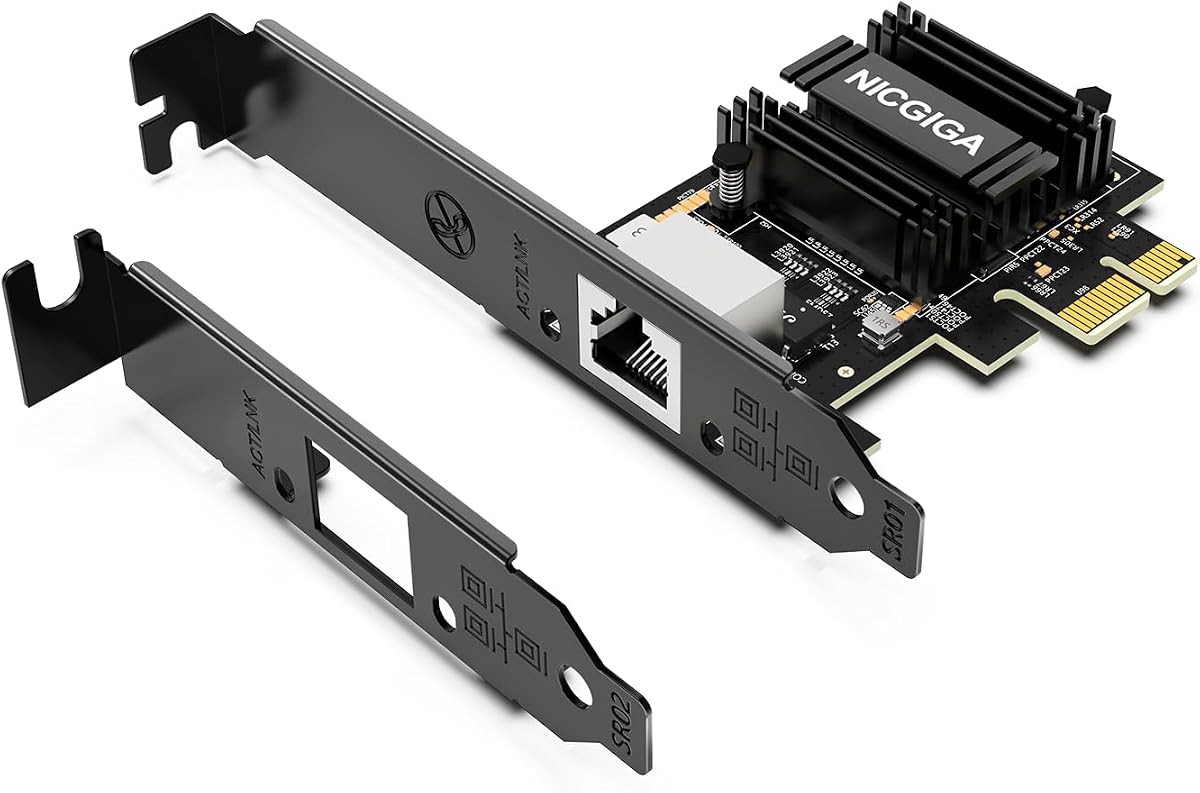
The NICGIGA RTL8127 is a compact single-port 10GbE adapter designed for modern desktops, Mini PCs, ITX systems, and small workstations. It carries a 4.3 rating and stands out for its PCIe 4.0 x1 interface, which can provide 10GbE connectivity without requiring a wide x16 slot.
We may earn a commission when you buy through this link, at no additional cost to you.
The card fits PCIe x1, x4, x8, and x16 slots, offering unusual placement flexibility. It supports 10, 5, 2.5, 1Gbps, and 100Mbps with automatic negotiation. Standard Cat6a, Cat7, or quality Cat6 cabling is supported, and Wake-on-LAN is available. Full-height and low-profile brackets are included, helping the card fit compact and conventional cases.
Its operating-system support includes Windows 11 and 10, Windows Server 2019 and 2022, and modern Linux distributions using Kernel 6.x or later. Older Linux Kernel 5.x systems can use drivers from the Realtek source code, which may require additional configuration. It is designed for PCIe slots rather than legacy PCI slots, an important distinction for older platforms.
The RTL8127 controller is presented as an efficient alternative to older 10GbE chips, consuming less power and generating less heat. That makes the NICGIGA a good fit for compact systems that cannot accommodate a physically large, power-hungry adapter. It is especially attractive for NAS access, gaming, home labs, and 4K editing where a single fast link is sufficient.
The x1 interface makes 10GbE practical in systems where a full-size card would obstruct other components or compete for unnecessary expansion lanes.
Lower power consumption and reduced heat output can be valuable in compact systems that run continuously and have limited cooling options.
We may earn a commission when you buy through this link, at no additional cost to you.
The VunLink RTL8127AT is a modern PCIe 4.0 x1 adapter aimed at NAS systems, servers, workstations, gaming PCs, and home labs. Its 4.3 rating aligns it with the other efficient RTL8127-based options, while its compact interface and broad link-rate support make it versatile across different types of user hardware.
We may earn a commission when you buy through this link, at no additional cost to you.
The card supports 10, 5, 2.5, 1Gbps, and 100Mbps, automatically negotiating with connected infrastructure. It fits x1, x4, x8, and x16 slots, and both standard and low-profile brackets are included. The stated use cases include NAS access, cloud storage, media editing, high-speed file transfers, gaming, and local data movement.
Windows 10 and 11, Windows Server, and mainstream Linux systems are supported. The product information appropriately notes that drivers may be required and that compatibility with particular NAS platforms, virtualization environments, and Linux distributions can vary. For a large or specialized installation, checking the exact operating-system version and kernel is wiser than assuming every environment behaves identically.
The RTL8127AT controller is engineered for lower power consumption and reduced heat compared with traditional 10GbE solutions. That efficiency makes this a sensible general-purpose option for compact or continuously operating systems. It is best for users who want one flexible 10GbE connection and broad operating-system flexibility rather than dual ports or fiber connectivity.
A single fast RJ45 connection can reduce bottlenecks when a NAS is used for large backups, media libraries, and shared project files over a suitably fast network.
Compatibility with x1 through x16 physical slots makes the card easier to use in workstations, servers, and compact builds with different expansion layouts.
We may earn a commission when you buy through this link, at no additional cost to you.
The Asus XG-C100F is a PCIe SFP+ network card for users who need more flexibility than a standard RJ45 adapter provides. Its 4.3 rating and feature set target high-performance networking, longer fiber runs, direct-attach copper connections, and systems that can benefit from QoS traffic prioritization.
We may earn a commission when you buy through this link, at no additional cost to you.
The central advantage is the SFP+ cage. It accepts compatible fiber-optic or direct-attach copper connections, allowing the physical network medium to suit the deployment. Fiber can extend network distance beyond the reach of ordinary copper Ethernet, while a compatible direct-attach copper option can simplify short server or switch connections.
The card uses a PCIe 2.0/3.0 x4 interface and includes a built-in aluminum heatsink for heat dissipation during demanding workloads. Its listed operating range is 0 to 40 degrees Celsius, with a storage range of minus 40 to 60 degrees Celsius. QoS is built in, allowing important streams or games to receive bandwidth priority.
This is an excellent choice for a knowledgeable builder or organization that already has SFP+ switches, transceivers, and compatible patch cables. It is less convenient for a typical home user because the card is not a direct RJ45 solution and compatible modules are additional requirements. The recommendation is strongest when infrastructure flexibility, fiber distance, or direct-attach copper options matter more than simple plug-in convenience.
The SFP+ cage supports both optical and direct-attach copper approaches, allowing administrators to align the connection method with distance, installation, and infrastructure needs.
The integrated aluminum heatsink helps dissipate heat, which is useful in compact systems and environments where sustained data transfer is expected.
We may earn a commission when you buy through this link, at no additional cost to you.
The Synology E10G30-T2 is a premium, purpose-built 10GbE expansion card for compatible Synology systems. Its 4.6 rating is the highest in this roundup, and the product is specifically oriented toward high-performance storage applications rather than general-purpose desktop upgrades.
We may earn a commission when you buy through this link, at no additional cost to you.
Two 10GbE RJ45 ports allow compatible Synology hardware to gain high-speed wired connectivity for storage-intensive services and workflows. The card automatically negotiates between 10Gbps and 1Gbps, providing a practical path to use it with different supported network infrastructure. Its PCIe design and Synology-specific construction distinguish it from generic server adapters.
Compatibility is the central limitation. The product is intended for supported Synology systems and requires DSM 7.1.1-42962 Update 5 or later. Buyers should consult the current Synology compatibility list before purchasing, because the adapter may not work with every model or expansion configuration. Its five-year warranty also makes it a more specialized purchase than a universal desktop card.
This is the premium recommendation for a compatible Synology owner who wants two dedicated 10GbE connections and values vendor-specific integration and warranty coverage. It is not the right choice for a generic PC, because the added features are meaningful only within the intended ecosystem. For its intended use, it is one of the clearest specialist selections available.
Two 10GbE ports can give compatible Synology systems additional high-speed paths for demanding storage access, depending on the model, configuration, and networking design.
Purpose-built construction and a five-year warranty can offer greater reassurance to Synology users than an unsupported generic expansion card.
We may earn a commission when you buy through this link, at no additional cost to you.
The TRENDnet TEG-10GECTX is a single-port PCIe adapter that combines multi-gig performance with broad operating-system support and procurement-oriented features. Its 4.1 rating makes it a solid general-purpose option for a desktop, server, or professional workstation that needs an RJ45-based 10GbE connection.
We may earn a commission when you buy through this link, at no additional cost to you.
The card supports 10, 5, 2.5, 1Gbps, and 100Mbps and can be installed in a PCIe 3.0 x4 slot. Its 2.5GBASE-T implementation supports 2.5 and 5Gbps over suitable standard Cat5e cabling at distances up to 100 meters, though appropriate cabling and compatible network equipment remain necessary for higher 10GbE performance. LED indicators provide basic visible link and activity feedback.
A notable distinction is its NDAA and TAA compliance, which can matter to government customers in the United States and Canada. The product is also listed for Windows, Windows Server, and several current and older Windows releases. TRENDnet includes both standard and low-profile brackets and backs the adapter with three years of manufacturer protection.
The TEG-10GECTX is most compelling for organizations that value multi-speed support, documented standards, and procurement compliance, as well as home builders wanting a simple single-port card. It does not offer the dual-port convenience of the VIMIN, 10Gtek, or Synology models, but its broad flexibility and bracket options make it an adaptable choice for many conventional PCs.
Support for 2.5 and 5Gbps over suitable Cat5e can make high-speed networking more accessible when installing entirely new cable is inconvenient.
IEEE-standard support and government-focused compliance make the adapter more relevant for formal organizational procurement than a basic consumer card.
We may earn a commission when you buy through this link, at no additional cost to you.
The Cable Matters USB-C to 10Gb Ethernet Adapter is the only USB-based product in this guide, offering a different solution to the PCIe cards. It is intended for laptops, compact workstations, and systems without a convenient internal expansion slot. Its 3.9 rating is the lowest here, but that does not reflect an inherently poor design; it reflects a product whose performance depends heavily on the host connection.
We may earn a commission when you buy through this link, at no additional cost to you.
The adapter uses the Realtek RTL8159 USB 10G controller and supports 10, 5, 2.5, 1G, and 100M auto-negotiation. For full 10GbE potential, the product information recommends USB 3.2 Gen 2×2 with 20Gbps bandwidth or a faster host connection. It also works with Thunderbolt 3, 4, and 5 and USB4 devices.
Real-world speed varies by platform. The supplied information states that Windows throughput is typically around 7Gbps depending on the setup, while macOS may report a 5Gb link and achieve around 5Gbps. A host USB controller, operating-system behavior, connected equipment, and test method can therefore all affect results. Plug-and-play operation is expected on current macOS and Windows, though some Linux kernels may need the latest driver.
This adapter is a strong choice for a portable workstation or a MacBook that needs multi-gig networking without installing an internal card. It is less suitable as a guaranteed maximum-speed solution when the host only provides a slower USB connection. For users prioritizing portability and convenience, its aluminum housing, braided pigtail, heat sink, and broad device compatibility compensate for the unavoidable dependence on host hardware.
USB-C connectivity avoids internal PCIe installation, making 10GbE practical for laptops, docks, and mobile workstations.
A 10Gbps theoretical link does not guarantee identical transfer results because the USB controller, operating system, Mac model, cable, and network equipment all influence throughput.
We may earn a commission when you buy through this link, at no additional cost to you.
A useful 10GB Ethernet card must fit the host hardware, negotiate with the connected network, and support the workloads that justify a faster connection. The following factors help narrow the field before installation.
Choose a card that physically fits, then confirm its lane requirements.
Use copper for simplicity; use SFP+ when fiber or module flexibility is essential.
Prefer broad multi-speed support unless every connected device is 10GbE.
Choose one port for a simple desktop upgrade and two for advanced or redundant networking.
Match the controller, drivers, operating system, and kernel before purchasing.
Match cable category and length to the intended link speed and distance.
Prioritize features that directly support your operating environment and workload.
Account for cooling and case clearance before selecting the final adapter.
Begin by shutting down and disconnecting the computer's power, then open the case and identify a compatible PCIe slot. Install the card firmly into the appropriate slot, attach the bracket that matches the chassis, and connect the operating system to the new hardware. The exact driver process depends on the controller and platform, so use the manufacturer's current instructions rather than assuming every 10GbE card follows the same sequence.
Connect a suitable Ethernet cable between the adapter and a compatible switch, router, or NAS. The network endpoint must support the desired speed, and the cable must meet the requirements of that speed and distance. Allow auto-negotiation to establish a link, then confirm the negotiated rate in the operating system's network status panel. If the link is slower than expected, inspect the cable, switch port, remote device, and any intermediate network equipment.
For fiber or SFP+ installations, handle modules and fiber connectors carefully, keep protective covers in place when ports are unused, and avoid looking into an active fiber connection. For a USB-C adapter, connect it directly to a suitable high-bandwidth port, update the host operating system, and install the latest driver if throughput is reduced. Monitor adapter temperature and network activity under sustained load, and avoid leaving unused ports exposed to dust or physical damage.
A 10GB Ethernet card can negotiate a link of up to 10Gbps, while a typical 1GbE card tops out at 1Gbps. The faster card can be valuable for large NAS transfers, media editing, virtual machines, server storage, and other workloads that saturate a gigabit connection. Actual transfer speed still depends on the switch, router, cable, remote device, storage medium, and protocol overhead.
For sustained 10Gbps performance, at least one compatible endpoint and network path must support 10GbE. A modern computer with only a 1GbE port can still use the card for its other supported rates, depending on the model. The TX401, Asus NADACA0140, NICGIGA, VunLink, and TRENDnet cards can negotiate at multiple lower speeds, while the VIMIN falls back to 1Gbps when paired with a 2.5G or 5G device.
No. The card must fit the physical slot and support its required PCIe lane configuration. Some adapters work in x1 slots, while others require x4 or x8 lanes and may not work correctly in smaller slots. A physically x16 slot can often accept an x4 card, but case clearance and adjacent expansion-card access must also be checked.
CAT5e is generally associated with lower multi-gig rates, and the TRENDnet's listed 2.5/5GBASE-T support is a separate benefit from its 10GbE capability. For reliable 10Gbps copper networking, use an appropriate higher-category cable such as CAT6 or CAT6A and remain within the supported distance. The TX401 includes a 1.5-meter CAT6A cable specifically for this purpose.
Not always. A PCIe card connects directly to the computer's internal bus, whereas a USB-C adapter also depends on the host controller and bandwidth allocation. The Cable Matters adapter is designed for USB 3.2 Gen 2×2, Thunderbolt, and USB4 systems, but macOS may report a 5Gb link, and real throughput varies by operating system and device. PCIe remains the more predictable choice for a compatible desktop.
Many models support Linux and virtualization platforms, but compatibility is model-specific. The VIMIN lists Windows, Windows Server, Linux, and VMware, while the 10Gtek lists Windows, Linux, ESX, and ESXi. Realtek-based cards may require appropriate drivers, particularly on older kernels. Check the card's supported versions and confirm that the hypervisor can pass through or use the physical adapter.
One port is enough for a typical high-speed workstation or NAS connection. Two ports become useful for separate networks, advanced virtual networking, redundancy, or simultaneous high-bandwidth services. They do not automatically double internet bandwidth, and link aggregation requires compatible switches, configuration, and a supported operating system. Add a second port only when the network design requires it.
Start by checking the negotiated link rate on both the computer and network device. Then inspect the cable category, length, and connections, and verify that the switch, router, or NAS supports the intended rate. Driver versions, PCIe lane sharing, USB host limitations, thermals, and storage performance can also constrain results. Testing with a known cable and a direct connection can help isolate where the bottleneck occurs.
The TP-Link TX401 is the most balanced general recommendation because it combines broad multi-speed negotiation, an included CAT6A cable, QoS, and both bracket styles. The 10Gtek X540-10G-2T stands out for budget-conscious buyers who need two 10GbE ports and server-oriented storage features, while the Synology E10G30-T2 is the premium choice for compatible Synology systems that value purpose-built integration and a five-year warranty.
Prioritize the network path before choosing the adapter. Confirm the PCIe or USB interface, controller, operating-system support, link-rate negotiation, bracket type, cable requirements, and switch compatibility. A single-port multi-gig card is usually sufficient for a desktop, but dual-port, SFP+, or specialized cards are better when redundancy, fiber, or platform-specific support is genuinely required.
Product availability, included components, driver status, and prices can change over time, so confirm the current listing before ordering. Most importantly, ensure that the rest of the infrastructure can sustain the speed you expect; a faster card cannot deliver full 10Gbps performance through a slower switch, inadequate cable, or unsupported host connection.